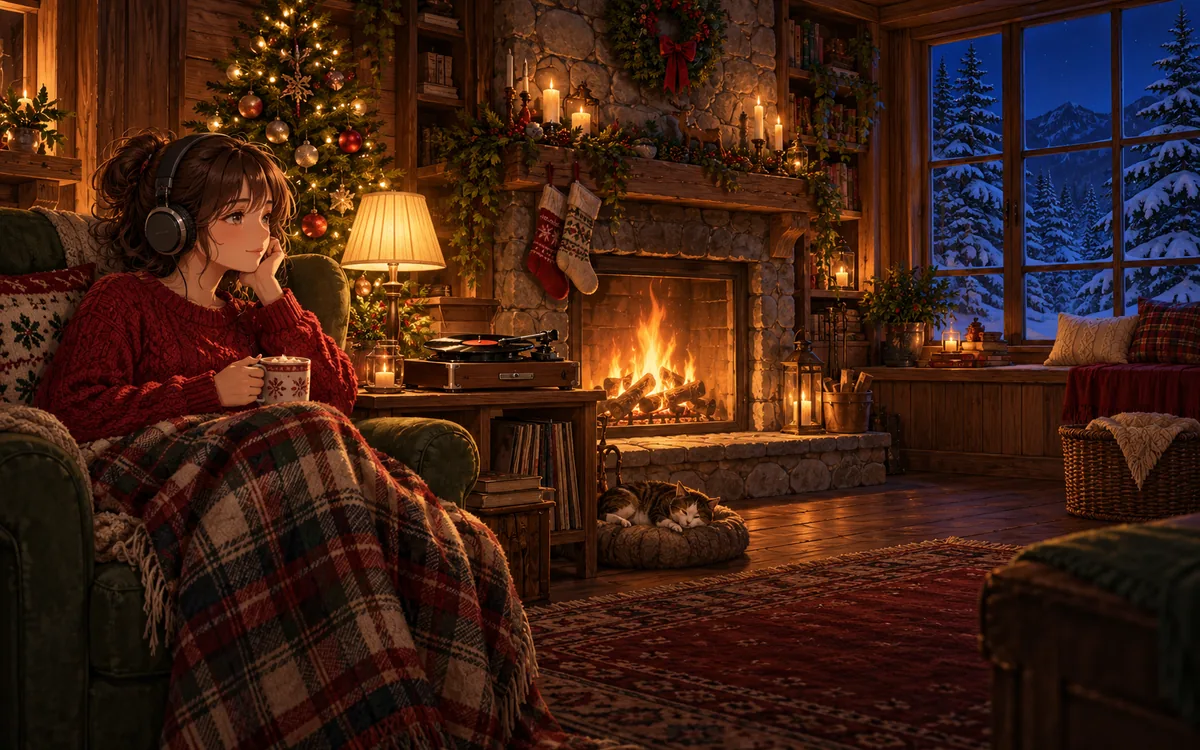
Upload your Christmas jazz, lofi and fireplace visuals once. SubSub streams them nonstop from our cloud in up to 4K — no OBS, no VPS, no PC left running.
When the free credit runs out, the stream simply stops. Nothing is charged unless you top up.

A home stream dies with every Windows update, power cut or Wi-Fi drop. SubSub plays your playlist from our servers, so your computer can sleep.
Renting a VPS, running OBS without a GPU, restarting a crashed encoder — that is a second job. Here you upload files and press start.
One wrong track can mute or stop a stream, and holiday classics are among the most claimed songs every December. Below we explain what is safe to play and how Christmas radios actually earn.
Drop your audio and video into the SubSub media library, put them in order and turn on loop. Files live in our cloud, not on your computer.
Create a stream in YouTube Studio and paste its stream key into SubSub. The stream stays on your channel; SubSub only sends the video.
SubSub streams from our servers around the clock. Close the laptop — the stream keeps playing.
What long-running holiday music channels have in common — and how to get there with SubSub.
Load at least 2–3 hours of jazz, lofi or piano tracks so listeners rarely hear a repeat. SubSub loops the playlist automatically.
A 10–30 second seamless loop — a crackling fireplace, snow falling outside the window, twinkling tree lights — keeps the stream alive. A static image works too.
Christmas radio plays in the background of dinners, gift wrapping and work. Export tracks at 192 kbps or higher; 1080p video is plenty for the picture.
Use your own recordings, tracks licensed for YouTube live streaming, or a royalty-free library. Public-domain carols are free to perform, but other people’s recordings of them are not. Keep license proof in case of a claim.
Your $0.50 sign-up credit covers about 57 hours on air. Upload a couple of tracks, press start and watch your radio go live. No card, no software, nothing to install.
YouTube checks every stream with Content ID, and Christmas hits are claimed heavily every December. A claimed track can cut your stream.
Once your channel is in the YouTube Partner Program:
You pay only for streaming time: $0.0087 per hour in base quality (720p, 30 fps). A month nonstop is 720 hours and comes to about $6.26 — no monthly plan, no slot fees. New accounts get $0.50 in free credits, enough for about 57 hours on air, no credit card required.
Criteria
Yes. YouTube sets no maximum length for live streams, and holiday radios stay live for the whole season. The usual rules apply: a verified channel with no live streaming restrictions in the past 90 days, honest titles and thumbnails, and only music you have rights to.
Yes. SubSub sends your uploaded playlist to YouTube through a regular stream key, exactly like a streaming encoder. You do not need to be online, run OBS or keep a computer on during the broadcast.
Not without a license. Famous Christmas hits and their covers are protected and get claimed by Content ID, which can replace the stream with a placeholder or stop it. Play your own recordings, public-domain carols you perform yourself, or tracks whose license covers YouTube live streaming.
Yes, once your channel is in the YouTube Partner Program: ads, Super Chat, Super Stickers and memberships. Compilations of other artists' songs are not eligible for monetization, so build the radio on your own or properly licensed catalog.
Holiday listening starts growing in November, so launch by mid-November and keep the stream running through early January. With SubSub you pay only for the hours on air, so you can stop the stream after the season.
No. You upload files to SubSub once, and our servers send the stream to YouTube. Your computer can be off the whole time.
You pay only for streaming time — $0.0087 per hour in base quality (720p, 30 fps). A full month nonstop is about $6.26. New accounts get $0.50 in free credits, about 57 hours on air, no credit card required.
YouTube can take up to 24 hours to enable live streaming the first time. Turn it on in YouTube Studio a day before you plan to launch.
Yes. Each stream runs on its own and is billed by its own streaming hours, so you can run different radios on different channels.
No. SubSub does not scan your files. YouTube checks every live stream with Content ID on its side: if it finds a track you do not own, YouTube can mute or stop the stream and strike your channel. Use only music you own or license.
Streams up to 12 hours are archived on your channel. Longer streams may not be saved at all, and live streams that are not saved as a video do not count toward Partner Program watch hours. Keep your source files — they stay in your SubSub library.
Your free credit covers about 57 hours on air. No credit card, no OBS, no computer left running.
Launch a free test streamChristmas 24/7 · EnglishChristmas 24/7 · УкраїнськаChristmas 24/7 · EspañolChristmas 24/7 · 简体中文Christmas 24/7 · हिन्दीChristmas 24/7 · العربيةChristmas 24/7 · PortuguêsChristmas 24/7 · বাংলাChristmas 24/7 · 日本語Christmas 24/7 · DeutschChristmas 24/7 · FrançaisChristmas 24/7 · Bahasa IndonesiaChristmas 24/7 · TürkçeChristmas 24/7 · 한국어Christmas 24/7 · Tiếng ViệtChristmas 24/7 · ItalianoChristmas 24/7 · PolskiChristmas 24/7 · NederlandsChristmas 24/7 · ไทยChristmas 24/7 · فارسیChristmas 24/7 · RomânăChristmas 24/7 · Bahasa MelayuChristmas 24/7 · KiswahiliChristmas 24/7 · தமிழ்Christmas 24/7 · తెలుగుChristmas 24/7 · मराठीChristmas 24/7 · اردوChristmas 24/7 · FilipinoChristmas 24/7 · ΕλληνικάChristmas 24/7 · ČeštinaChristmas 24/7 · MagyarChristmas 24/7 · SvenskaChristmas 24/7 · עבריתChristmas 24/7 · DanskChristmas 24/7 · SuomiChristmas 24/7 · NorskChristmas 24/7 · SlovenčinaChristmas 24/7 · БългарскиChristmas 24/7 · HrvatskiChristmas 24/7 · SrpskiChristmas 24/7 · LietuviųChristmas 24/7 · LatviešuChristmas 24/7 · EestiChristmas 24/7 · SlovenščinaChristmas 24/7 · ქართულიChristmas 24/7 · AzərbaycanChristmas 24/7 · ҚазақшаChristmas 24/7 · OʻzbekChristmas 24/7 · 繁體中文Christmas 24/7 · ਪੰਜਾਬੀChristmas 24/7 · ગુજરાતી