24/7 RELAXING PIANO RADIO

Launch a 24/7 piano music radio on YouTube — with your computer off

Upload your piano tracks and a cozy looping scene once. SubSub streams them nonstop from our cloud in up to 4K — no OBS, no VPS, no PC left running.

When the free credit runs out, the stream simply stops. Nothing is charged unless you top up.

57 hours free
No OBS, no VPS
Up to 4K
24/7 for ≈ $6.26/mo
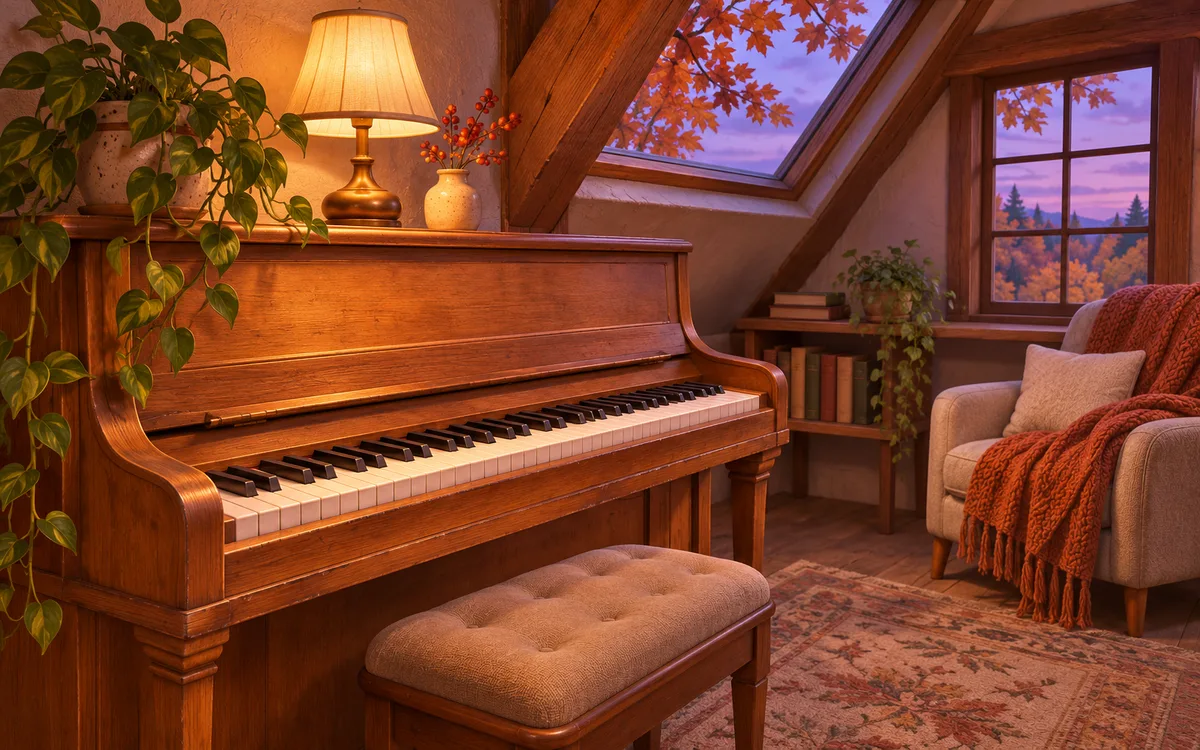
An old wooden upright piano in a warm attic room lit by a table lamp, with a trailing plant, an armchair under a knitted throw and autumn maple leaves outside the windows at dusk
LIVE
NOW PLAYING
autumn attic · lamplight piano
2,431
watching
mia.lofi
my reading soundtrack every evening
olek
listening from Kyiv 🇺🇦
nightowl
fell asleep to this last night, back again
rain_drift
piano + rain outside = perfect evening
kenji_beats
$5.00
this room looks so cozy 🍂
sofia
how is this live 24/7?
lucas.wav
who else is studying late rn
studybuddy
most peaceful piano radio on YouTube
1,058,505,041
hours watched
42,334,000
stream views
38,900
hours on air
800
hours in the longest nonstop stream

Why most piano streams fall silent before the evening ends

01

Your PC has to stay on

Piano listeners keep your radio on while they read, work and fall asleep — often for the whole night. A home stream dies with every Windows update, power cut or Wi-Fi drop, and every restart loses the viewers who were listening. SubSub plays your playlist from our servers, so the music never breaks off mid-phrase.

02

OBS and VPS babysitting

Renting a VPS, running OBS without a GPU, restarting a frozen encoder at 3 a.m. — that is a second job. Here you upload files and press start.

03

Copyright and monetization guesswork

A Chopin nocturne may be centuries old, but the recording you found is not, and piano covers of film and pop songs are claimed by their publishers. Below we explain what you can safely put on air and how piano radios actually earn.

HOW IT WORKS

Live in three steps, no software to install

1

Upload your files

Drop your audio and video into the SubSub media library, put them in order and turn on loop. Files live in our cloud, not on your computer.

2

Connect YouTube

Create a stream in YouTube Studio and paste its stream key into SubSub. The stream stays on your channel; SubSub only sends the video.

3

Press start

SubSub streams from our servers around the clock. Close the laptop — the stream keeps playing.

SETUP GUIDE

How to set up a piano radio people leave on for hours

What long-running relaxing piano channels have in common — and how to get there with SubSub.

Hours of gentle, unbroken piano

Upload at least 3–4 hours so the same piece does not come back every half hour. Keep the mood steady: slow tempos, soft dynamics, no sudden forte chords that wake a sleeping listener. Group pieces by key and character and let SubSub loop the playlist automatically.

A scene people want to sit in

Warm lamplight, an old upright piano, rain or falling leaves outside the window — the visual tells listeners what the stream feels like before the first note. A 10–30 second seamless loop works best: a flickering lamp, drifting leaves, moving clouds. Use art you made or licensed.

Soft, warm and even

Piano recordings vary a lot in loudness and room sound, so even out levels across tracks and avoid harsh, bright masters. Cut long silences at the ends of tracks. Export audio at 192 kbps or higher; 1080p video is plenty, 4K if your loop is sharp enough.

Recordings you have rights to

Compositions by Chopin, Satie or Debussy are in the public domain in most countries, but every recording of them is protected. Record your own playing, sign written streaming deals with pianists, or use a library whose terms cover YouTube live streaming and monetization. Covers of modern songs need a license for the song itself.

TRY IT FREE

Launch a test stream tonight — it is on us

Your $0.50 sign-up credit covers about 57 hours on air. Upload a couple of tracks, press start and watch your radio go live. No card, no software, nothing to install.

1
Create a free account
2
Upload a track and a looping visual
3
Press start and keep it running as long as you like
Launch a free test stream
57 free hours · no credit card
COPYRIGHT

What you can stream

YouTube checks every stream with Content ID, and labels, publishers and many independent pianists register their recordings there. A claimed track can mute or cut your stream.

  • Your own playing and music from pianists who gave you written permission for 24/7 streaming
  • Music libraries licensed for YouTube live and allowlisted for your channel
  • Not allowed: tracks ripped from other piano channels, Spotify or YouTube playlists, commercial recordings of classical works, and piano covers of film, game or pop songs without a license
MONETIZATION

How a piano radio earns

Once your channel is in the YouTube Partner Program:

  • Ads — listeners keep piano on for hours while reading, working or sleeping, so watch time adds up
  • Super Chat and channel memberships — regulars come back every evening and like to support their favorite radio
  • Your links — your albums on streaming services, sheet music, piano lessons and commissions
COST

A full month of 24/7 streaming for about $6

You pay only for streaming time: $0.0087 per hour in base quality (720p, 30 fps). A month nonstop is 720 hours and comes to about $6.26 — no monthly plan, no slot fees. New accounts get $0.50 in free credits, enough for about 57 hours on air, no credit card required.

24/7 · 30 days · 720p 30 fps
≈ $6.26
per month, billed by the hour
Start with 57 free hours
COMPARE

SubSub vs a home PC with OBS

Criteria

SubSub
Home PC + OBS
Your computer stays on
No
Yes, 24/7
Setup
Upload files, press start
OBS scenes, encoder settings
Where files live
SubSub cloud
Your disk
What breaks the stream
Nothing on your side
Updates, power cuts, Wi-Fi
Cost of 24/7 for a month
≈ $6.26, pay per hour
Electricity and hardware wear

FAQ

Does YouTube allow 24/7 piano music streams?

Yes. YouTube has no limit on stream length, and relaxing piano radios stay live for months. The usual rules apply: a verified channel with no live streaming restrictions in the last 90 days, honest titles and thumbnails, and only music you have the rights to.

Is classical piano music copyright-free?

The compositions of Chopin, Satie, Debussy and other long-dead composers are in the public domain in most countries, but recordings are not: every performance belongs to the pianist or label and is often registered in Content ID. Record the pieces yourself, get written permission from a pianist, or use a library licensed for YouTube live streaming.

Can I stream piano covers of popular songs?

Not without a license. A cover uses someone else's song, and its publisher can claim your stream even if you played it yourself. Stick to original pieces, public domain compositions or covers you have licensed.

Can I monetize a 24/7 piano stream?

Yes, once your channel is in the YouTube Partner Program: ads, Super Chat and channel memberships all work on live streams. YouTube may limit monetization of repetitive or reused content, such as mass-produced identical tracks. Build your stream on your own or properly licensed music and give it a visual style of its own.

How long should a piano playlist be?

At least 3–4 hours. People keep piano on through whole evenings and nights, and SubSub loops the playlist automatically, so the longer it is, the less often a piece repeats.

Do I need OBS, a VPS or a computer that stays on?

No. You upload files to SubSub once, and our servers send the stream to YouTube. Your computer can be off the whole time.

How much does a 24/7 stream cost?

You pay only for streaming time — $0.0087 per hour in base quality (720p, 30 fps). A full month nonstop is about $6.26. New accounts get $0.50 in free credits, about 57 hours on air, no credit card required.

Why can’t I go live right after setting up my channel?

YouTube can take up to 24 hours to enable live streaming the first time. Turn it on in YouTube Studio a day before you plan to launch.

Can I run several 24/7 streams at once?

Yes. Each stream runs on its own and is billed by its own streaming hours, so you can run different radios on different channels.

Does SubSub check my music for copyright?

No. SubSub does not scan your files. YouTube checks every live stream with Content ID on its side: if it finds a track you do not own, YouTube can mute or stop the stream and strike your channel. Use only music you own or license.

Will YouTube save my 24/7 stream as a video?

Streams up to 12 hours are archived on your channel. Longer streams may not be saved at all, and live streams that are not saved as a video do not count toward Partner Program watch hours. Keep your source files — they stay in your SubSub library.

Your piano radio can be on air before the lamp goes on tonight.

Your free credit covers about 57 hours on air. No credit card, no OBS, no computer left running.

Launch a free test stream
Launch a free test stream · 57 h free