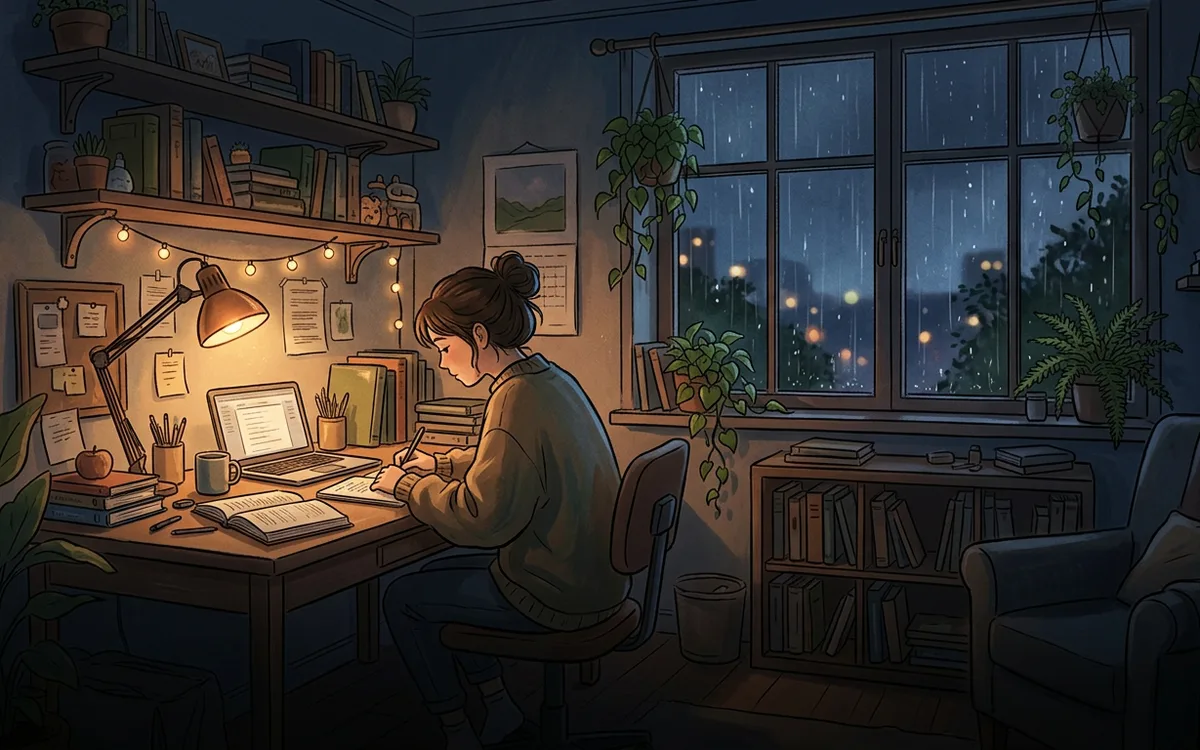
Upload your instrumental tracks and a looping desk scene once. SubSub streams them nonstop from our cloud in up to 4K — no OBS, no VPS, no PC left running.
When the free credit runs out, the stream simply stops. Nothing is charged unless you top up.

A home stream dies with every Windows update, power cut or Wi-Fi drop — usually halfway through someone's exam prep. SubSub plays your playlist from our servers, so your computer can sleep.
Renting a VPS, running OBS without a GPU, restarting a crashed encoder at 3 a.m. in exam season — that is a second job. Here you upload files and press start.
Study beats sold as royalty-free are often registered in Content ID, and a stock music subscription rarely covers 24/7 live streaming. Mass-produced tracks over a stock image can also fail YouTube's reused-content review. Below we explain what is safe to stream and how focus channels actually earn.
Drop your audio and video into the SubSub media library, put them in order and turn on loop. Files live in our cloud, not on your computer.
Create a stream in YouTube Studio and paste its stream key into SubSub. The stream stays on your channel; SubSub only sends the video.
SubSub streams from our servers around the clock. Close the laptop — the stream keeps playing.
What long-running study and focus channels have in common — and how to get there with SubSub.
Upload at least 3–4 hours of instrumental tracks so a whole study block passes before anything repeats. No vocals, no sudden drops: steady tempo, soft keys, ambient pads. SubSub loops the playlist automatically.
Many listeners work in Pomodoro blocks. Sequence tracks into 25- or 50-minute sets with a short, softer interlude or a quiet chime for the break, and say so in the title and description.
A 10–30 second seamless loop — rain on the window, a flickering desk lamp, a turning page — keeps the stream alive; a static image works too. Keep loudness even, around −14 LUFS, export audio at 192 kbps or higher; 1080p video is plenty.
Produce your own tracks, commission them with a full rights transfer, or use a library whose license explicitly covers 24/7 YouTube live streaming and monetization. Many royalty-free and AI music services exclude live streams or require a higher plan, so read the license and keep proof in case of a claim.
Your $0.50 sign-up credit covers about 57 hours on air. Upload a couple of tracks, press start and watch your radio go live. No card, no software, nothing to install.
YouTube checks every stream with Content ID, and many study beats, lofi and ambient tracks are registered there — including ones sold as royalty-free. A claimed track can cut your stream.
Once your channel is in the YouTube Partner Program:
You pay only for streaming time: $0.0087 per hour in base quality (720p, 30 fps). A month nonstop is 720 hours and comes to about $6.26 — no monthly plan, no slot fees. New accounts get $0.50 in free credits, enough for about 57 hours on air, no credit card required.
Criteria
Yes. YouTube sets no maximum length for live streams, and study and focus streams stay live for months. The usual rules apply: a verified channel with no live streaming restrictions in the past 90 days, honest titles and thumbnails, and only music you have rights to.
Yes. SubSub sends your uploaded playlist to YouTube through a regular stream key, exactly like a streaming encoder. You do not need to be online, run OBS or keep a computer on during the broadcast.
The compositions of Bach, Mozart or Chopin are in the public domain, but almost every recording of them is not: it belongs to the performer, orchestra or label, and many are registered in Content ID. Use your own performance, a recording with a verified public-domain or open license, or a licensed library.
Yes, once your channel is in the YouTube Partner Program: ads, Super Chat, Super Stickers and memberships. YouTube can limit monetization for repetitive or reused content, such as mass-produced tracks over a stock image, so build the stream on your own or properly licensed music and give it a look of its own.
At least 3–4 hours. SubSub loops the playlist automatically, and the longer it is, the less likely a listener is to hear the same track twice in one study session.
No. You upload files to SubSub once, and our servers send the stream to YouTube. Your computer can be off the whole time.
You pay only for streaming time — $0.0087 per hour in base quality (720p, 30 fps). A full month nonstop is about $6.26. New accounts get $0.50 in free credits, about 57 hours on air, no credit card required.
YouTube can take up to 24 hours to enable live streaming the first time. Turn it on in YouTube Studio a day before you plan to launch.
Yes. Each stream runs on its own and is billed by its own streaming hours, so you can run different radios on different channels.
No. SubSub does not scan your files. YouTube checks every live stream with Content ID on its side: if it finds a track you do not own, YouTube can mute or stop the stream and strike your channel. Use only music you own or license.
Streams up to 12 hours are archived on your channel. Longer streams may not be saved at all, and live streams that are not saved as a video do not count toward Partner Program watch hours. Keep your source files — they stay in your SubSub library.
Your free credit covers about 57 hours on air. No credit card, no OBS, no computer left running.
Launch a free test streamStudy 24/7 · EnglishStudy 24/7 · УкраїнськаStudy 24/7 · EspañolStudy 24/7 · 简体中文Study 24/7 · हिन्दीStudy 24/7 · العربيةStudy 24/7 · PortuguêsStudy 24/7 · বাংলাStudy 24/7 · 日本語Study 24/7 · DeutschStudy 24/7 · FrançaisStudy 24/7 · Bahasa IndonesiaStudy 24/7 · TürkçeStudy 24/7 · 한국어Study 24/7 · Tiếng ViệtStudy 24/7 · ItalianoStudy 24/7 · PolskiStudy 24/7 · NederlandsStudy 24/7 · ไทยStudy 24/7 · فارسیStudy 24/7 · RomânăStudy 24/7 · Bahasa MelayuStudy 24/7 · KiswahiliStudy 24/7 · தமிழ்Study 24/7 · తెలుగుStudy 24/7 · मराठीStudy 24/7 · اردوStudy 24/7 · FilipinoStudy 24/7 · ΕλληνικάStudy 24/7 · ČeštinaStudy 24/7 · MagyarStudy 24/7 · SvenskaStudy 24/7 · עבריתStudy 24/7 · DanskStudy 24/7 · SuomiStudy 24/7 · NorskStudy 24/7 · SlovenčinaStudy 24/7 · БългарскиStudy 24/7 · HrvatskiStudy 24/7 · SrpskiStudy 24/7 · LietuviųStudy 24/7 · LatviešuStudy 24/7 · EestiStudy 24/7 · SlovenščinaStudy 24/7 · ქართულიStudy 24/7 · AzərbaycanStudy 24/7 · ҚазақшаStudy 24/7 · OʻzbekStudy 24/7 · 繁體中文Study 24/7 · ਪੰਜਾਬੀStudy 24/7 · ગુજરાતી