Imagine having a direct line to your audience where you can spark conversations, share updates, and build a loyal community beyond just video uploads. That’s exactly what the YouTube Community Tab offers. If you haven’t tapped into this feature yet, you’re missing out on a powerful tool to deepen engagement and keep your viewers coming back for more.
What Is the YouTube Community Tab?
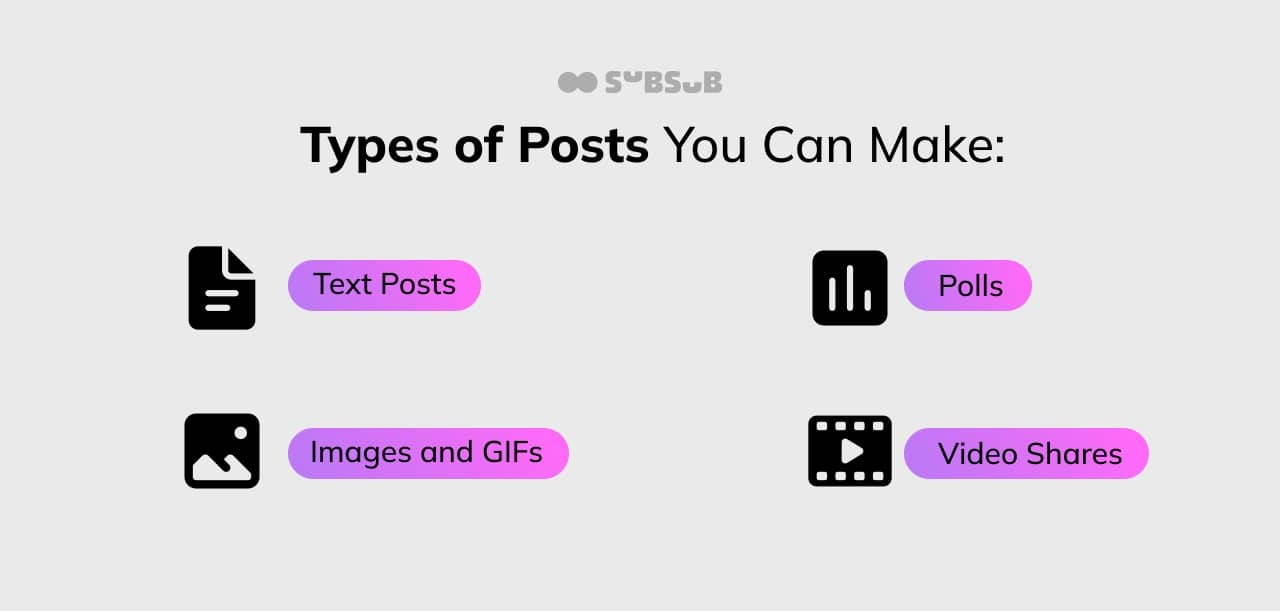
The Community Tab is a space on your YouTube channel where you can post text, images, polls, GIFs, and videos to interact with your subscribers outside of your regular content. Think of it as your channel’s social feed, right inside YouTube. It’s designed to foster more personal and frequent interactions, helping creators stay connected with their audience in between video uploads.
This tab becomes available once your channel reaches 500 subscribers, making it accessible to many creators who are serious about growing their community. The posts appear in your subscribers’ feeds and can also be seen by anyone visiting your channel, which means it’s a great way to keep your audience engaged and attract new viewers.
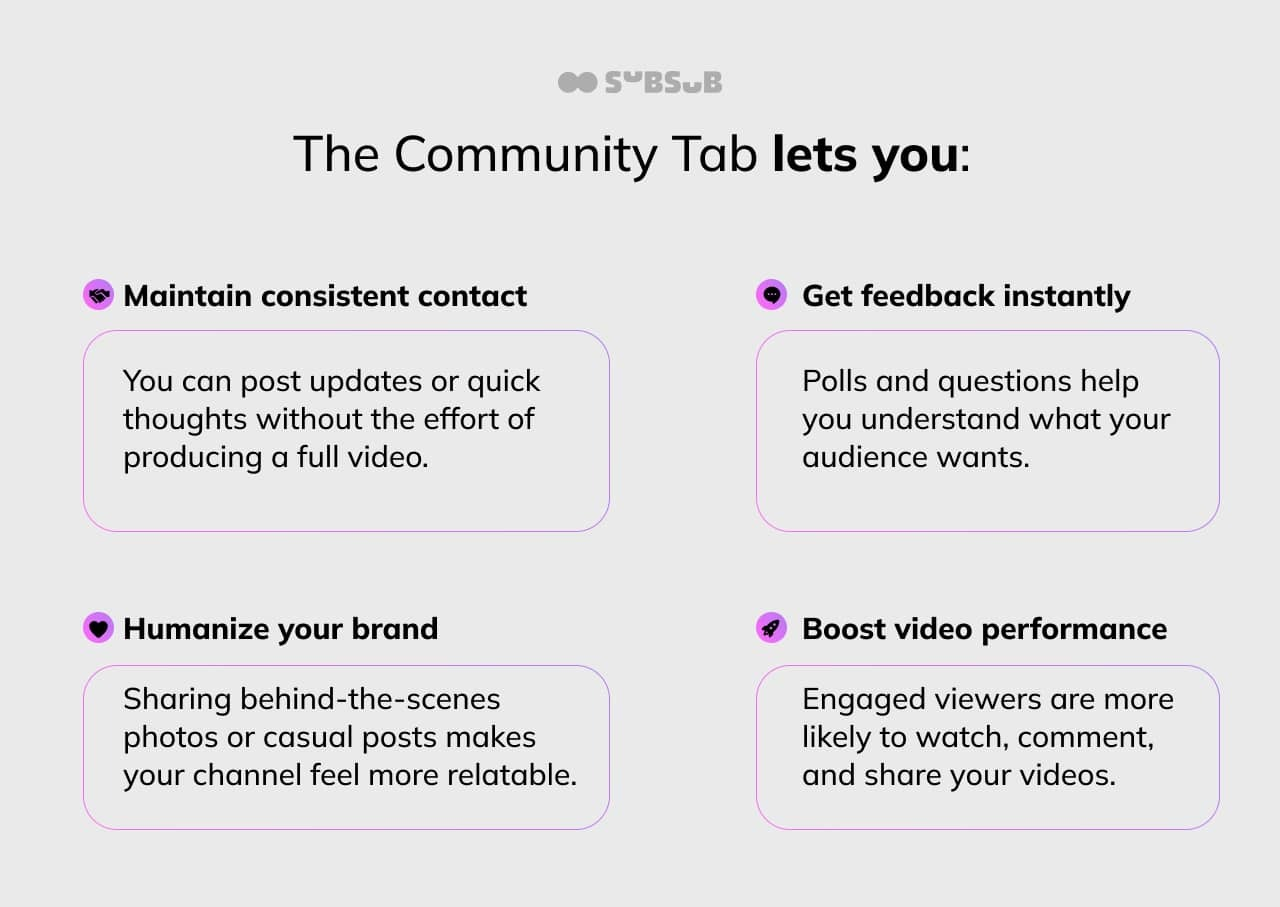
One of the standout features of the Community Tab is its versatility. Creators can share behind-the-scenes content, sneak peeks of upcoming videos, or even personal anecdotes that resonate with their audience. This not only humanizes the creator but also builds a deeper connection with viewers, as they feel more involved in the creator's journey. Additionally, the ability to conduct polls allows creators to gather feedback directly from their audience, making them feel valued and heard. This interactive element can lead to a more loyal subscriber base, as viewers appreciate having a say in the content they consume.
Moreover, the Community Tab serves as a powerful tool for promoting collaborations or special events. Creators can announce live streams, Q&A sessions, or partnerships with other YouTubers, generating excitement and anticipation among their followers. By utilizing the Community Tab effectively, creators can not only enhance their engagement but also drive traffic to their main content, leading to a more vibrant and active channel overall. In a landscape where viewer attention is fleeting, the Community Tab offers a unique opportunity for creators to stand out and maintain relevance in their audience's minds.
Why Use the Community Tab?
Uploading videos is essential, but it’s not the only way to engage.
Simply put, the Community Tab turns passive viewers into active participants.
Moreover, the Community Tab serves as a powerful tool for storytelling. By sharing snippets of your daily life or the creative process behind your content, you create a narrative that resonates with your audience. This approach not only fosters a deeper connection but also encourages viewers to invest emotionally in your journey. When followers feel like they are part of your story, they are more likely to support your work and share it with others, amplifying your reach.
Additionally, the Community Tab can be a fantastic platform for collaboration. By inviting guest creators or featuring fan submissions, you can diversify your content and bring fresh perspectives to your channel. This not only enriches your content but also builds a sense of community among your viewers, as they see their contributions valued and recognized.
Engaging with your audience in this way can lead to exciting new ideas and collaborations that might not have emerged through traditional video formats alone.
How to Access and Set Up the Community Tab
First things first: make sure your channel qualifies. You need at least 500 subscribers. Once you hit that milestone, the Community Tab will automatically appear on your channel homepage, usually alongside the “Videos,” “Playlists,” and “About” tabs. This feature is a fantastic way to engage with your audience beyond just video content, allowing for a more dynamic interaction with your community.
To start posting:
Go to your YouTube channel homepage.
Click on the “Community” tab.
You’ll see a box that says “Create post.”
From here, you can write text, add images, create polls, or share videos.
Keep in mind that your posts should be authentic and relevant to your audience. Avoid spamming or posting just for the sake of it. Quality over quantity wins every time. Engaging content can include behind-the-scenes looks at your video creation process, sneak peeks of upcoming projects, or even personal anecdotes that resonate with your viewers. This not only fosters a deeper connection but also encourages your audience to interact with your content through likes, comments, and shares.
Additionally, consider utilizing the poll feature to gather feedback or opinions from your audience. This can be a great way to gauge interest in future video topics or to simply understand what your viewers enjoy the most. Polls can spark conversations and give your community a sense of involvement in your channel's direction. Remember, the Community Tab is not just a broadcasting tool; it's a platform for dialogue and engagement, so make the most of it by inviting your subscribers to share their thoughts and ideas.
Strategies to Maximize Engagement with the Community Tab
Post Regularly but Thoughtfully
Consistency matters, but flooding your community feed won’t help. Aim for a few posts per week that add value or spark conversation. Pay attention to what your audience responds to and adjust accordingly.
Ask Questions to Spark Conversations
Questions invite responses. Instead of just sharing news, ask your audience for their opinions or experiences. For example, a fitness channel could ask, “What’s your favorite way to stay motivated during workouts?” This encourages comments and builds a sense of community.
Use Polls to Guide Your Content
Polls are a direct line to your audience’s preferences. Use them to decide what videos to make next or what topics to cover. This not only boosts engagement but also ensures your content resonates with your viewers.
Respond to Comments
Engagement is a two-way street. When viewers comment on your Community posts, reply to them. A simple thank you or a thoughtful response shows you care and encourages more interaction.
Promote Exclusive Content or Events
Use the Community Tab to announce giveaways, live streams, or special events. Making your subscribers feel like insiders increases loyalty and excitement.
Leverage Visuals to Stand Out
Posts with images or GIFs tend to get more attention. Use eye-catching visuals that align with your brand to make your posts pop in the feed.
Common Mistakes to Avoid
Ignoring Your Audience
Posting without engaging back can make your community feel neglected. Always take time to read and respond to comments.
Posting Irrelevant Content
Keep your posts aligned with your channel’s theme and your audience’s interests. Random or off-topic posts can confuse or alienate viewers.
Overposting
Too many posts can overwhelm your audience and dilute your message. Find a balance that keeps your community engaged without spamming their feeds.
Neglecting Analytics
YouTube provides insights into how your Community posts perform. Use this data to refine your strategy. Notice which posts get the most interaction and focus on those types.
Examples of Effective Community Tab Use
Gaming Channel Polls
A popular gaming creator regularly posts polls asking which game to stream next. This not only boosts engagement but also ensures the content matches what the audience wants. The creator also shares memes and behind-the-scenes clips, keeping the feed lively and relatable.
Beauty Vlogger Behind-the-Scenes
A beauty channel uses the Community Tab to share sneak peeks of upcoming tutorials and product reviews. They post photos of their setup and ask followers for feedback on new looks. This approach makes viewers feel involved and valued.
Educational Channel Q&A
An educational YouTube channel posts weekly questions related to recent videos, encouraging viewers to discuss and share their thoughts. The creator responds to many comments, fostering a vibrant learning community.
Measuring Success on the Community Tab
Tracking engagement on your Community posts is crucial. YouTube Studio shows metrics like likes, comments, and reach for each post. Pay attention to:
Engagement rate:
Are viewers interacting with your posts?
Comment quality:
Are conversations meaningful?
Post reach:
How many subscribers and non-subscribers see your posts?
Use these insights to tweak your content and posting schedule. Over time, you’ll find what resonates best with your audience.
Final Thoughts
The YouTube Community Tab is more than just an add-on feature-it’s a vital tool for creators who want to build a loyal, engaged audience. By posting thoughtfully, encouraging interaction, and responding to your viewers, you can create a dynamic space that keeps your community active and invested in your channel’s growth.
Start experimenting with different types of posts today. The more you engage, the stronger your connection with your audience becomes. And that connection is what turns casual viewers into lifelong fans.