A sharp YouTube title can make your video take off or leave your great ideas hidden in the pile. One of the hardest things for YouTube creators is to come up with a title that grabs attention without slipping into clickbait. And you’ve got maybe 60 characters before YouTube chops your title in half.
You want to spark curiosity without confusing your audience. Those magic words like “easy,” “secret,” or “hack” can help, but they can also backfire.
So if you want to understand what actually makes a YouTube title work in 2026, don’t leave this page!
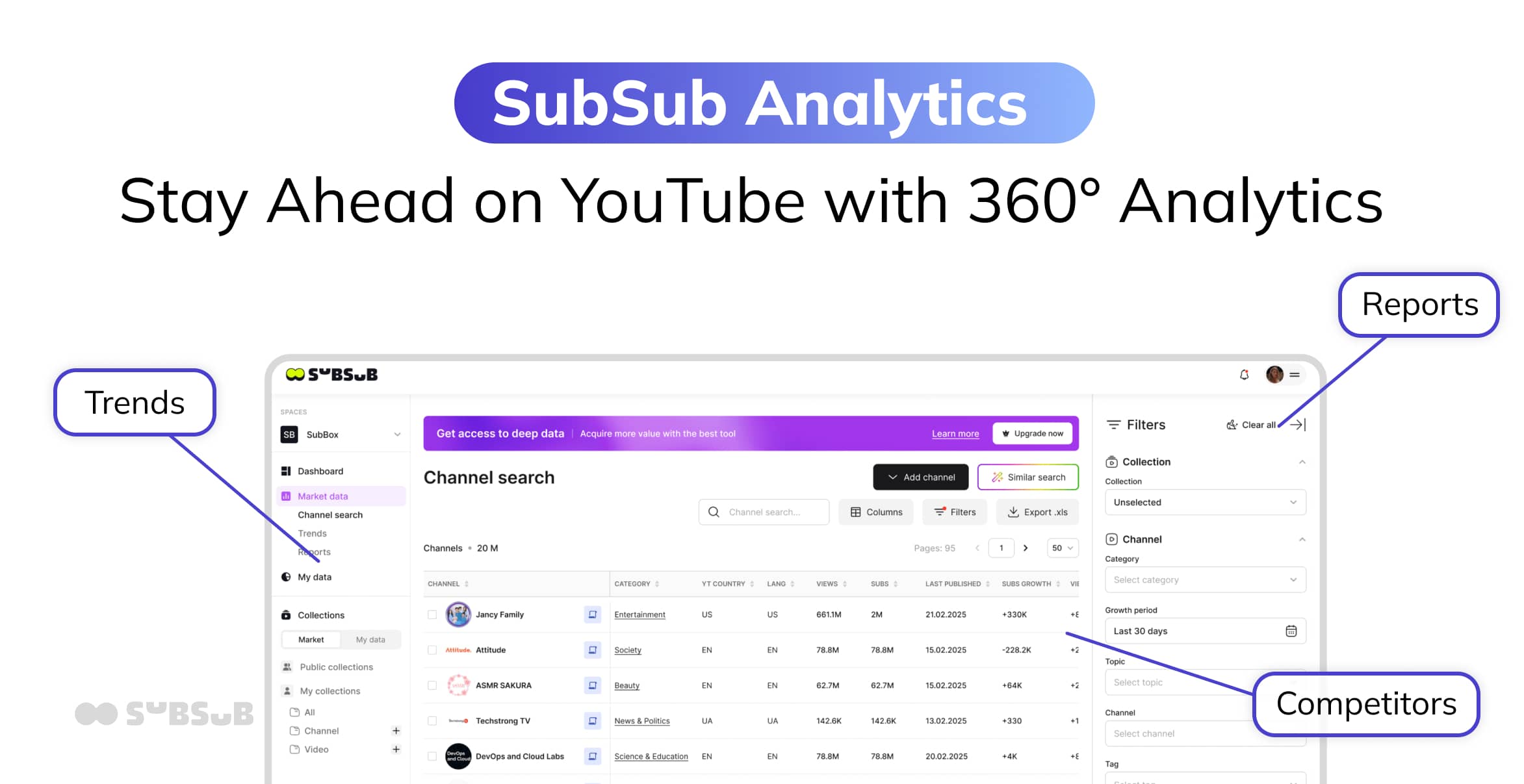
We’ve been digging deep, analyzing thousands of video titles, and uncovered a few formulas that consistently drive more clicks. We used our own proprietary tools: SubSub Analytics and the SubSub Top YouTube Channels Database (our real-time YouTube stats tracker), and scrutinized video titles across formats, niches, and channel sizes. We checked several metrics, including watch time and subscriber growth.
So, what you’ll find below isn’t borrowed data, recycled advice, or second‑hand studies. It’s drawn directly from performance data.
After combing through that massive dataset, we noticed clear patterns emerged. A handful of title formulas consistently pulled more clicks, regardless of niche. Turns out, it’s not just about fancy wording or chasing the algorithm. It’s about understanding how viewers respond to clear explanations, tension, and format‑specific energy.
Below, you’ll find the exact insights that surfaced again and again, plus the subtle mistakes that quietly kill your CTR without you realizing it.
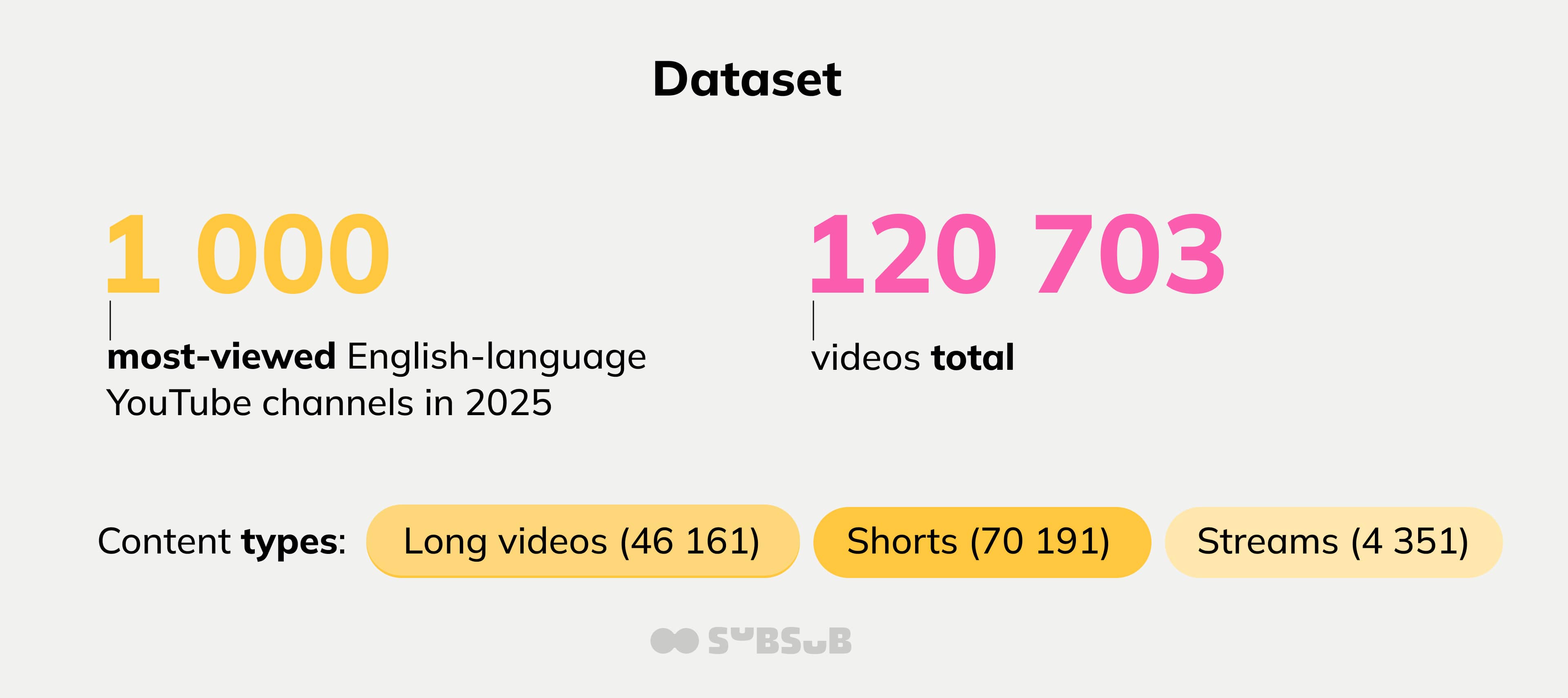
1 000 most‑viewed English‑language YouTube channels in 2025
120 703 videos total
Content types:
Long videos (46 161)
Shorts (70 191)
Streams (4 351)
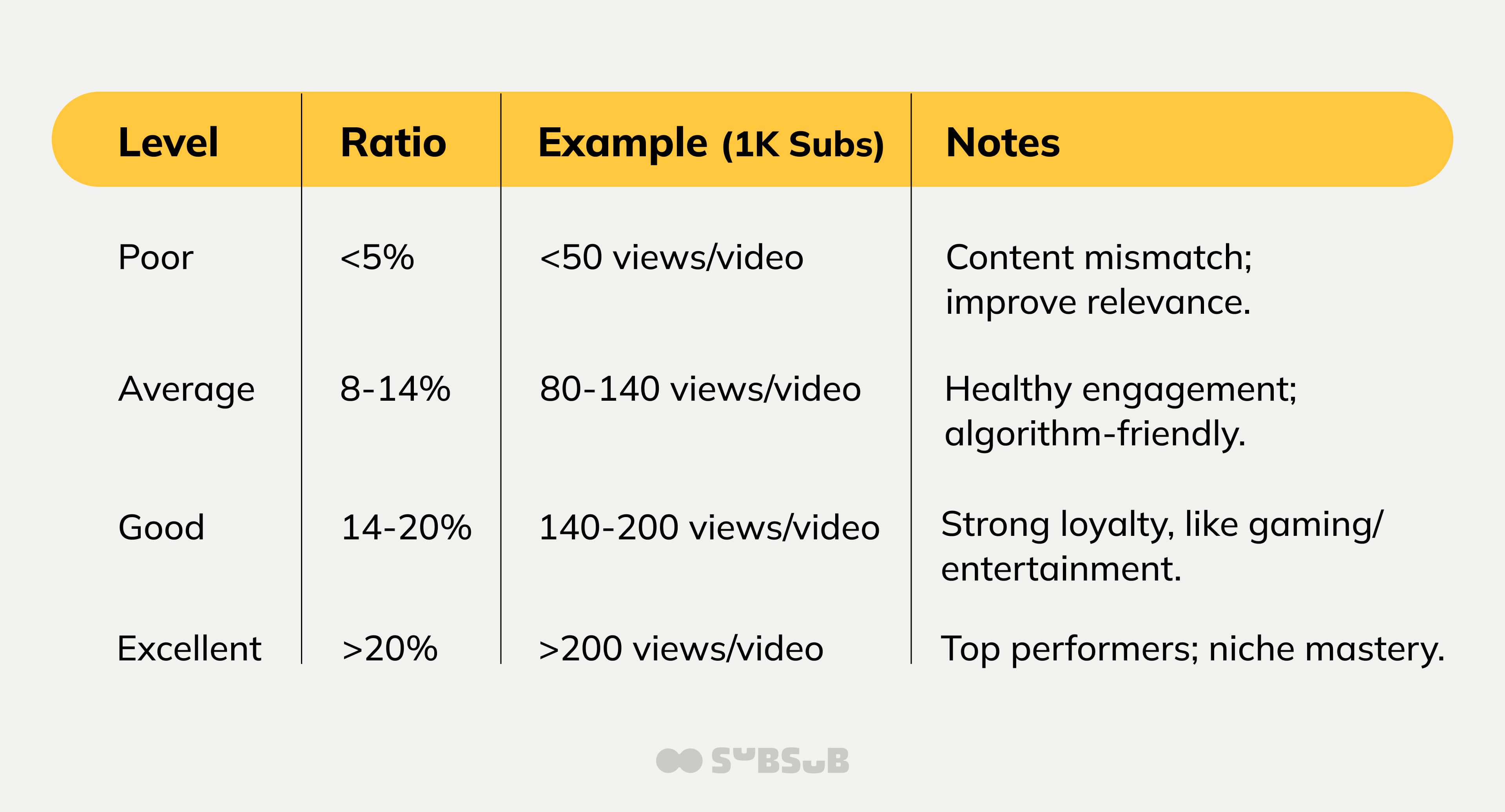
To evaluate performance fairly across channels of very different sizes, we used Views‑to‑Subscribers ratio – this shows how many of your followers actually show up to watch.
Views will always swing: one video might barely crack a few hundred while the next blows past 100k. When you average everything out, a healthy subscriber‑to‑view ratio usually falls in the 5–10% range. It’s a simple way to gauge whether your audience is truly engaged or just passively subscribed.
For instance, if you’re sitting at 10%, that means roughly 10 out of every 100 subscribers are turning into views.
This benchmark allowed us to see which titles outperform the channel’s baseline, not just which channels are already big.
We then compared low‑performing vs high‑performing titles across multiple dimensions.
And these are the conclusions.
1. Title Length: Shorter Wins (Almost Always)
High‑performing long videos consistently use shorter titles:
Why it qualifies: Sydney Morgan's video pulled 3.7 million views and over 37% Views/Subs rate.
This title hints at chaos, humor, and unpredictability. That emotional tone is a hook in itself. People click because they expect reactions, surprises, and maybe some friendly roasting.
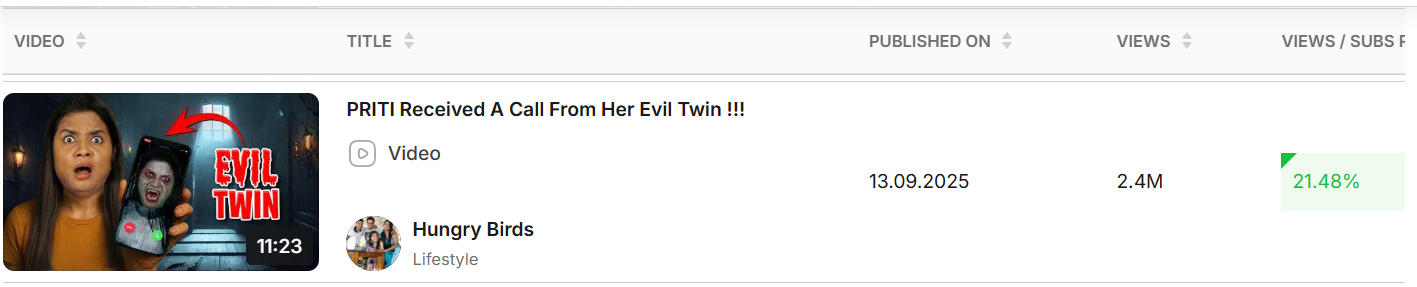
Why it qualifies: This video pulled 2.4 million views and 21% Views/Subs rate.
This title centers on immediate conflict: a call from an evil twin.
That’s a classic narrative tension point: it signals danger, drama, and a twist before the viewer even clicks. Conflict is one of the most reliable click drivers on YouTube, and this title leans into it unapologetically.
Explanation beyond the word count
You need to keep in mind that most YouTube traffic is mobile.
Shorter titles avoid truncation and maintain clarity in-feed. There’s also the cognitive load: our brains process simple, direct statements much faster, while long titles create unnecessary friction.
And from a psychological perspective, curiosity often beats pure clarity on YouTube (as long as it’s ethical). That’s why many top‑performing titles lean into intrigue without crossing into clickbait.
Some examples:
I Tried a Simple Trick That Helped Me Save $10,000
This Change in My Morning Routine Improved My Productivity
I Stopped Copying Gurus and My Channel Started Growing
Insight
If a title needs more than one breath to read, it probably needs editing.
Shorts
Shorts show the strongest compression effect:
Top Shorts titles average ~49 characters
Low‑performing Shorts are ~30% longer
Take a look at these Shorts whose titles racked up serious clicks:
Why it qualifies: Little Remy Food’s shorts reached 11.6 million views and over 330% Views/Subs rate.
“Edible Saturn rings” and “chocolate” don’t normally belong in the same sentence. This type of unexpected combinations are one of the strongest curiosity triggers on YouTube.
Why it qualifies: KiddyLand’s shorts reached 30.7 million views and over 650% Views/Subs rate.
Unlike dramatic or conflict‑driven titles, kids’ content thrives on upbeat, friendly energy. Words like “Amazing” and “Animals” create a warm, happy emotional frame that parents also trust.
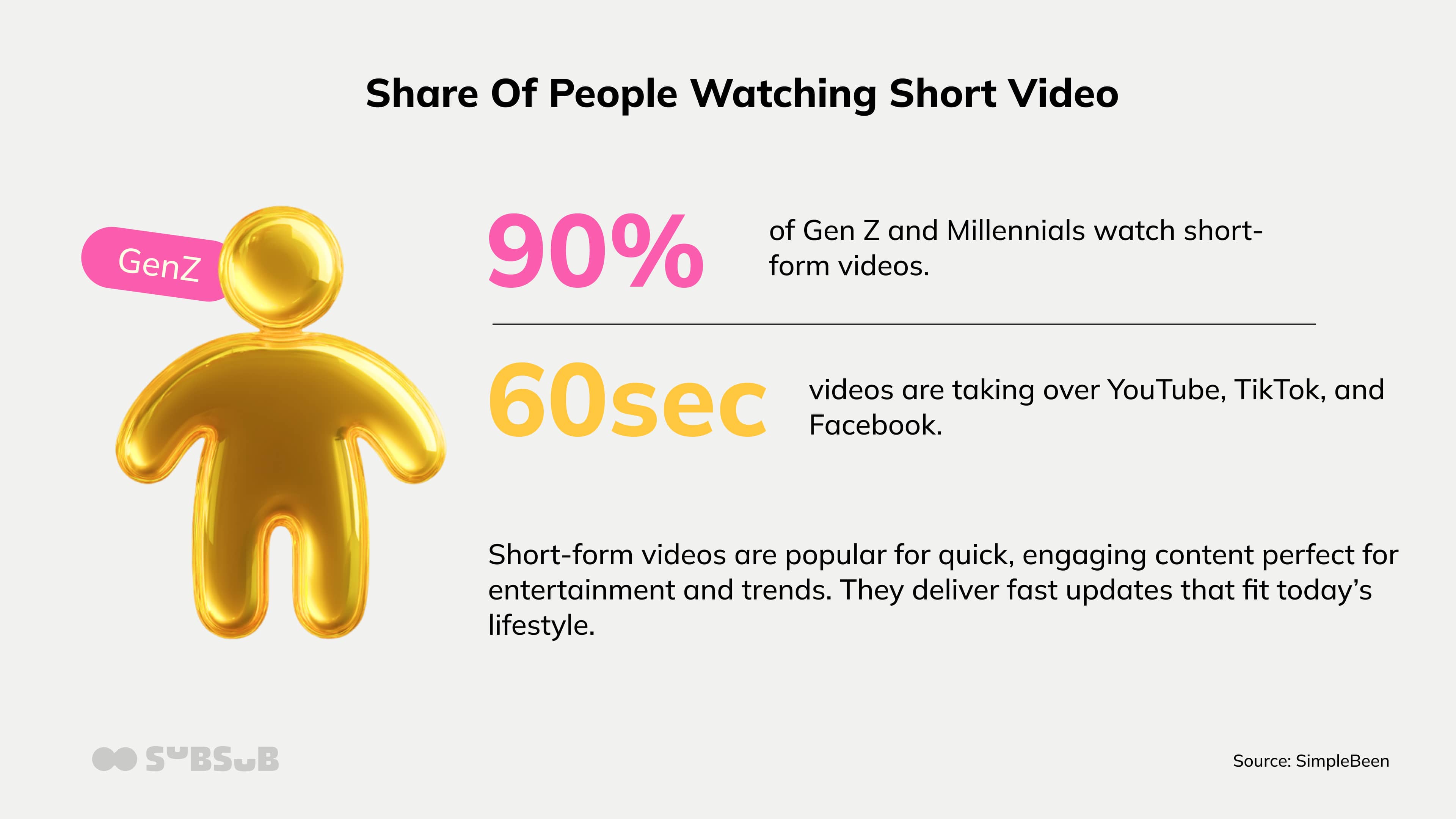
Important notes about Shorts: they usually have a 5.91% engagement rate – the highest among short formats, and almost 90% of Gen Z and Millennials watch short-form videos daily.
So, if you come up with a fun or quirky idea (particularly challenges) and if you even frame it within top trends, YouTube Shorts is one of the most reliable ways to reach a massive, active audience.
Shorts titles compete inside a fast vertical feed. Brevity goes even beyond survival and algorithm breakout. Some of these shorts’ titles performed well enough early on to get recommended widely.
Why it qualifies: this channel’s stream landed 321.5 K views and over 0.5% Views/Subs rate.
Mobile Legends players know exactly how intense and difficult this rank climb is. The title sets up a built‑in conflict: will they make it to Mythic Immortal or fail along the way? That challenge is the emotional engine of the stream.
Why it qualifies: this stream got Markiplier 3.7 M views and 9.5% Views/Subs rate.
Markiplier actually became famous in the gaming world with Unus Annus experiments, which is a wild one‑year YouTube event. This creator dropped a chaotic, black‑and‑white video built around the ideas of embracing failure, absurdity, and doing things that might completely flop.
Supposedly, this stream deletes itself after a year, rewiring how creators think about making the “Watch it live or miss it forever” type of events.
Insight
Live streams work because they give people a reason to show up right now. When something is happening in real time, whether it’s breaking news, a big game, a new game release, or even a 24/7 puppy cam, viewers don’t want a recap. They want to see it as it unfolds. That urgency drives longer watch time and more interaction in the chat, which YouTube tends to reward.
Latest statistics show that live streaming is now a widely adopted, mainstream format, with around 27% of internet users watching this type of video at least once a week.
Short, clear titles make a big difference. “LIVE: Lakers vs Celtics,” “Breaking News: Storm Update,” or “Puppy Cam Live” tells people exactly what they’re getting in a second.
If you can tie your stream to a timely moment or a niche audience that cares deeply about the topic, live content can consistently pull in engaged viewers who stay longer and come back for the next broadcast.
2. Are Questions Overrated?
Questions are often recommended as a universal title hack — but data tells a more nuanced story.
Across all formats, questions appear less frequently in top‑performing titles:
Shorts: ~7%
Long videos: ~6–8%
Streams: ~2%
A weak question is basically a shrug in title form. A question won’t move the needle if it’s:
too vague: “Should You Try This?”
too generic: “How to Lose Weight?”
something the viewer doesn’t actually care about: “What Is This Animal Doing?”
something they already know the answer to: “Who is Superman?”
The whole point is to create an information gap, a little itch in the brain that only your video can scratch.
The question titles that do perform are the ones that feel like they’re speaking directly to the viewer’s curiosity. They’re:
specific: “In‑Depth Review of [Gadget]: Is It Worth the Hype?”
emotionally charged: “What Happens When You Finally Admit You’re Burned Out?”
relevant to the viewer’s interests: “What’s the Best Way to Learn a New Language?”
hinting at a surprising or valuable payoff: “What Happens When You Leave a Camera in the Wild for 24 Hours?”
Examples that worked:
Long video
Shorts
How Different Niches Use Question Titles
Different content types use questions in different ways, but the psychology is the same.
Educational channels: “How to Master [Skill] in 5 Minutes?”
(Fast value + clear promise)
Gaming creators: “Will This Hack Break the Game?”
(It teases chaos, discovery, and bragging rights.)
Lifestyle channels: “Is the 5 AM Routine a Productivity Hack… or a Trap?”
(Self‑reflection + a little fear of messing up = powerful emotional pull)
Insight
Questions only work when they create tension or contradiction, not when they politely ask for attention.
Best practices:
Start by tapping into your audience’s pain points: frame your titles as the exact questions they’re already asking. You’ll likely see CTR jump by 20–30% in testing.
Keep things tight: under 70 characters, lead with your keywords, and always A/B test against a straight statement.
Layer in emotional hooks: numbers, urgency, stakes, especially if you’re in a tutorial or challenge‑driven niche.
3. Numbers: Still Powerful (When Used Right)
Titles containing numbers perform significantly better — especially for long videos and streams.
High‑performing titles with numbers:
Long videos: 32–40%
Streams: up to 45%
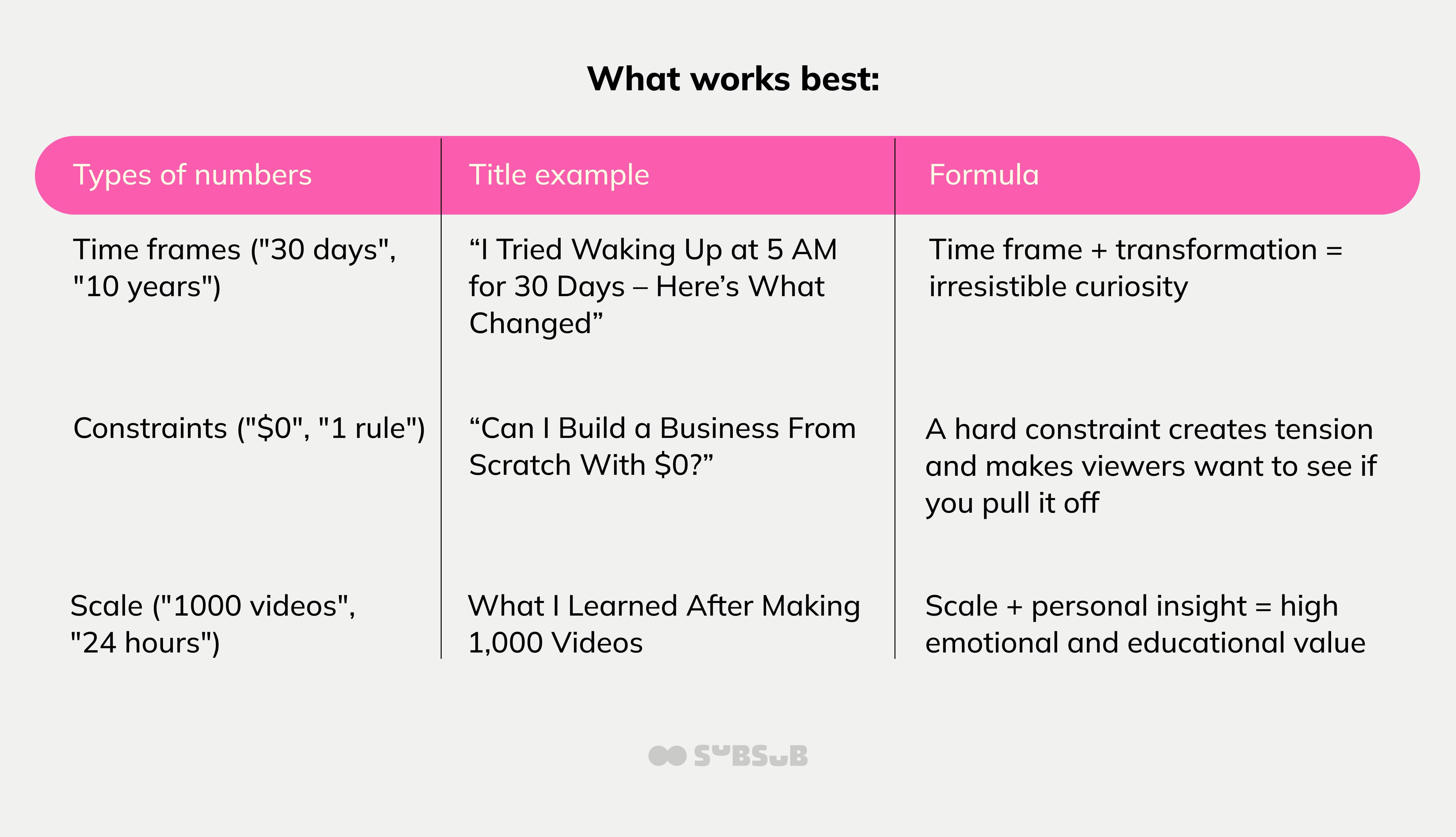
But the winning numbers are rarely generic listicles.
Real Aman: "Happy Diwali 2025 | Real Aman #shorts #minivlog #puja" – Hit 2M views for this year‑specific title (meant to capture search traffic) on the Indian religious celebration, and it’s friendly, positive, and shareable.
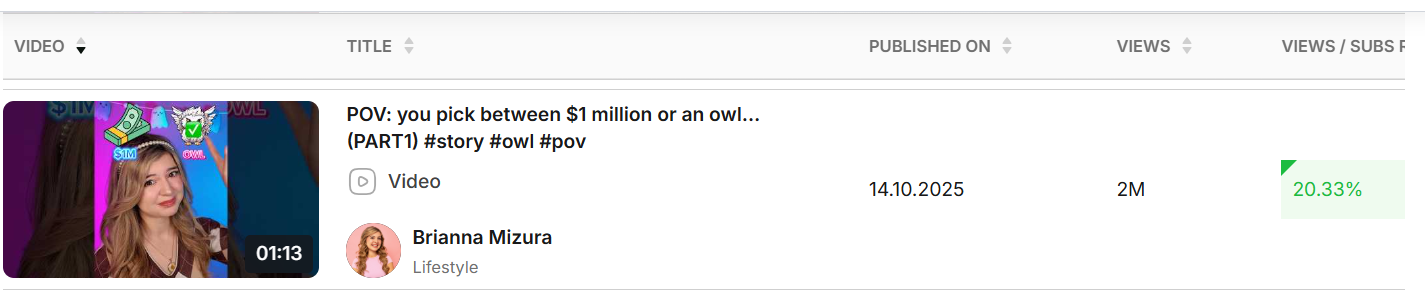
Brianna Mizura: POV: you pick between $1 million or an owl…(PART1) #story #owl #pov – Also, reaching 2M views, this title succeeds because it perfectly aligns with Brianna’s POV‑based, reality‑skit niche. It’s immersive, absurd, serialized, and character‑driven – all the elements that make her content addictive to younger audiences.
Insight: Why Numbers Hit So Hard
Numbers have a psychological pull that’s almost unfair. They promise clear, scannable value: 5 Tips,” “7 Mistakes,” “3 Secrets”, and our brains eat that structure up. It’s specificity, it’s FOMO, and it’s instant clarity all rolled into one.
Even when the video itself isn’t perfect, numbered titles routinely boost CTR by up to 36% because viewers feel like they’re getting something concrete.
Plus, numbers pop visually. In a sea of text‑heavy titles, a clean “7” or “24 Hours” acts like a little anchor that stops the scroll. Odd numbers particularly, like 7 or 13, feel more authentic and less manufactured than neat, round ones.
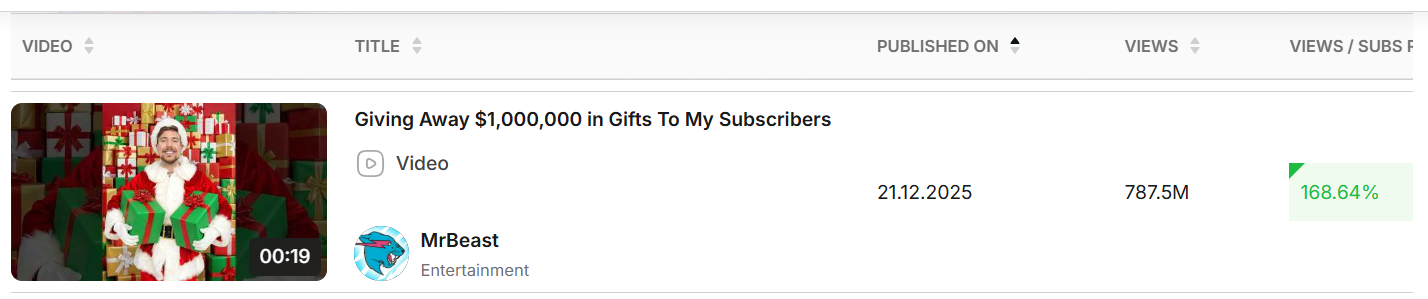
Viewers have been trained by years of listicles, MrBeast challenges, and BuzzFeed‑style content to associate numbers with digestible, high‑value videos. That conditioning creates habitual clicks. As long as the video doesn’t completely break the promise and tank retention, the numerical edge holds strong.
4. Emojis: The Sharpest Contrast Between Formats
Shorts 🚀
For Shorts, emojis are one of the strongest performance signals we found:
57% of top‑performing Shorts use emojis
Only 17% of low‑performing Shorts do
MrBeast Shorts (@mrbeast) loves going big with titles like “💰 $10K Challenge! 🤯” – the emojis match the stakes, the surprise, and the cash‑driven chaos his audience expects.
Charli D’Amelio (@charlidamelio) leans into trend energy with formats like “🕺 TikTok Dance Challenge 💥”, using emojis to signal movement, hype, and what’s popping right now.
You’ll see the same emoji‑forward style from creators like Zach King, The LaBrant Family, or Lifetime channel, all using them to add instant personality and visual punch to their Shorts titles (check examples below).
Insight
In Shorts, emojis act as visual anchors in a scrolling feed.
Acting like tiny attention magnets, a 🔥, 😱, or 🤯 conveys tone faster than words can. They break up plain text, add color, and stop the scroll for just long enough to earn a view.
They also pull double duty: in those tight 4–7 word titles, an emoji adds personality without eating up precious space.
Best Practices: stick to 1–2 emojis; overdoing it starts to feel like clickbait.
Long Videos ⚠️
For long‑form content, the effect flips:
High‑performing videos use emojis far less often
Insight
In long videos, emojis can reduce perceived seriousness or trust, especially in educational or analytical content.
Long‑form viewers are wired differently. People clicking a 10–20 minute video are looking for clarity, depth, and a clear promise. Emojis can make a long‑form title feel less serious, less trustworthy, or more like clickbait.
For instance, a title like “How I Saved $10,000 in 6 Months 💰🔥” looks fun, but the emojis don’t help with search intent.
That mismatch alone can drag CTR down, especially in educational or review‑heavy niches. When someone is about to invest real time, they want a title that feels informative, not decorative.
Plus, in long‑form, the thumbnail is the emotional hook. But in Shorts, the title has to carry that weight because thumbnails barely register. That’s why emojis feel unnecessary in long‑form, yet in Shorts, they deliver the quick visual hit that makes someone stop scrolling.
5. Capital Letters: Strategic Emphasis Beats Noise
High‑performing videos and streams show a higher ratio of capital letters, but with an important caveat.
Winning titles use:
1–3 emphasized words
CAPS as a spotlight, not a flood
✅ Good Examples:
THIS changed everything
NEVER do this
The BROKEN strategy no one talks about
❌ Bad Example: “I CAN’T BELIEVE THIS WORKED”
You don’t need to scream your YouTube titles into the void, and that’s basically what full all‑caps feels like. It’s loud, it’s a little desperate, and it can actually make your titles harder to read. In some cases, YouTube even treats all‑caps as a red flag for misleading content, which isn’t great for monetization or recommendations.
Title case, on the other hand, is the grown‑up in the room. It’s the format books, articles, and polished videos use, and it plays nicely with both SEO and viewer expectations.
A title like “How to Optimize YouTube Titles for SEO” instantly feels cleaner and more trustworthy. It also keeps your keywords visible within that crucial first chunk of characters people skim before deciding to click.
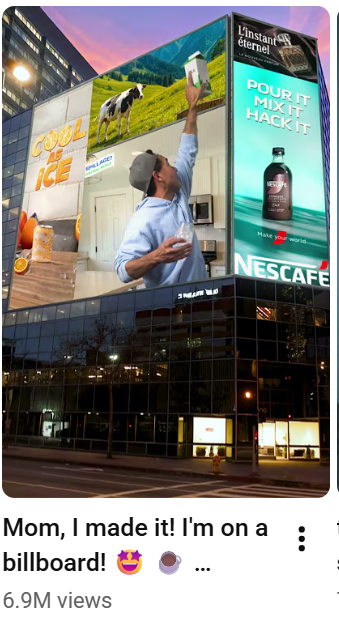
That doesn’t mean you can’t add a little flair. Capitalizing a single word, something like “BEST” or a year like “2026”, can give your title a quick jolt of energy without tipping into spammy territory. Or you can highlight words to give the title a subtle spark of drama and importance without drifting.
Take this example from Bobby Parish:
The sweet spot is keeping things readable, highlighting what matters, and letting your title feel like an invitation instead of a shout.
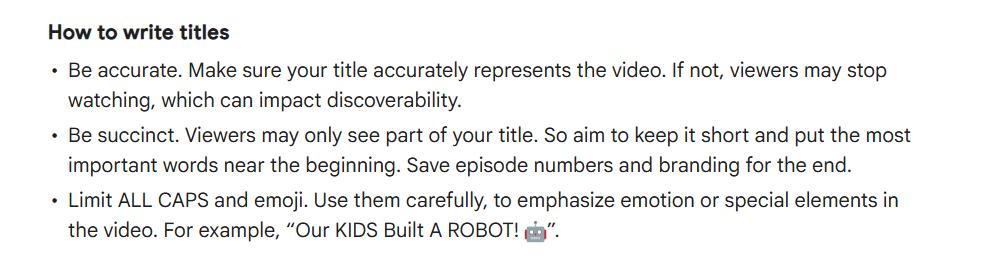
If you don’t believe us, take it from YouTube’s Help guide that recommends the same:
6. Brackets: The Secondary Hook
Titles using parentheses or brackets slightly outperform average — especially in long‑form videos.
Effective patterns include:
(not what you think)
(this surprised me)
[full breakdown]
When viewers see something like “Best Crypto Strategies (For Beginners)” or “How I Edit My Videos [2026 Update],” their brain instantly understands what the video really is: format, audience, year, angle, without the main title getting cluttered. That tiny moment of clarity often translates into more clicks.
They work almost like mini‑subheadings. A clean hook-up front, then a bracketed detail that sharpens the promise. It’s a structure that stands out in search results and lines up neatly with what people are actually typing into the search bar, which is why creators and SEO folks keep coming back to it.
You can use it as an emotional hook, not necessarily to give an extra clarification:
Don’t get carried away, though. One well‑placed parenthetical can make your title feel polished and intentional; three of them make it look like you’re trying to game the system.
And while commas sometimes get your title chopped off in search displays, brackets rarely do, which is part of why they’ve become a favorite.
Insight
Brackets act as a second whisper to experienced viewers: there’s more here than the headline suggests.
Creators have tested this for years, and the pattern is pretty consistent: when the bracketed detail genuinely clarifies something: format, year, audience, or a key hook, viewers pause just long enough to think, “Oh, that’s exactly what I’m looking for.” That pause is often all you need to win the click. Take it with a pinch of salt, though, because brackets aren’t always a guarantee for more views.
7. High‑Performing Title Formulas by Format
Different video formats demand different psychological levers, so here’s a sum-up of how to craft titles that actually move people.
Long Videos
Goal: Earn the click and set up retention.
Long videos need curiosity with substance. People are committing time (from a few minutes to even hours), so your title should promise a meaningful payoff.
Formula:
Clear statement + tension + specificity
Examples:
I Tried This for 30 Days (It Changed Everything)
I Spent $0 for a Week in NYC (It Got Weird)
The Productivity System That Finally Fixed My Chaos
This combo works because it creates a clean promise (“what this is about”), adds emotional friction (“why you should care”), and then sharpens it with detail (“why this version is different from the 10 other videos on the topic”).
So, when you’re trying to summarize what your long video is about, think of it this way: if your title doesn’t make someone ask a question in their head, it’s not done yet.
Shorts
Goal: Stop the scroll immediately.
With Shorts, people are swiping like their thumb’s on autopilot, so you’ve got a split‑second to make them stop. Your title has to punch through the noise instantly.
Formula:
Emotion or shock (+ emoji) + extreme brevity
Examples:
This Should NOT Work 😳
Guess The K-Pop Demon Hunter Character! 🤩
When a Basketball Meets Smoke 💨
These Shorts titles work because they combine high emotion words with curiosity gaps (you’re provoking instead of clearly explaining), and some of them also include capitalization (used only sparingly) for emphasis or emojis (which act as a visual accelerant).
For Shorts, if your title is longer than 5–6 words, you’re probably overthinking it.
Streams
Goal: Create urgency and authority in real time.
Livestream titles need to signal two things fast:
Why this matters right now
Why you’re the person to watch
People join streams because they feel like they’re stepping into something happening in real time, and if they don’t click, they’ll miss the moment everyone else is experiencing live.
Formula:
Authority or topic + urgency
Examples:
LIVE: Former AOC Aide Reveals MISSING Strategy
LIVE Q&A: Ask Me Anything About Real Estate
LIVE: Breaking Down the Apple Event
These titles perform well because you’re essentially saying: “This is happening, I’m the one breaking it down, and you don’t want to miss it.” Authority builds trust, and urgency taps into FOMO.
Getting Better at Naming YouTube Videos – What Creators Can Do
Before publishing your next video, check your title against this list:
Can it be 20% shorter?
Does it create tension, not explanation?
Is the title aligned with the format’s energy (Shorts ≠ Videos ≠ Streams)?
Are numbers or emphasis adding clarity or noise?
What specific detail makes this believable?
Why should someone care right now
Answer those well, and your titles will start doing real work.
A strong title has to hit cleanly on the first read. If your brain stumbles over it, viewers will too. Keywords should feel like they belong there, so avoid any keyword stuffing. And it always helps to step out of “creator‑brain” and look at the title like a regular viewer because that perspective is brutally honest in all the right ways.
A good title also has to survive the scroll test. Picture someone half‑distracted, swiping fast. If your title can’t make them pause for even a second, it’s probably too generic to compete. And it needs to feel human. Anything that sounds like stiff corporate copy falls flat, but so does outdated clickbait energy.
The real shift is understanding that data‑driven titles actually sharpen creativity. You need to treat your title like it’s half the video, because in practice, it often is. And trimming filler words like “basically,” “literally,” or “honestly” keeps your message tight and confident.
If you want help cooking up killer YouTube titles, you’ve got plenty of firepower tools like VEED, vidIQ, TubeRanker, and Opus Clip are all in your corner, with tons more out there ready to spark ideas. And if you want to level things up even further, SubSub’s new AI toolset for YouTube SEO is seriously worth a look; it can generate optimized tags and hashtags for your videos, hip up AI‑powered transcripts and timecodes in seconds, and it’s all in beta right now, so reach outif you want early access.
Measure, Don’t Guess – Use SubSub Analytics
Your YouTube title is one of the underlying factors in a video’s performance, directly influencing watch time, CTR, and retention. You can check all these metrics in YouTube analytics, but they only tell half the story. They simply show what you’re doing well and where you need to improve.
But that’s like growing up on one island and assuming it’s the whole world. You know your land inside out, but you have no idea what other islands have figured out or what you’re missing.
You shouldn’t create in isolation and without outside comparison. That’s where SubSub Analytics steps in. You no longer have to guess what your niche responds to, but understand what actually performs in your space, and compare results across formats with real data behind every decision.
This matters even more when crafting titles, because what works for long‑form doesn’t always work for Shorts, and livestreams follow their own rules entirely.
SubSub pulls in data from all the YouTube channels you care about and drops it into one clean, streamlined space. You can tag videos by format, topic, or guest to instantly spot what actually drives performance. You get deeper insights into subscriber growth, watch time, and engagement than YouTube Studio ever shows.
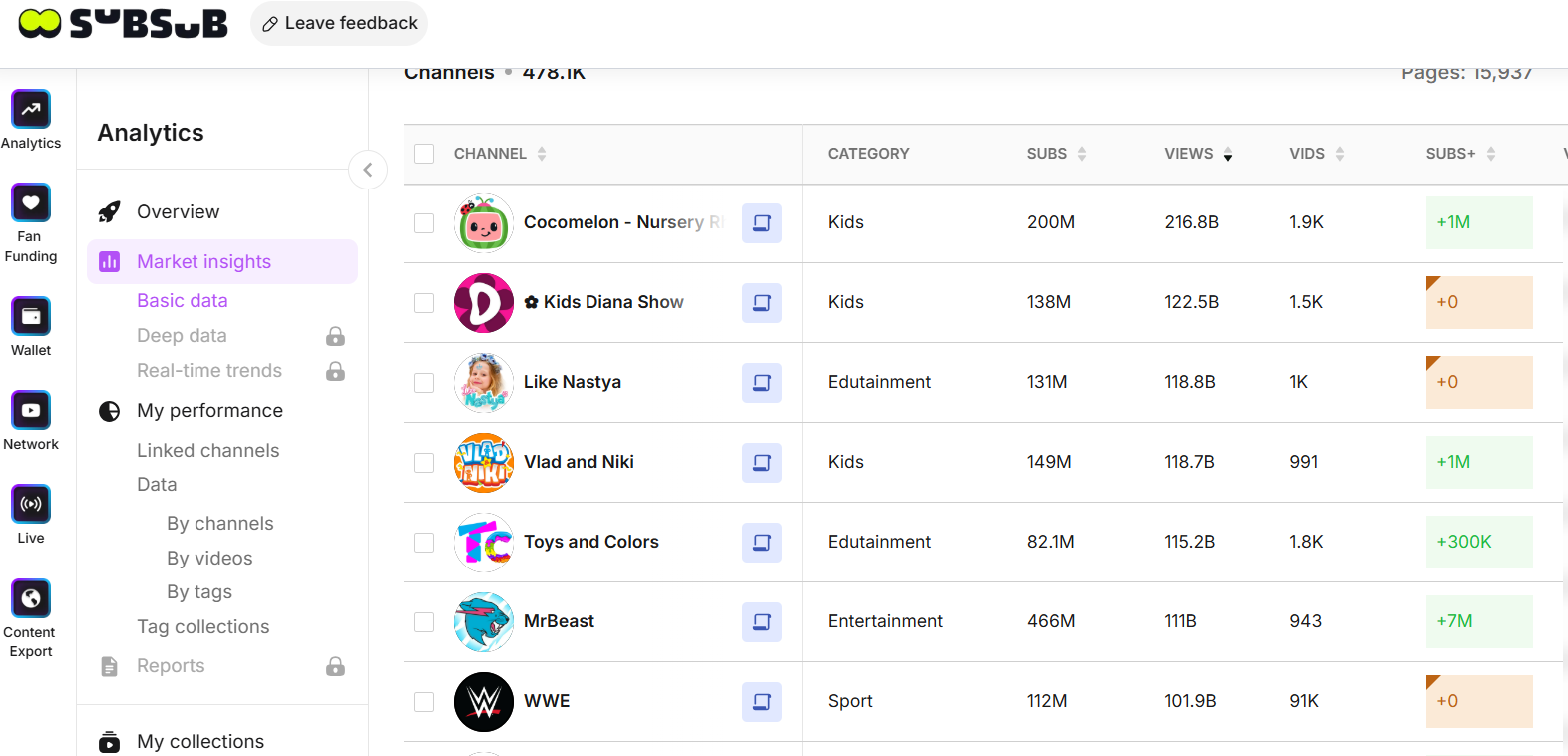
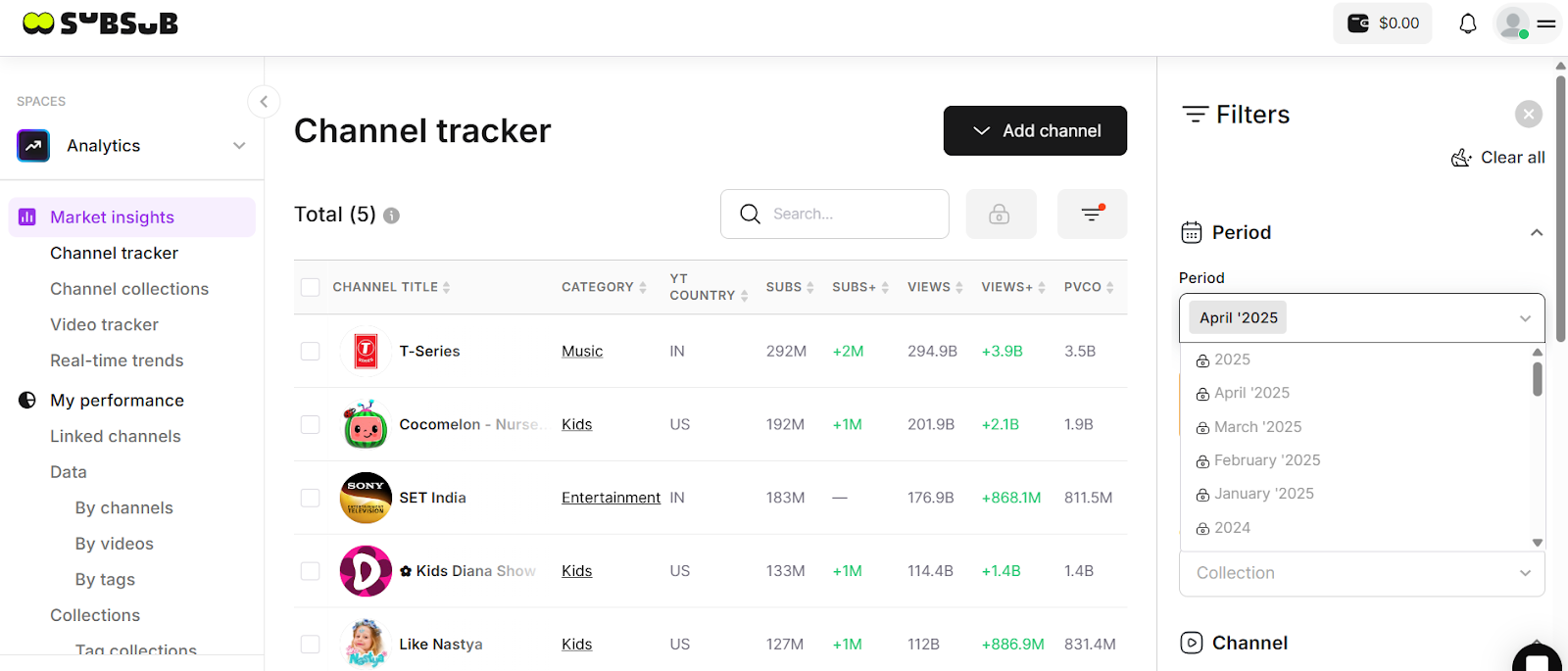
It blends your own analytics with competitor data for a true 360° view. And with the Market Insights module, you can see who’s winning in your niche, track their videos and growth in real time, and study the strategies behind their momentum. It scrapes the metrics that matter: views, likes, comments, upload cadence, so you can compare their playbook to yours side by side.
Plus, you get benchmarks, content‑gap detection, and one‑click reports to help you catch trends early and set smarter goals.
Once you’ve found the creators who clearly overlap with your niche, save them to a Collection: your own competitor folder for ongoing analysis.
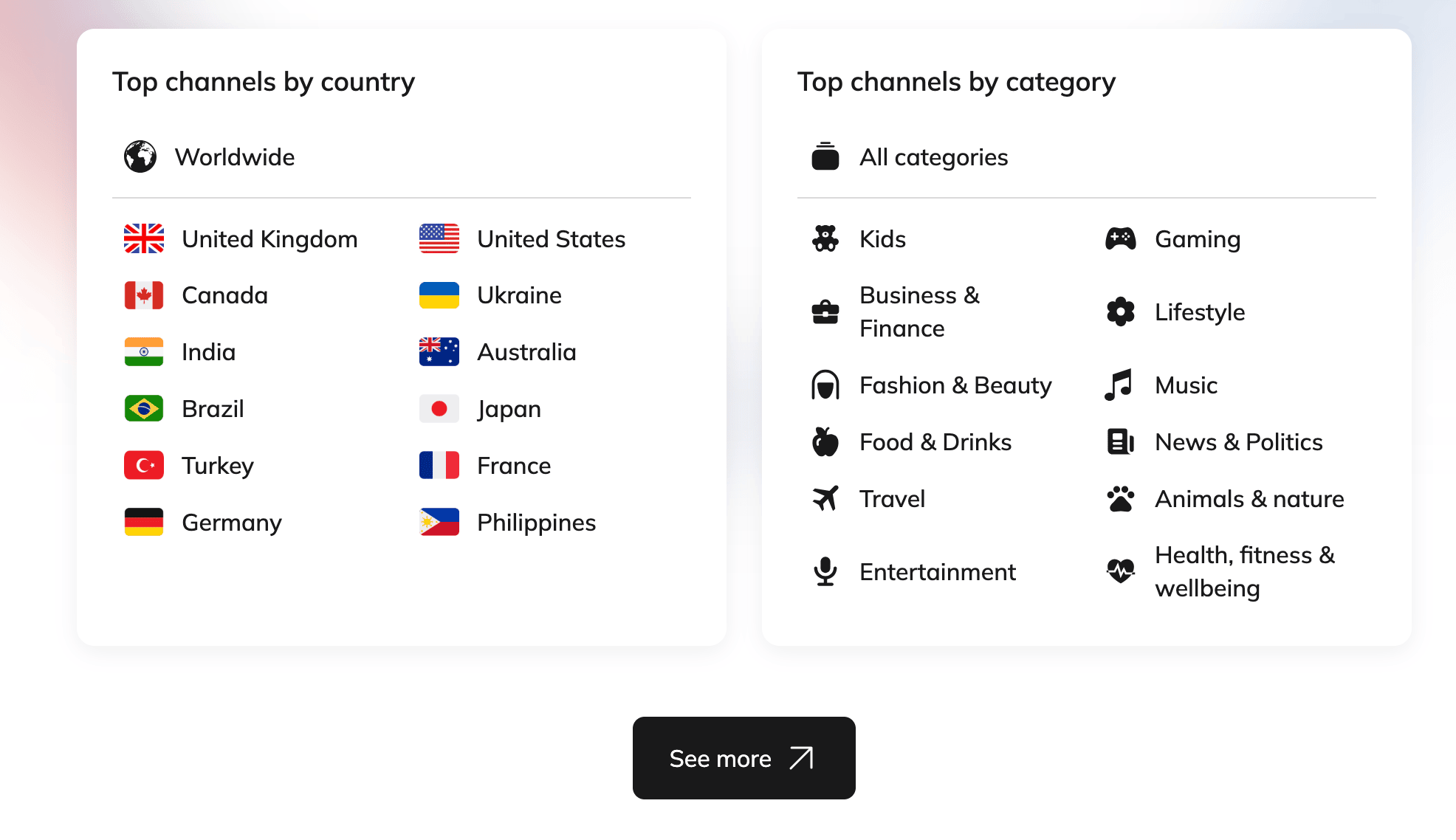
And if you want an even broader view, SubSub’s YouTube Stats & Analytics Tool gives you free access to the most viewed and most subscribed channels across 130+ countries and 10 categories, from music to gaming.
You get specific data that lets you explore niche content scenes and discover creators who are major players locally or within their topic but still largely unseen worldwide.
With SubSub, you turn intuition into strategy, and your titles become sharper, smarter, and format‑specific.
FAQs
1. How do I create a winning YouTube title based on format (long video, Shorts, stream)?
Match psychology to format. Long videos need specificity + tension + outcome. Shorts need emotion + brevity + scroll-stopping curiosity. Streams need authority + urgency + timeliness. Don’t recycle the same structure everywhere. Viewer intent changes by format, and your title should reflect that.
2. How do I know if my title is too long?
Aim for 50–60 characters for most videos; under 40 often works best for Shorts. If keywords get cut off on mobile, it’s too long. Remove filler words and keep the hook visible. If it feels like a sentence instead of a punch, tighten it.
3. Why do my Shorts titles flop even when my long videos do well?
Shorts are impulse-driven, while long videos reward clarity and payoff. Shorts titles should reward emotion, so if your titles explain instead of provoke, they won’t stop the scroll. Shorter, sharper, higher-contrast wording, many times combined with 1 or 2 emojis, usually performs better in vertical feeds.
4. What tools can I use to create effective YouTube video titles?
Use YouTube Analytics for CTR benchmarks, search auto-suggest for demand validation, and competitor analysis for positioning. Title testing tools like vidIQ, TubeRanker, VEED, or Juma help refine structure before publishing.
5. How do I know which title format works best for my niche?
You can use SubSub Analytics to compare results across formats and in your specific niche with real data behind every decision. SubSub highlights topics, hooks, and title structures that consistently attract viewers. This helps you see which structures drive curiosity, stop the scroll, or create urgency, and spot repeatable winning patterns fast.