You’ve probably felt the pressure of this new era of “AI‑first discovery,” where the rules of visibility for YouTube videos seem to shift beneath your feet. One of the biggest worries is simply not knowing what AI systems actually register, interpret, or prioritize.
And layered on top of that is another fear: if AI delivers the answer instantly, will viewers still feel the need to click the video?
But the good news is that Google is finally admitting that, at least for some questions, YouTube videos simply answer better than (let’s say) half the internet. This gives you the opportunity to create video content that aligns with how people actually research, evaluate, and make decisions today.
So, here’s exactly how you can play the new game of YouTube video optimization for AI search, exemplified step by step, and covering the crucial elements you need to take into account.
TL;DR
Use clear titles & descriptions: Tell AI and viewers exactly what your video delivers; include summaries, key terms, timestamps, and links.
Add chapters: Segment your video so AI can map content to specific queries.
Include clean transcripts & captions: Use precise language, highlight takeaways, and fix auto-caption errors for better AI understanding.
Match visuals with content: Align on-screen text, overlays, and thumbnails with your content and search intent.
Repurpose content: Turn videos into articles, posts, or docs to give AI more discovery paths.
Build channel authority: Focus on a niche, publish consistently, and leverage high-trust sites to boost credibility.
Track AI mentions: Monitor where your videos appear in AI results and refine your strategy accordingly.
How AI Models Process Video Content (for Search Snippets)
Recent data from BrightEdge shows that YouTube dominates AI search, being referenced nearly 200 times more than any other video platform. Even tools like Perplexity and ChatGPT (which have zero reason to boost Google-owned content) still lean heavily on YouTube.
That’s because AI search systems prioritize content that demonstrates strong relevance and authority. Google’s AI-powered search results, for example, synthesize answers from multiple sources, and YouTube videos often meet that standard.
You may not be curious about the technical process, but understanding the core of how AI Overviews works would help you optimize your video content better. In a nutshell: AI breaks videos into chunks, analyzes visuals and audio, and aligns transcripts to understand context accurately. It then embeds these multimodal “scenes” into vector databases, enabling fast similarity search and generating relevant highlights for users’ questions.
When someone searches, their query gets turned into an embedding too, and that’s what pulls up the most relevant scenes. From there, AI can whip together carousels or overviews packed with clips, summaries, and timestamps, especially tuned for shopping or info‑seeking moments.
For example, a video titled "Complete Guide to Home Brewing" that only covers basic equipment will be recognized as misaligned with its promise. The AI spots that gap instantly and can push the video down for broader, more comprehensive queries.
So, understanding how to optimize YouTube videos for Google AI search requires a shift in thinking: you’re still creating content for human viewers and traditional algorithms, but you have to adapt the structure and strategy for sophisticated AI models that interpret meaning, context, and quality signals in new ways.
For video creators, this means your content competes not just for clicks, but for inclusion in AI-generated summaries that appear before traditional results.
How to Make Your YouTube Videos Appear in LLMs
If you want your videos to show up in AI Overviews (like Google’s summaries), focus on clean structure, accurate captions, and the engagement signals AI actually pays attention to. YouTube content tends to dominate these results anyway, thanks to its visual proof and rich data like transcripts.
Step 1: Optimize Titles and Descriptions
Your title should clearly communicate what the video delivers. "How to Replace a Kitchen Faucet in 30 Minutes" tells both users and AI exactly what to expect, while "Kitchen Plumbing Tips" provides minimal useful information.
If you want to know why certain title formulas consistently outperform others, regardless of niche, check our data-driven deep dive into what makes titles clickable.
Descriptions should expand on your title with additional context, not simply repeat it. Include:
A clear summary of what viewers will learn
Relevant terminology and related concepts
Timestamps for major sections
Links to related resources that establish context
Skip the urge to cram your description with keywords; AI can spot that instantly, and it usually counts against you.
If you need help with optimizing titles, SubSub’s Analytics gives you a practical way to see which keywords are actually driving views across YouTube based on real performance signals. Instead of manually combing through channels, you can filter YouTube’s massive database by niche, topic, region, or subscriber size to surface creators who are winning the search game in your space.
SubSub helps you spot those patterns at scale so you can align your own titles, descriptions, and scripts with the search intent that’s already working. You’ll reverse‑engineer the exact video SEO language that top channels use to get indexed, recommended, and cited.
In other words, SubSub shows you the keywords that matter, so your videos are easier for AI systems to understand, categorize, and surface.
Step 2: Add Video Chapters
The way you structure your video has a huge impact on how well AI can understand it. If your content wanders or jumps around, it’s harder for viewers to follow, and it’s just as confusing for the systems trying to interpret it. Whereas a video that’s broken into clear, intentional sections makes it easy for AI to quickly recognize what each part covers and match those moments to the questions people are searching for.
That’s why video chapters act like signposts for AI, telling it exactly where each topic starts and ends. When you label chapters with clear, descriptive titles, you’re basically handing Google a clean map of your video’s structure and scope.
Think of a photography basics video using chapters like “Understanding Aperture Settings,” “Shutter Speed Fundamentals,” and “Balancing ISO for Low Light.” Those labels help viewers while also helping AI match the right segment to the right search query. This boosts your chances of being surfaced for specific questions.
Step 3: Enhance Transcripts and Captions
Transcripts are the main way AI understands your video, because language models can’t actually “watch” or “listen” the way humans do. They rely on your text to figure out what your content covers and whether it answers a user’s question.
So, the cleaner and more precise your delivery, the better the automatic transcript.
Use accurate terminology: Vague phrasing like “this thing” or “that strategy” forces AI to infer context. Clear noun phrases like “audience retention rate,” “click-through rate,” or “email conversion funnel” remove ambiguity. The more explicitly you name concepts, the easier it is for systems to classify and match your video to relevant searches.
State key ideas out loud: For moments that truly need to land, consider lightly scripting them: restate questions before answering or verbally highlight takeaways.
Summarize important points: Enunciate, pause between ideas, and use verbal signposts like “Next, we’ll cover…” to create transcripts that are easy for AI systems to parse and to map your content to specific queries. Avoid blending multiple topics into one long stream of commentary. AI systems segment content into passages; if your ideas blur together, your video becomes harder to categorize and harder to surface for specific subtopics.
All of the above support a stronger searchable video strategy by giving AI clear signals about what your video is really about, instead of letting it treat the content as one big blob of text.
Reinforce that segmentation in your captions:
Break transcripts into clean paragraphs
Add timestamps where topics shift
Use clear markers when you cover multiple questions or sections
Clean audio is important, too, as it supports accurate transcripts. A decent mic and a quiet space go a long way in helping AI understand what you’re saying.
While YouTube’s auto‑captions have improved, they still miss technical terms, names, and accents, and those mistakes can cause AI systems to misinterpret or skip your video entirely. Manual captions give you full control and add helpful context like speaker labels for multi‑person conversations.
If you can’t manually caption everything, focus on your evergreen and top‑performing videos. At a minimum, fix errors in the first couple of minutes where most of the key context appears.
Examples of widely‑used tools to generate, clean up, or edit YouTube transcripts include VEED.io, Kapwing, Otter.ai, and Descript.
Step 4: Design Visuals with Intention
Strengthen Your Multimodal Signal
Multimodal AI pulls meaning from everything on screen: your text, graphics, demos, even individual frames. That means every visual element becomes a signal. If your script explains YouTube analytics but your screen shows unrelated B-roll, you create a weak multimodal match.
So make your on‑screen text big, readable, and high‑contrast, and keep it visible long enough for both viewers and AI systems to process. But don’t overload the frame. Excessive overlays, chaotic animations, or cluttered layouts dilute your signal. Clean visuals with clear hierarchy send a stronger semantic message than flashy noise ever will.
Check this video for some quick tips on how to add text to your YouTube videos:
Align Thumbnail Imagery with Search Intent
Your thumbnail works the same way. It’s the first visual cue AI uses to judge relevance, so choose imagery and text that genuinely reflect your content. Misleading thumbnails might earn clicks, but they can confuse AI models and hurt how your video gets categorized. AI systems recognize the disconnect of misleading imagery that promises content your video doesn’t deliver.
If someone searches for “YouTube retention strategy,” and your thumbnail visually emphasizes “Retention” or shows an analytics graph, you create semantic alignment. If it teases drama your video doesn’t deliver, you introduce a disconnect. That disconnect hurts trust and muddies categorization.
Use Text Overlays as High‑Value AI Signals
Text overlays are another powerful signal. Highlighting key terms, stats, or steps reinforces your message for viewers while giving AI clear confirmation of what you’re teaching or explaining. Consistent typography, clean layouts, and a clear visual hierarchy all contribute to a sense of quality that AI systems increasingly evaluate.
The goal is consistency across layers:
What the title promises
What the thumbnail visualizes
What the transcript says
What the frames actually show
When your on‑screen elements, overlays, and thumbnails all align with your topic and search intent, you make your content easier for both humans and AI to understand and easier for AI‑driven search to surface.
Step 5: Distribute & Repurpose Your Video Content
Repurposing content should be part of your broader YouTube video optimization strategy for an AI-driven search approach. Some platforms make your content especially easy for AI systems to ingest. Substack, Medium, and GitHub structure information in clean, machine‑friendly formats, which means repurposing your video content there gives AI more ways to find and understand your work.
This move does two things:
It creates external discovery paths that can drive traffic back to your YouTube video.
It reinforces your topic association across the broader web.
When the language in your article lines up with the phrasing in your transcript, title, and thumbnail, you create semantic consistency. AI systems group content by recurring terms and themes, so the more consistently you frame your expertise, the clearer your content’s identity becomes.
Repurposing also lets you meet different search behaviors. One person might want a quick video tutorial. Another might prefer a written breakdown. Someone else might be hunting for deeper implementation details. When you adapt your content across formats, you serve all of them while reinforcing the same core idea.
Turn your scripts into articles, publish transcripts with added insights, or create documentation to support tutorials. This approach strengthens your video search optimization by tapping into different indexing pipelines and expanding the surface area of your content that AI models can access, reference, and ultimately learn from.
Step 6: Boost Channel Authority
Google's AI prioritizes content from sources it deems authoritative and trustworthy. Building these signals requires consistent effort across your entire channel, not just individual video optimization.
Building E‑E‑A‑T on YouTube is about staying focused on a clear niche and delivering accurate, reliable content. Plus, a steady publishing rhythm, professional presentation, and on‑point information all stack up over time, strengthening your authority.
When it makes sense, highlight your credentials or relevant experience in your channel description or intros to reinforce trust.
But you also need to expand your horizon beyond YouTube. Many AI systems rely on retrieval‑augmented generation, which means they pull from a wide range of indexed sources, not just videos.
Embedding your videos on high‑authority blogs or industry sites is one of the strongest ways to boost trust. When your video appears alongside well‑written, relevant text, AI models get multiple signals pointing to your expertise. The site’s credibility rubs off on your content, and the surrounding text gives machines more context to understand what you bring to the table.
Look for guest posting opportunities, industry publications, and partnerships with creators who maintain active blogs. Each placement should include a meaningful written summary of your video’s key points. That text becomes another doorway for AI systems to discover, index, and ultimately trust your work.
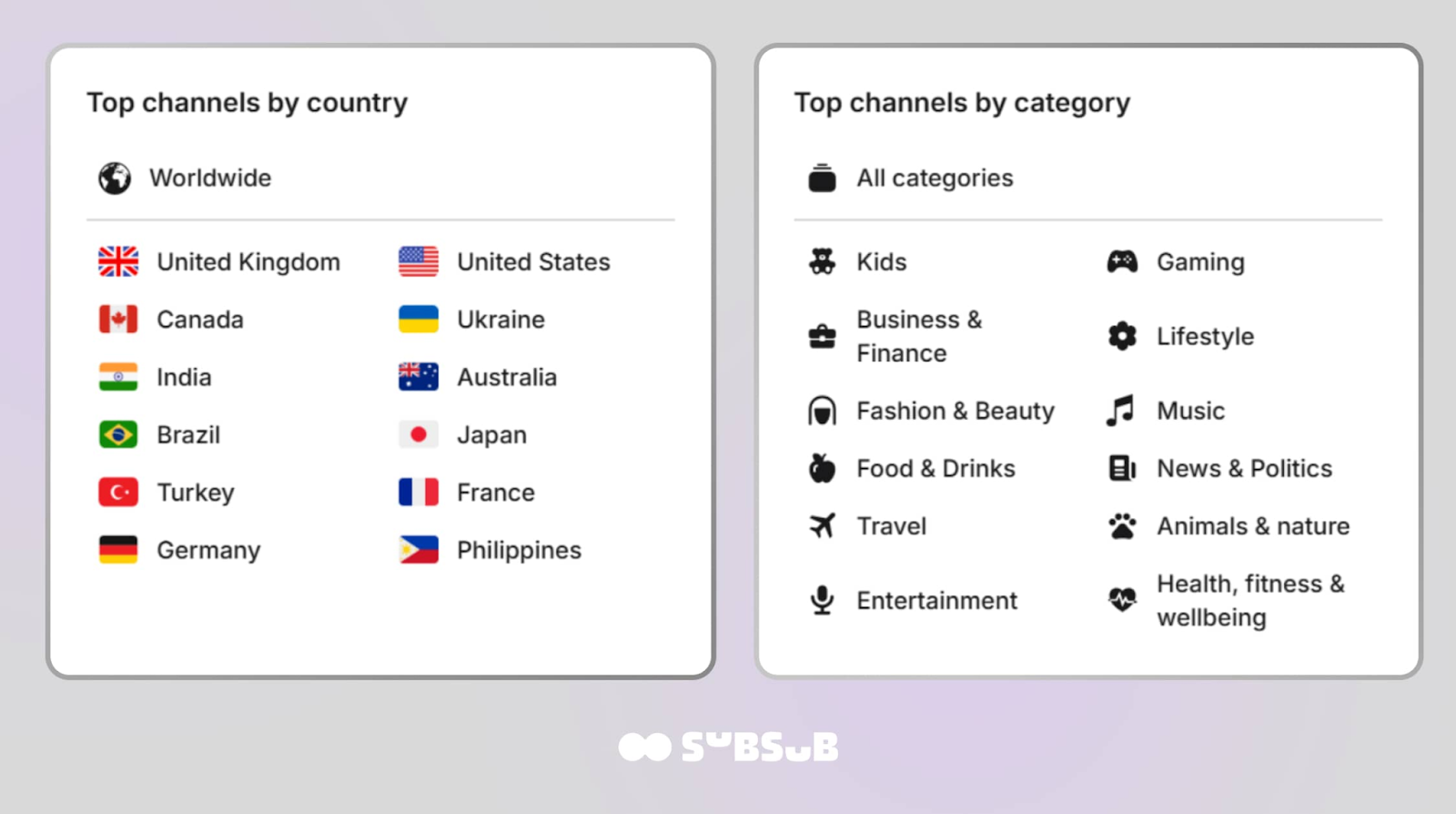
Yet, instead of randomly pitching partnerships, you can strategically identify creators whose content aligns with yours and whose audiences overlap. Maybe it’s rising gaming educators in Indonesia. Maybe it’s finance creators in Canada who publish detailed written breakdowns alongside their videos. With SubSub’s free YouTube channel database, you can map the landscape and spot collaboration opportunities that actually strengthen your authority footprint.
You can explore the most viewed and most subscribed YouTube channels across 130+ countries and multiple categories like music, gaming, lifestyle, and more. Chances are you’ll find creators with tight-knit audiences, focused expertise, and, in many cases, active blogs or websites where collaborations make sense.
Step 7: Monitor AI Mentions and Training Data Inclusion
As an ongoing effort, it’s best that you regularly test the topics you cover using AI tools and see if your videos or insights surface.
Use Google Search Console to spot video impressions coming from AI Overviews by checking the Performance report and filtering for video results or traffic sources like Google Discover and AI features. Pair that with YouTube Analytics to catch external traffic spikes from Google – a strong hint your video was pulled into an AI snippet.
Tools like SE Ranking, SEMrush, and Ahrefs now track AI Overview visibility, and platforms like Perplexity make this easier since they often cite sources directly.
Set up alerts for your brand and video titles across AI‑powered search tools, and track which topics actually earn mentions.
Build a YouTube Strategy That Wins in AI Search with SubSub
If you want your videos to show up in AI Overviews and other AI‑powered search results, you need a grounded system, a repeatable structure, and a strategy that scales. You can have all that with the SubSub Partner Program.
You no longer have to improvise and hope for the best. SubSub helps you build a channel strategy rooted in the same signals AI systems use to understand and cite content. You get guidance on aligning your topics, keywords, titles, and metadata so your videos are easier for AI to index, categorize, and surface.
Our team can help you align content, metadata, and publishing habits so they all point in the same direction. You’ll create the kind of semantic clarity AI systems love and have your channel recognized as an authoritative source in your niche.
Final Thoughts on How to Use Video to Rank in AI-Powered Search
AI indexing is evolving fast, and creators who monitor their visibility will adapt far quicker than those assuming their old approach still works.
Getting your YouTube videos noticed by AI comes down to sending the right signals. Sharp titles, clear descriptions, clean transcripts, intentional visuals, and smart repurposing all help AI understand what your content is actually about. When you layer that with consistent authority‑building as part of your YouTube video optimization for AI search, you create a web of relevance that’s hard for LLM systems to overlook.
And if you’ll feel clueless at any point and need more guidance, SubSub tools and our extensive Partner Program are by your side. SubSub Analytics helps you find the right keywords and search intent patterns so your videos are easier for AI to index, and use our free channel database to study how top creators craft searchable content across niches and countries.
Or join our SubSub Network to win visibility in the AI-driven search landscape; you’ll find an expert team ready to help you build the right strategy, so your videos are discoverable, credible, and impossible for both humans and machines to overlook.
FAQs
1. Why aren’t my videos showing up in AI Overviews?
AI surfaces videos with clear structure, accurate transcripts, and strong topical alignment. If your content is vague, poorly chaptered, or mismatched to the query intent, AI models deprioritize it. Improve video title, description, metadata, and semantic relevance.
2. How do I know what AI “sees” in my video?
AI models rely heavily on transcripts, on‑screen text, object detection, and scene structure. If your message isn’t explicit, AI may misinterpret it. Use clear explanations, visible text, and chapters to guide the model’s understanding.
3. Why are competitors getting cited in AI summaries instead of me?
Competitors often win because their videos answer queries more directly, use a cleaner structure, or provide richer context. Study their formats, pacing, and clarity to identify gaps in your own content. You can do that easier with SubSub tools to align your topics, keywords, titles, and metadata so your videos are easier for AI to index, categorize, and surface.
4. How to optimize YouTube videos for AI without keyword stuffing?
Focus on semantic clarity, not repetition. Use natural language, descriptive titles, accurate captions, and well‑defined chapters. AI rewards meaning, not density. Use SubSub Analytics to see which keywords are actually driving views across YouTube. Filter YouTube’s massive database by niche, topic, region, or subscriber size to surface creators who are winning the search game in your space. Sorting by view volume instantly shows you who’s capturing attention with the right keyword strategy.
5. How can I track whether AI is using my content?
Regularly test your topics in AI tools like Perplexity or Google’s AI Overviews. Look for citations, summaries, or video snippets. Track patterns over time to see which formats and topics gain traction.




%2520(1).jpeg)

.jpg)
.jpg)
.jpg)

.jpg)
%20(1).jpg)