Lately, YouTube has been shipping more and more genuinely useful tools for creators. First came auto-dubbing, which voices your video in other languages. Then A/B testing, followed by localized thumbnails for different languages, multi-creator collaborations, and the Inspiration tab.
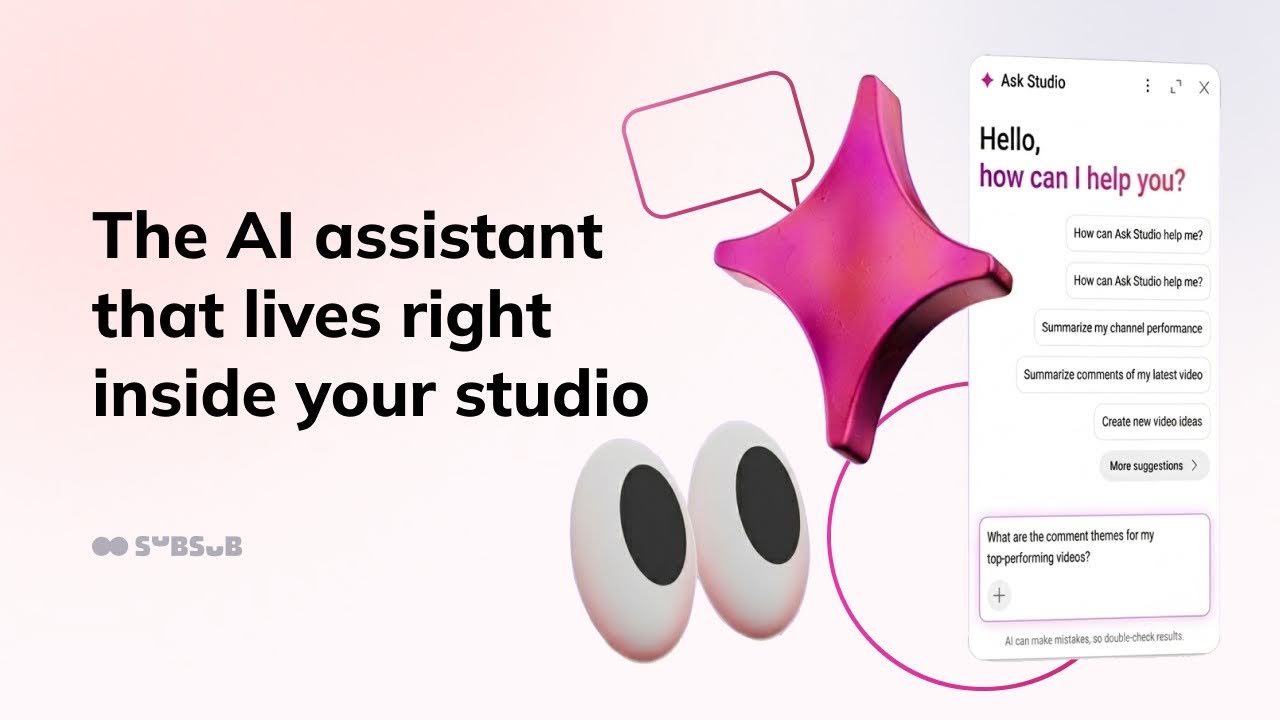
And now there's another seriously handy update — Ask Studio. This time, YouTube has built its own AI assistant right into the studio, and this conversational helper is ready to answer your questions about your channel in plain language, but that's not all it can do.
It's a chat built right into YouTube Studio that's ready to answer your questions. It runs on Google's large models and draws on several sources at once — your channel's data, YouTube's general knowledge of how the platform works, and information from the open web.
Everything Ask Studio can do rests on three pillars:
Analytics. It reads your channel stats for you and explains them in simple words. You can ask how your latest video performed, what's dragging your views down, or the moment viewers most often drop off, and get an answer without manually digging through raw analytics.
Comments. Instead of scrolling through hundreds of comments by hand, you just ask, and Studio sums up what your audience is talking about: which themes keep coming up, what landed, what people complain about.
Ideas. Based on what's already worked on your channel, it suggests topics and directions for new videos, factoring in real search queries and what your audience might be looking for.
Where to find Ask Studio
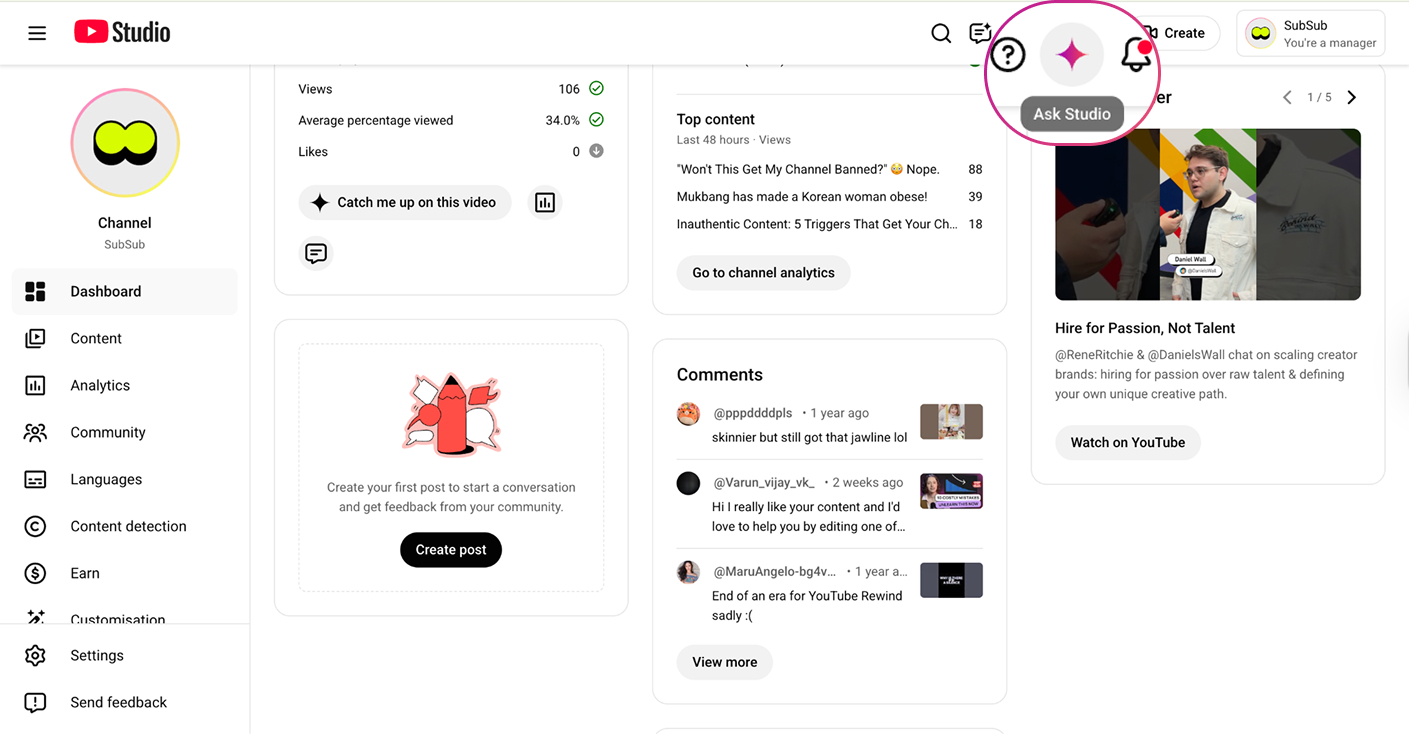
You'll find Ask Studio right inside YouTube Studio, in the top-right corner as a sparkle icon ✨.
Click it, and a chat window opens immediately, ready for your questions. For now, Ask Studio only works in a browser on desktop. It's not in the YouTube Studio mobile app, so you can't chat with the assistant from your phone.
Ask Studio keeps your conversation history for 45 days, after which it's deleted automatically, or you can also delete any conversation manually.
Don't confuse Ask Studio with Ask YouTube. The names are similar, but they're different. Ask Studio is a creator assistant inside YouTube Studio that works with your channel data. Ask YouTube is an experimental search experience for viewers that answers people's questions right in search or under a video. If you want a deeper dive into Ask YouTube and how to optimize your channel for it, we covered that in detail in a separate article.
How to use Ask Studio in practice
Now for the interesting part. Let's walk through three scenarios where Ask Studio saves the most time: channel analysis, idea generation, and video optimization.
1. Channel analysis
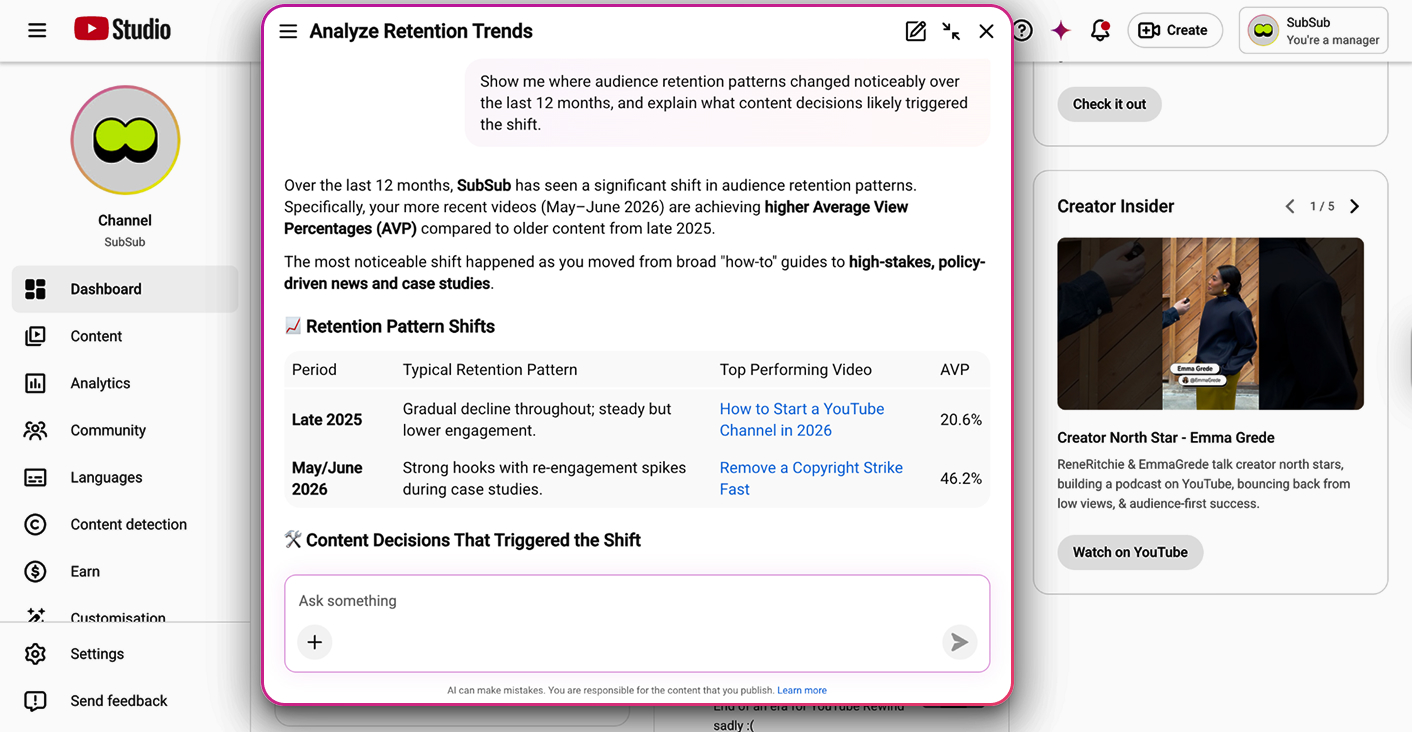
This is the first reason to open Ask Studio at all. Instead of manually pulling together data across different time periods, you just phrase a request and get a ready-made breakdown. And it can look beyond "how many views" at deeper things too: how audience behavior shifted over time, how different viewer groups differ, and which videos are dragging each other down.
A few prompts to start with:
Show me the top 10 most-viewed moments from my recent videos.
Show me where audience retention patterns changed noticeably over the last 12 months, and explain what content decisions likely triggered the shift.
Compare viewers who subscribed after a single video with those who watched three or more videos before subscribing. What topics, hooks, or formats are typical of the slower-to-subscribe group?
Analyze viewers who keep coming back to the channel but rarely like, comment, or subscribe. What content keeps them around, and how do they differ from my most engaged audience?
You can dig even deeper: ask it to identify "gateway" videos that most often turn a casual viewer into a regular one, or to find videos that compete with each other for the same audience or search intent.
That said, on very complex or "predictive" prompts, Ask Studio sometimes answers more generally, which is normal for a tool that's still in experimental status.
2. Generating ideas
The second thing Ask Studio is strong at is throwing out ideas based on what has already worked on your channel. Prompts worth trying:
I'm planning a collaboration with [artist's name]. Suggest 5 out-of-the-box video concepts in my channel's style. Do they play on the "curiosity gap," given my best-performing videos?
Analyze my best-performing recurring formats and identify the "structural DNA" they share: pacing, title patterns, emotional framing, thumbnail language, opening hooks.
Based on shifts in audience behavior over the last 6–12 months, predict which topics and formats are becoming closer to my returning viewers — before they turn into hits.
But there's an important catch here. Ask Studio looks inside your channel at what has already happened. What it doesn't see is what's happening in the market right now: which topics are gaining momentum, what people are starting to search for en masse.
That's the gap we close at SubSub. We've built a tool that matches your channel's topics against current Google search trends and generates video ideas at the intersection of your niche and what your audience is searching for right now. Instead of hours of manual research, you instantly get a set of topics people are already googling that also fit your channel organically.
The third scenario is help with metadata: titles, tags, thumbnails, timestamps, descriptions. The essentials:
Titles. You can ask: Suggest a few title options for this video. But if you don't spell out specifics in the prompt, Ask Studio adapts to your previous titles and produces new ones in the same style. Interestingly, if you usually write clickbait titles that could be skating along the edge of the platform's rules — Ask Studio will happily do the same. So it's worth either setting clear constraints in your prompt, or keeping your baseline title style within YouTube's policies, or asking Ask Studio separately to check your titles against the platform's requirements.
Tags. Ask Studio builds tags around the search queries of your audience and competitors, and it does this better than any third-party AI service, because it sees your actual channel rather than generating an abstract list. The prompt is simple: Generate tags for this video based on the search queries of my audience and competitors.
Thumbnails. Yes, you can generate these through Ask Studio too. At minimum, ask for a few thumbnail options and pull ideas from them for your designer. At most, quickly generate a working thumbnail right there, without leaving the studio.
Optimization is a skill, not a one-off
Optimizing a video well once is useful, but real results come from consistency. Titles, tags, thumbnails, structure, all of it levels up only when you do it regularly and analyze what worked and what didn't.
If you want to turn optimization into second nature, SubSub has a 30-day challenge for exactly that. Every day — one task, which you complete on your own channel and send to our team for review. By the end of the month, you've built a working SEO process that stays with you long after the finish line. Joining costs $100 for the whole course — about $3 per task. And the most active participants get a shot at joining the SubSub team.
To keep expectations realistic, let's mark the limits up front. Ask Studio isn't all-powerful, and there are a few things worth keeping in mind.
It only sees your channel. Ask Studio works exclusively with data from your channel and your audience: it'll tell you what happened on your end, but it won't show how you stack up against other channels in your niche, or who's outperforming you and why. It can name your likely competitors and even drop a few links to channels, but it stops there.
This is where Ask Studio pairs well with SubSub Analytics. It gives you depth on your own channel, while SubSub Analytics adds full competitor comparisons, niche benchmarks, and a broader view of the market. Together, they answer not just "what's happening on my channel," but also "how do I look against everyone else, and where's my real growth point."
It's an experiment. YouTube warns you right in the chat that AI can make mistakes.
It's not tech support. If you have a problem with monetization, a strike, or something similar — Ask Studio won't help here; reach out to YT chat support or to the SubSub team via email: creators@subsub.cc.
Desktop only, for now. One more reminder: it works only in a browser on your computer; there's no mobile version.
Time to open Ask Studio
The best way to understand Ask Studio is simply to start using it. Try the prompts from this article, come up with your own, and share how it goes. And remember: the sharper and more out-of-the-box your prompt, the better the answer the assistant gives you.