YouTube makes money when people watch, so the platform keeps looking for formats that hold viewers longer. Some catch on, like live streams and vertical Shorts. Others don't: YouTube shut down Stories in 2023 and is still trying to make Posts take off.
Live streams turned out to be one of the most successful formats. At first, they were ordinary live broadcasts: a creator goes live, chats with viewers, and the whole thing feels a bit like TV. Then, much like TV, 24/7 streams appeared: broadcasts that never end. They caught on best with music, relaxation and sleep videos, kids' content, and news.
A 24/7 stream (or looping stream) is a YouTube live stream that plays your pre-recorded videos nonstop. In effect, creators started using live streams as a playlist on repeat. You don't need to film anything new: your old videos keep getting views, and your channel stays live the whole time.
YouTube can't do this on its own. You need either a computer that never shuts down or a cloud service that streams the videos for you. In this article, we compared 14 of these services so you can pick the one that suits you.
How a 24/7 stream works
The service takes your videos and streams them to YouTube on a loop until you stop the broadcast. Say you have 3 videos about what to cook for dinner. You upload them to the service and start the stream. The videos play one after another, and after the last one, it all starts again from the beginning. Your channel stays live the whole time, even though you didn't film anything new.
If your channel is monetized, the stream earns ad revenue. If it isn't, the stream helps you build watch hours. That matters more now, because from February 1, 2027, new channels will need 8,000 watch hours instead of 4,000 to monetize. Read more about the new rules in our article on YouTube monetization updates.
Who 24/7 streams are for
Looping streams suit almost any channel, because the format adapts easily to different niches. Here are a few examples.
Music channels and lofi radios that play playlists around the clock, like our lofi radio.
Podcasts and interviews that are easy to listen to in the background.
Kids' channels with cartoons or songs.
Archives of shows, lectures, or news, so old episodes get views again.
If you're not sure how to adapt the format to your channel, email our manager at creators@subsub.io, and they'll suggest how to do it for your channel.
14 tools for 24/7 YouTube live streaming
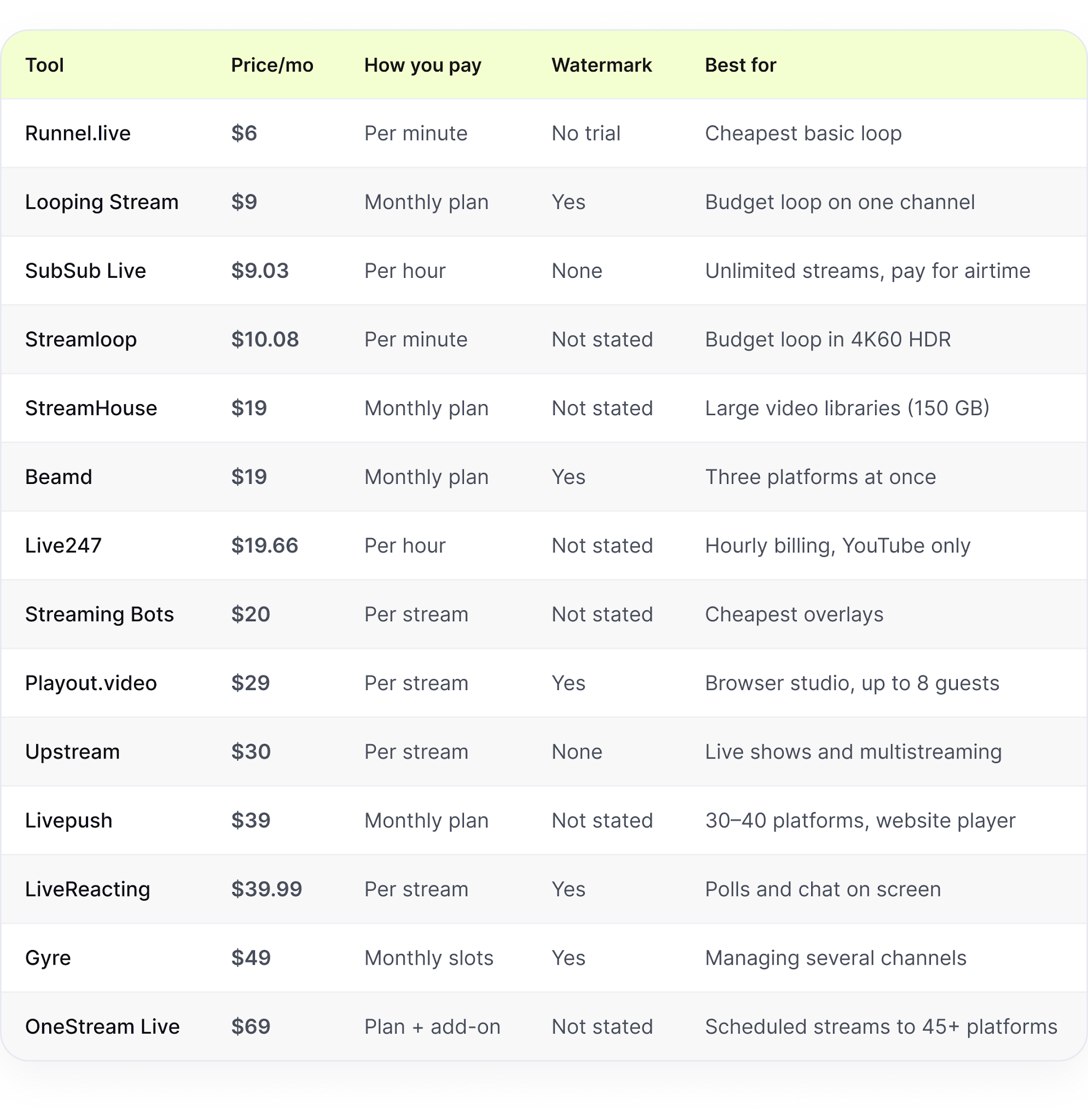
The table below lists every service that helps you run 24/7 streams on YouTube. For each one, we priced 1 month of one 1080p stream running nonstop.
Note that SubSub Live, our own service, is in the table too. We rated it on equal terms with all the others, so you can compare every option and pick the one that best fits your needs. Prices are from public pricing pages as of November 2026.
Runnel.live. The cheapest option on the list: $6 a month per stream. You top up a balance in advance, and it's charged by the minute. You also pay $0.07 for each GB of video you upload, but only once. Each stream goes to only one platform. There's no free trial and no refunds.
Looping Stream. $9 a month for one 1080p stream and 10 GB of video storage. If you need more, there are plans for 4 and 8 streams. You can't schedule streams. You can test it free for 24 hours within a week, but your video will carry their logo.
SubSub Live. You pay only for the hours your stream is actually live: $0.0116 an hour at 1080p. Storing your videos on the server costs a few more cents a month. A stream running around the clock comes to about $9.03 a month. You can run as many streams as you like. You can also create an organization and share one balance across several team members. Quality goes up to 4K, and each stream shows what it costs and what it earned on YouTube. For now, the service works with YouTube only, and you can test it free for the first 7 days.
Streamloop. Billing is per minute, and a month of 1080p streaming costs about $10. It even supports 4K, and you can schedule streams for a day or a week. Each extra platform costs another $6. Text overlays are invite-only for now, and to test the service for $1 you'll need to add a card.
StreamHouse. $19 a month for one 1080p stream and a full 150 GB for videos. That's the most storage among the budget services, so it suits you if you have a big archive. You can test it for 24 hours, but only after adding a card.
Beamd. $19 a month for one 1080p stream at 60 fps that can go to 3 platforms at once. You get 50 GB of video storage, and paid plans have no watermark. You can add a logo or text on top of your video, for example, “Subscribe to SubSub”. A weekly schedule costs from $79. The service is new and launched in 2026.
Live247. You top up a balance and pay for each hour of streaming: $0.0273 at 1080p and $0.0546 at 1440p to 4K. It works with YouTube only and has no scheduling. Each stream gets 100 GB of video storage.
Streaming Bots. $20 a month per stream, and for that you can add text overlays and a logo to your streams and set up a schedule. You can stream to up to 3 platforms, but only in up to 1080p. There's a 24-hour trial, and if you don't like it, you get your money back within 7 days.
Playout.video. $29 a month per stream, or $19 if you pay yearly. You can add overlays (a logo, banners, or on-screen text), stream to 5 platforms, and invite up to 8 guests into a studio right in your browser. Scheduling only comes with the $49 plan. There's a free plan too, but streams are limited to 2 hours at a time and carry a watermark.
Upstream. $30 a month per stream. You can add text overlays and change them while you're live, stream to 10 platforms at once, and bring guests into a separate studio. The service is on YouTube's official list. The free plan gives you 24 hours of streaming a month, with no card and no watermark.
Livepush. The $39 Editors plan gives you a 24/7 stream in up to 1440p and 3 pre-recorded streams. The $69 Creators plan adds 4K and 6 streams. You can stream to 30 to 40 platforms and easily embed a player with your stream on your website. The free plan has 20 hours a month, but no 24/7 mode.
LiveReacting. There's a separate plan for 24/7 streams: $39.99 a month per stream. You can put polls, quizzes, giveaways and viewer chat on screen. You can run up to 20 streams at once, and technical teams get an API and control through AI agents. The free plan has no 24/7 mode.
Gyre. Here you buy stream slots. $49 a month = 1 Full HD stream, but no playlists. $99 = 4 HD streams (or 1 in 4K) with playlists and scheduling. $169 = 8 streams. The service converts your videos to the right format and lets you manage several channels from one account. The 7-day trial needs a card and adds a watermark, and after the trial your subscription switches to the $99 monthly plan.
OneStream Live. The base plan costs $39, plus $30 a month for each 24/7 stream. Around-the-clock streams here work only on YouTube, max out at 1080p, and need a manual restart every 30 days. On the plus side, it's handy if you need to schedule individual pre-recorded streams to 45+ platforms at once. The free plan has no 24/7 mode.
Popular alternatives with limitations
These services often show up in search next to 24/7 streams, but they don't always work for an around-the-clock broadcast:
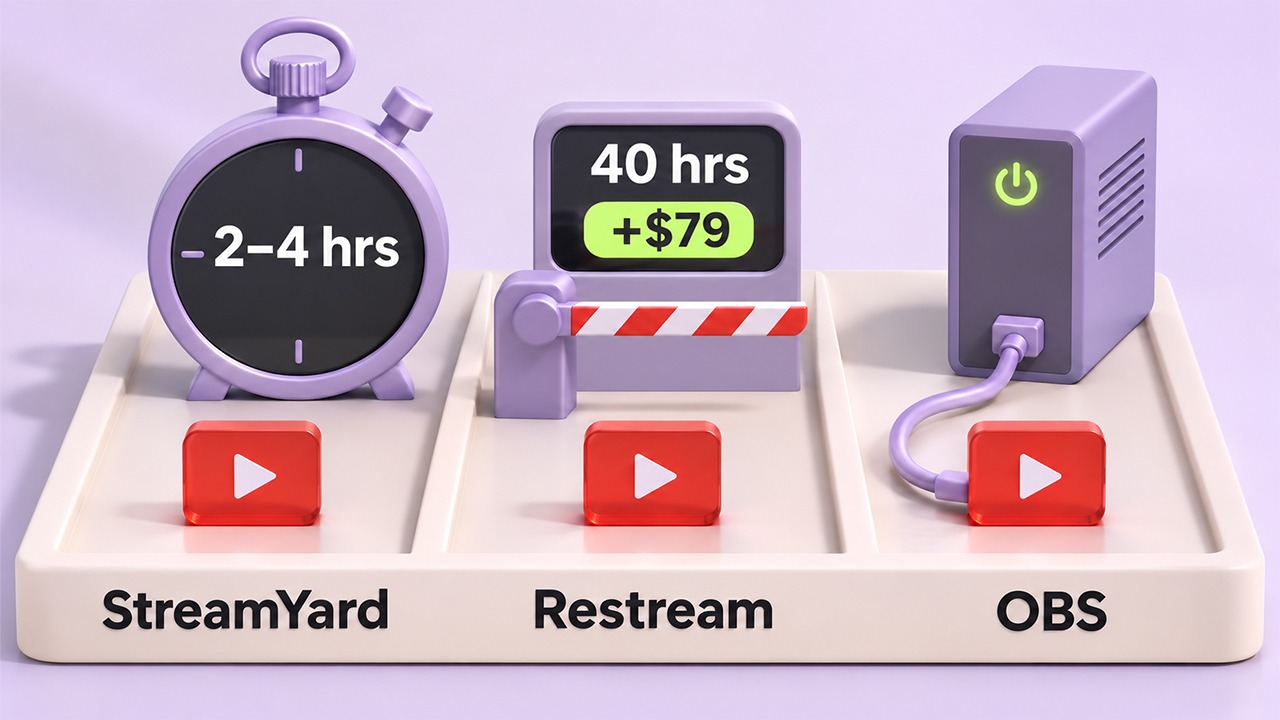
StreamYard can air pre-recorded videos as a live stream, but for 2 to 4 hours at most. It has no 24/7 mode.
Restream can loop videos, but for no more than 40 hours in a row. And this feature costs an extra $79.
OBS is free software for streaming from your own computer. But then your computer has to run the whole time, because if it shuts down, the stream stops too.
How to choose a 24/7 live streaming service
Before you choose a service, think about what exactly you need and check a few important things:
1. Payment model. Services charge in different ways.
Monthly. You pay a fixed amount, even if you only ran the stream for a few days.
Hourly. You pay only for the time the stream was actually running.
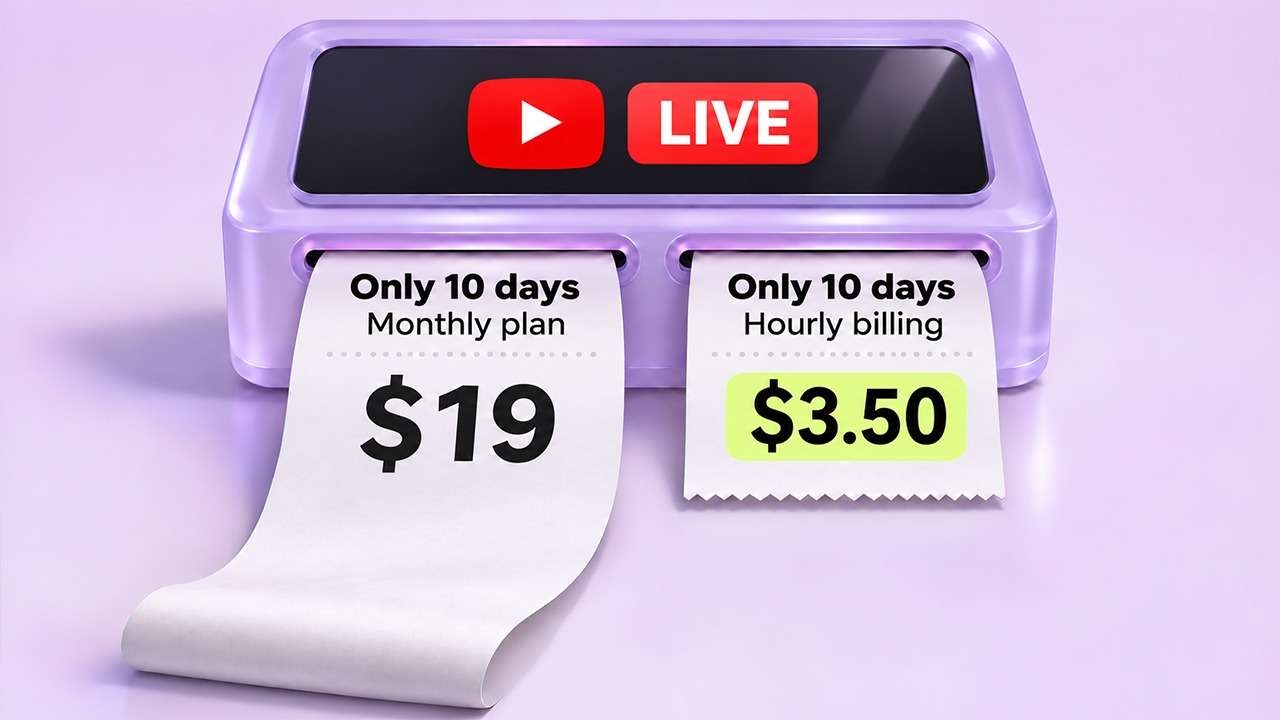
If you stream nonstop all month, you'll barely notice a difference in cost. But if you only go live from time to time, hourly billing is much cheaper. For example, in SubSub Live, a 1080p stream that ran for 10 days costs only about $3.50.
2. Does the stream really run 24/7? Not every service keeps a stream running forever. OneStream Live stops the stream after 30 days and Restream after 40 hours, and then you have to restart it by hand. So make sure the service allows nonstop streaming.
3. Free trial without a card. Streamloop, StreamHouse and Gyre ask for your card details even for a short test. And Gyre switches you to its $99 monthly plan as soon as the trial ends. Some free plans don't include 24/7 mode at all. You can try SubSub Live, Beamd, Upstream and Live247 without a card. The SubSub Live trial lasts 7 days, and during that time you can run as many looping streams in HD as you like.
4. Stream scheduling. In SubSub Live, scheduling is included in the price. You set up a schedule once and can forget about it, because the stream starts on its own at the right time. In Beamd and Playout.video, you'll have to pay extra for scheduling. Looping Stream and Live247 have no scheduling at all.
5. Teamwork. If several people work on a channel, it helps to keep everything in one account: videos sit in shared storage, and streams run from one balance, so nobody has to top up their own account. In SubSub Live, you can create an organization for this and add your whole team. Team access is also available in Livepush, Upstream and OneStream Live.
6. Extra features. Many services charge more for overlays, meaning text and images on top of your video, and for multistreaming (to several platforms at once). These features mostly matter for live shows and brands. If you're simply looping your videos on one YouTube channel, you probably won't need them, and there's no point paying extra.
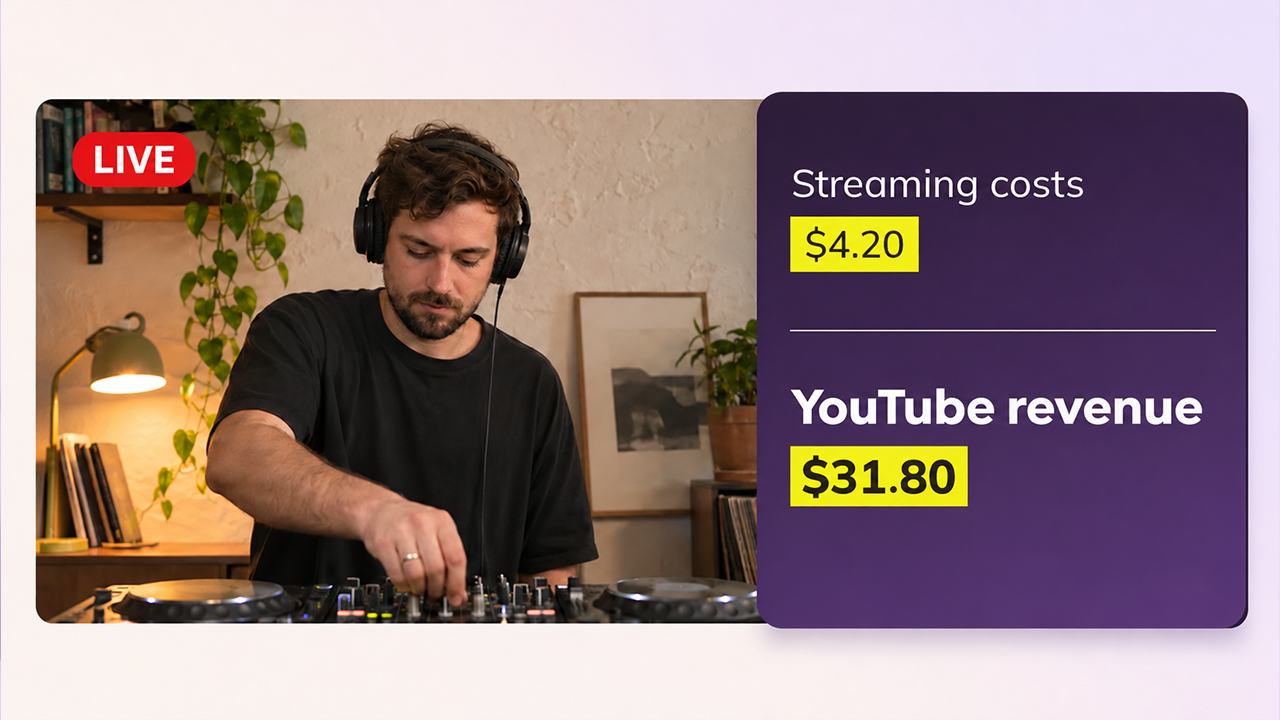
7. Costs vs. revenue. A 24/7 stream only makes sense if it earns more than it costs. To check that, you usually have to look at costs in the service and revenue in YouTube Studio separately, then compare the numbers by hand. In SubSub Live, each stream shows how much it cost and how much it earned on YouTube right next to it. That makes it easy to see which streams to keep and which to turn off. This feature is included in the regular price, with nothing extra to pay.
8. YouTube's official list. YouTube keeps an official list of live encoders and streaming services it has verified itself. These services are guaranteed to work with YouTube, and setting up a stream in them is usually easier. So check this list before you choose.
How to stream 24/7 on YouTube
Choose the videos you want to show in the stream. Most services let you upload them separately, and they'll play one after another. If the service you picked can't do that, join them into one video first.
Upload the videos to the service you picked.
Connect your YouTube channel or paste the stream key from YouTube Studio.
Start the stream. From there, the service loops the videos for you, and you can turn your computer off.
Not sure where to start? Take a few of your most popular videos and run them in SubSub Live during the free trial. You'll see in your own numbers how many views and watch hours a 24/7 stream brings.
What's the cheapest way to run a 24/7 YouTube live stream? The cheapest service is Runnel.live. It costs $6 a month per stream. But it has very few features, and you can't try it for free. SubSub Live is a better fit: for about $9 a month, you can run as many streams as you like and pay only for the time you're actually live.
Does a 24/7 stream break YouTube's rules? No, YouTube allows streaming pre-recorded videos around the clock. These streams can earn from ads, Super Chat and sponsorships just like regular ones. Read more about which repeated videos can cost you monetization in our article on inauthentic content.
How long should one stream run? Technically, a stream can run forever. But it performs best in the first 72 hours, so we recommend restarting it about every 3 days. In SubSub Live, that's easy to do with a schedule, and your streams will restart on their own.
Do I need to keep my computer on the whole time? No, not if you stream through a service such as SubSub Live or any other from this article. You upload your videos, start the stream and can turn your computer off. You only need to keep it on if you stream through OBS.
Where can I try 24/7 streaming for free without adding a payment method? You can try SubSub Live, Beamd, Upstream and Live247 without a card. SubSub Live gives you 7 days to test, and during that time you can run as many HD streams as you like.
How much does a 24/7 stream cost in 4K? In SubSub Live, an around-the-clock 4K stream costs about $20.70 a month, the cheapest option on the list. And you still pay only for the hours you're live. In Live247, 4K costs about $39, in Livepush $69, and in Gyre $99 a month.
How many streams can I run at the same time? It depends on the service. In most cases, the number is limited by your plan. SubSub Live has no limit, so you can run as many streams as you need.
Will a 24/7 stream help a small channel? Yes. A stream builds watch hours even when you're not publishing new videos. That matters because from February 1, 2027, new channels will need 8,000 watch hours instead of 4,000 to monetize.