Growing a YouTube channel organically can feel like shouting into a void until you crack the SEO code. You see creators with real view spikes and think they just got struck by luck. But in fact, they know the exact phrases people type into YouTube's search bar, front-load keywords in the first few words of their titles, and build thumbnails that stop the scroll.
Yet, it’s not about guessing keywords and phrases. You need to know what's actually being searched, how competitive it is, and where you can realistically rank. That's where the right tools come in.
The best YouTube SEO tools track your rankings over time, suggest high-performing tags, and hand you analytics that actually tell you what's working (and what's dead weight). Many now come loaded with AI features, generating titles, writing descriptions, and even predicting click-through rates before you hit publish.
Whether you're optimizing an old backlog of videos or building a smarter workflow from scratch, these SEO tools can save you hours and get you found faster.
We've done the digging so you don't have to. Here's our curated list of the best YouTube SEO tools to help you rank higher without turning your channel into a keyword robot. You need to improve search but still give your audience the content they actually want to watch.
TL;DR
YouTube SEO is about giving the algorithm (and your viewers) exactly what they're searching for.
The right tools show you which keywords are worth targeting, and how to tweak your titles, descriptions, and tags so your videos have a real shot at ranking. Plus, they let you track how your videos perform so you know what’s working and what’s flopping.
SubSub, TubeBuddy, and vidIQ cover pretty much everything creators need: keyword research, metadata tips, and even peeking at what your competitors are doing so you can level up your strategy.
Ahrefs and Semrush bring agency-grade research for teams working across multiple channels or clients.
If you're starting out or watching your budget, YouTube Studio, Google Trends, and YouTube Search Suggest cost nothing and still get you real search data.
Increasingly, AI features are baked into these SEO tools, generating titles, tags, and descriptions so you're not staring at a blank field every upload.
What Are YouTube SEO Tools?
YouTube SEO tools make sure your videos don’t vanish into the algorithm black hole.
Yes, watch time, clicks, and engagement are what really push your videos up the ranks, but none of that matters if YouTube can’t figure out what your video is actually about.
That’s where titles, descriptions, keywords, and tags come in. When you use them the right way, the algorithm can match your video to the right searches and the right viewers. And SEO tools for YouTube make sure your content gets discovered.
The Reasons You Should Be Using YouTube SEO Tools
YouTube SEO tools turn guesswork into a system. Here's what they actually do for you.
Uncover what people are searching for. Instead of picking topics based on gut feeling, you get real search volume, competition scores, and trending queries, so every video you make has built-in demand.
Push your rankings up. With the right keywords baked into your titles and descriptions, YouTube's algorithm understands exactly what your video is about and where it fits in search results.
Grow your impressions. Better rankings mean YouTube shows your video to more people in search and suggested feeds, full stop.
Sharpen your click-through rate. Test different thumbnails and titles to see what actually gets clicks, since a high CTR tells YouTube your content deserves even wider distribution.
Simplify your metadata. Generate and standardize titles, tags, and descriptions in minutes instead of second-guessing every upload.
Let you study the competition. See which tags, thumbnails, and topics are working for similar channels, so you can spot gaps and opportunities they've missed.
Save you serious time. With 800+ hours of video uploaded every minute, manual research just can't keep up; these tools compress that grind into a few clicks.
Now that you know exactly how they help, here’s a curated list of SEO tools you can use for YouTube videos.
Best YouTube SEO Tools (A Breakdown of Cost, Key Features, and Industry Reputation)
1. SubSub
Best for: Agencies, media companies, well-established creators
Pricing: Flexible – based on how much you use (free plan available)
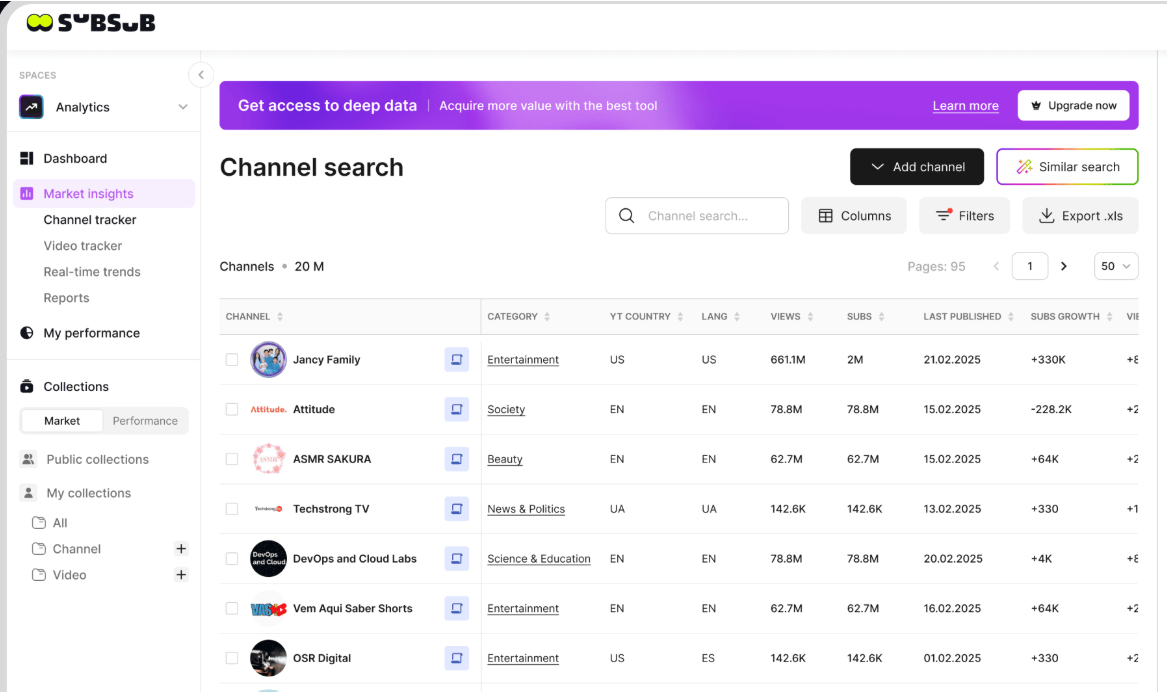
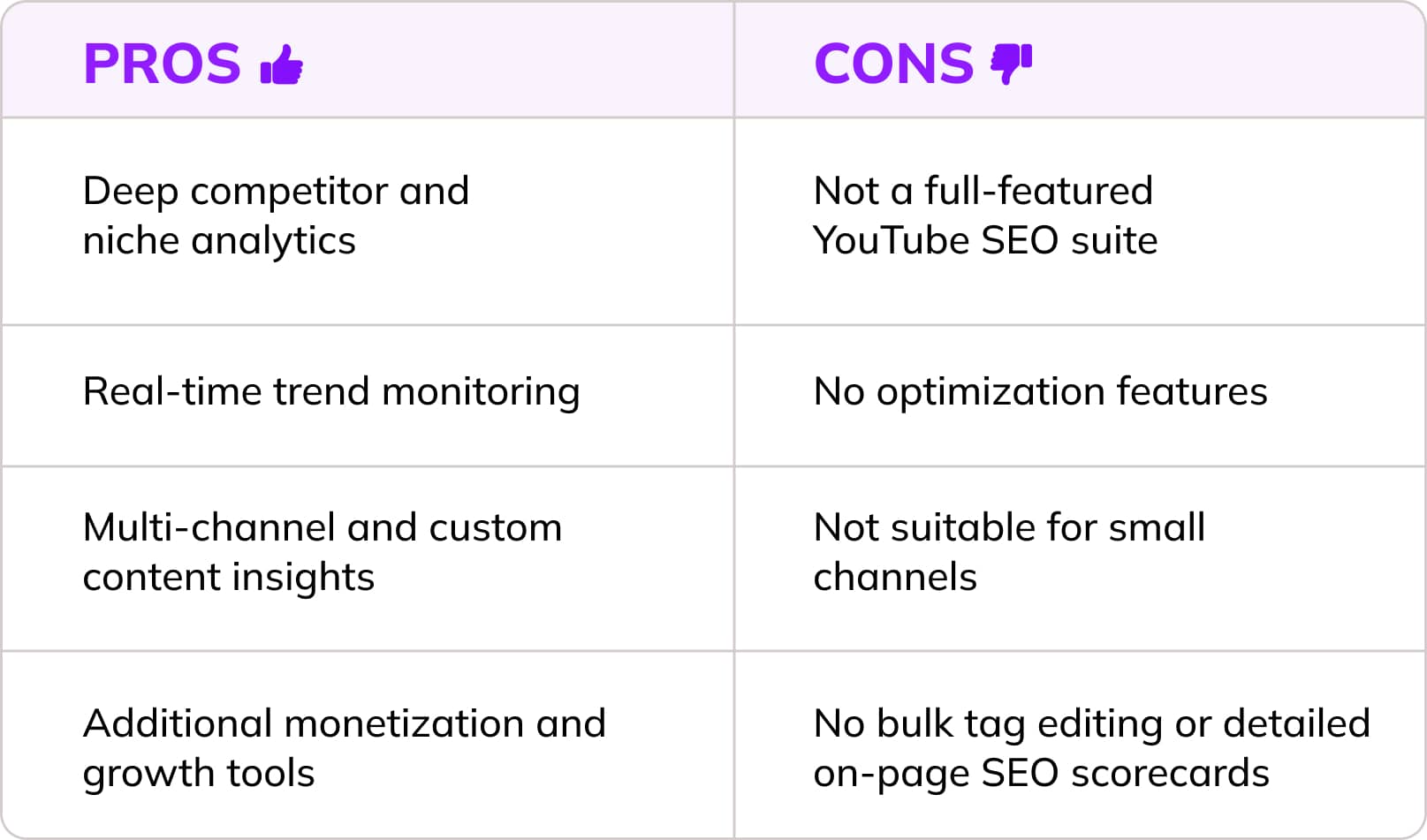
SubSub is one of the strongest YouTube SEO tools for creators who want real competitive intelligence. With its SubSub Analytics, you get a full view of your niche by combining market data with your own channel analytics, so you can see who’s ranking, why, and how you can outrank them.
Connect your channel, search competitors by keyword, and filter by category, region, subject, subscriber count, or view volume to surface the channels that actually matter. From there, you can save your real competitors to a collection and dig into their titles, descriptions, tags, and even captions to spot the keyword patterns driving their visibility. That's SEO intelligence you'd otherwise piece together manually, video by video.
SubSub also turns the lens on your own channel: track which tags actually move views, engagement, and revenue, so you know what's working instead of guessing.
Zoom out for an aggregated competitor overview, or zoom in channel by channel, then generate a full report combining your data with theirs. What you get is sharper keyword targeting, smarter content decisions, and a workflow that cuts out manual research so you can focus on ranking.
What you can do with the free plan: A free version of SubSub is available via YouTube Channels Database where you can browse top channels across 130+ countries and 22+ categories, check basic metrics, and explore trends without signing up. Create a free account and you can save channels, build collections, and store filters, useful for quick benchmarking.
2. TubeBuddy
Best for: Both beginners and pro users
Pricing: From $3.99/month (free plan available)
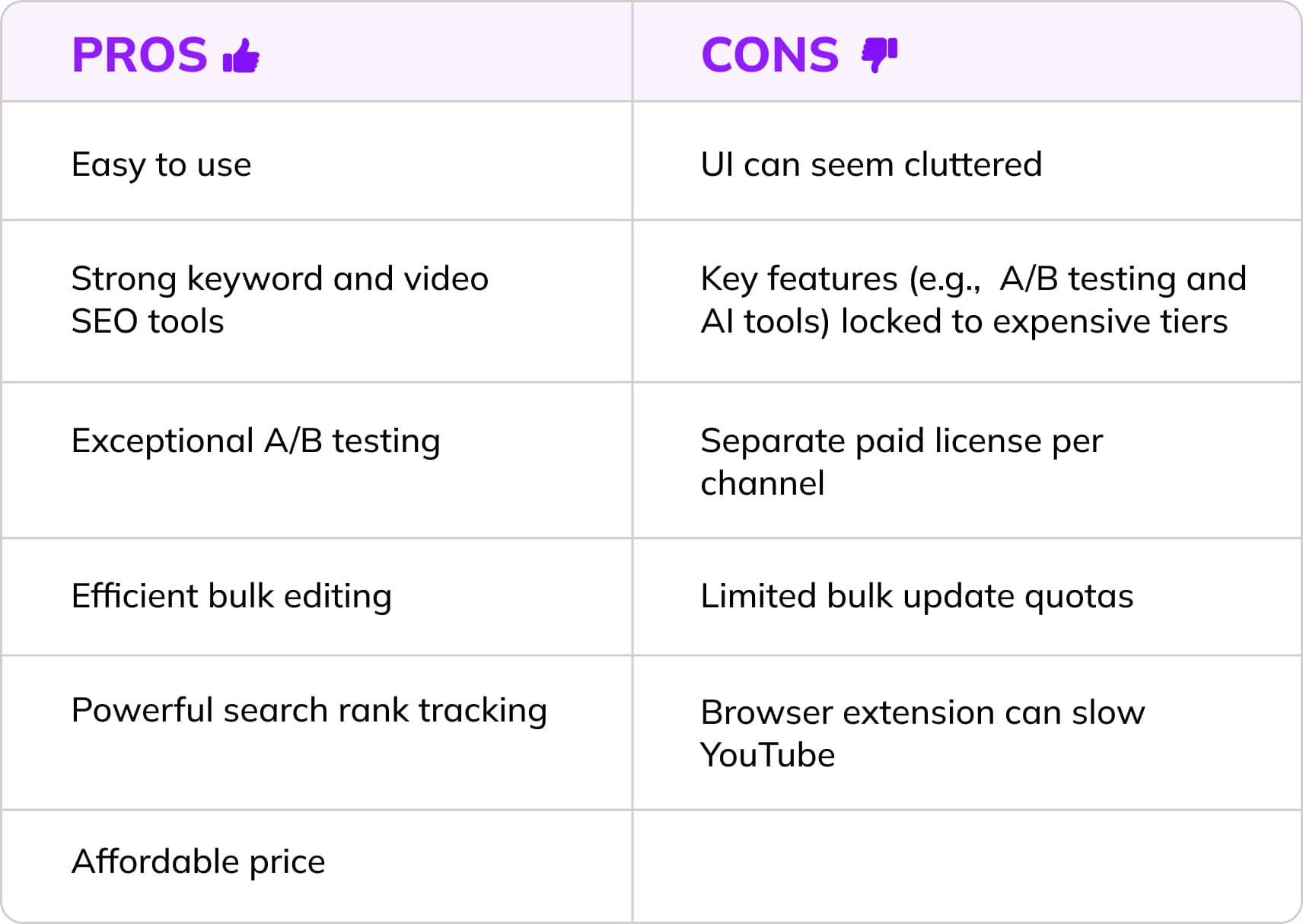
TubeBuddy is one of those YouTube SEO tools that feels like a cheat code because it plugs directly into YouTube Studio and gives you the data you wish YouTube provided by default. This tool overlays everything right where you upload, edit, and analyze your videos.
Its Youtube Keyword Explorer shows search volume, competition, and related long‑tails so you can pick topics people genuinely search for. When it’s time to optimize, TubeBuddy’s SEO checklists, tag suggestions, and bulk‑editing tools help you polish titles, descriptions, tags, cards, and end screens across your entire library without drowning in manual work.
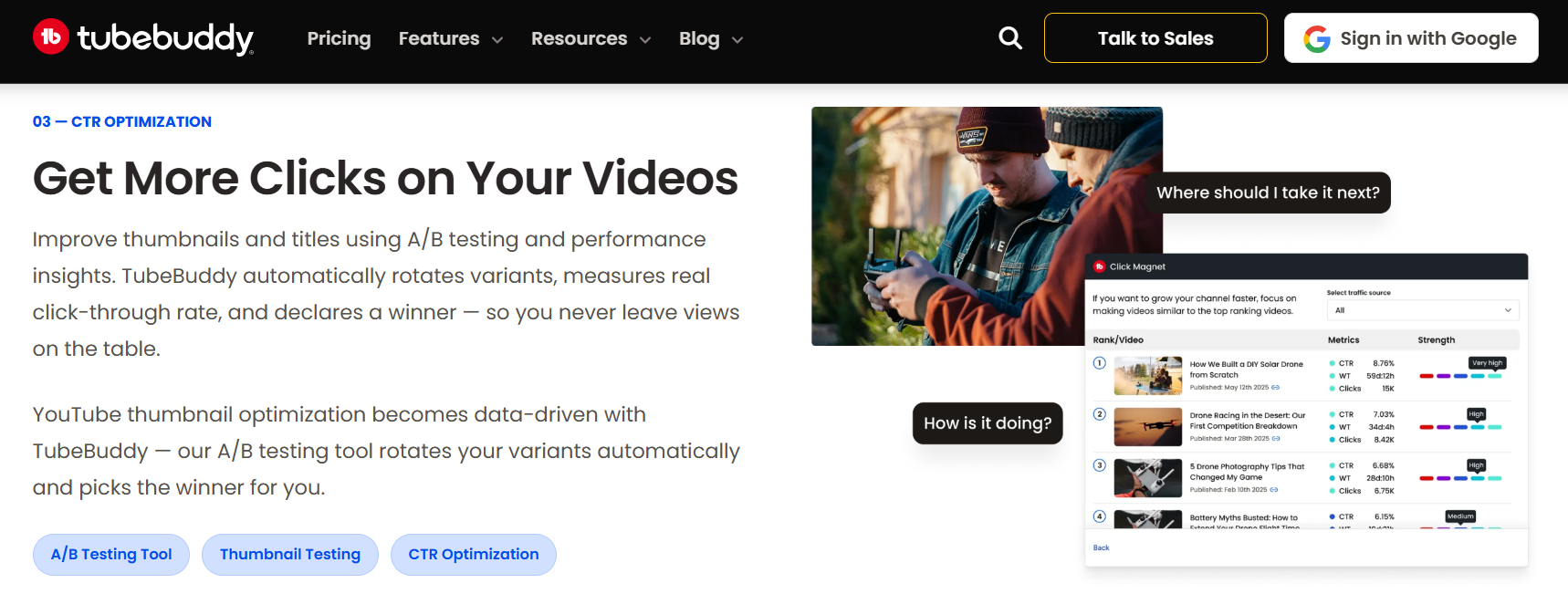
The real magic, though, is its A/B testing for thumbnails and titles. You can run live split tests to see which version earns more clicks. Add in performance insights and growth recommendations, and you get a tool that actively helps you improve it.
What you can do with the free plan: The free TubeBuddy tier is a forever‑free browser extension that gives you a trimmed‑down version of the full toolkit. It allows you to explore 3 keyword searches/day, provides around 10 tag suggestions/video, and offers basic channel health reports.
3. vidIQ
Best for: Solo creators and small‑to‑mid channels
Price: From $16.58/month (free plan available)
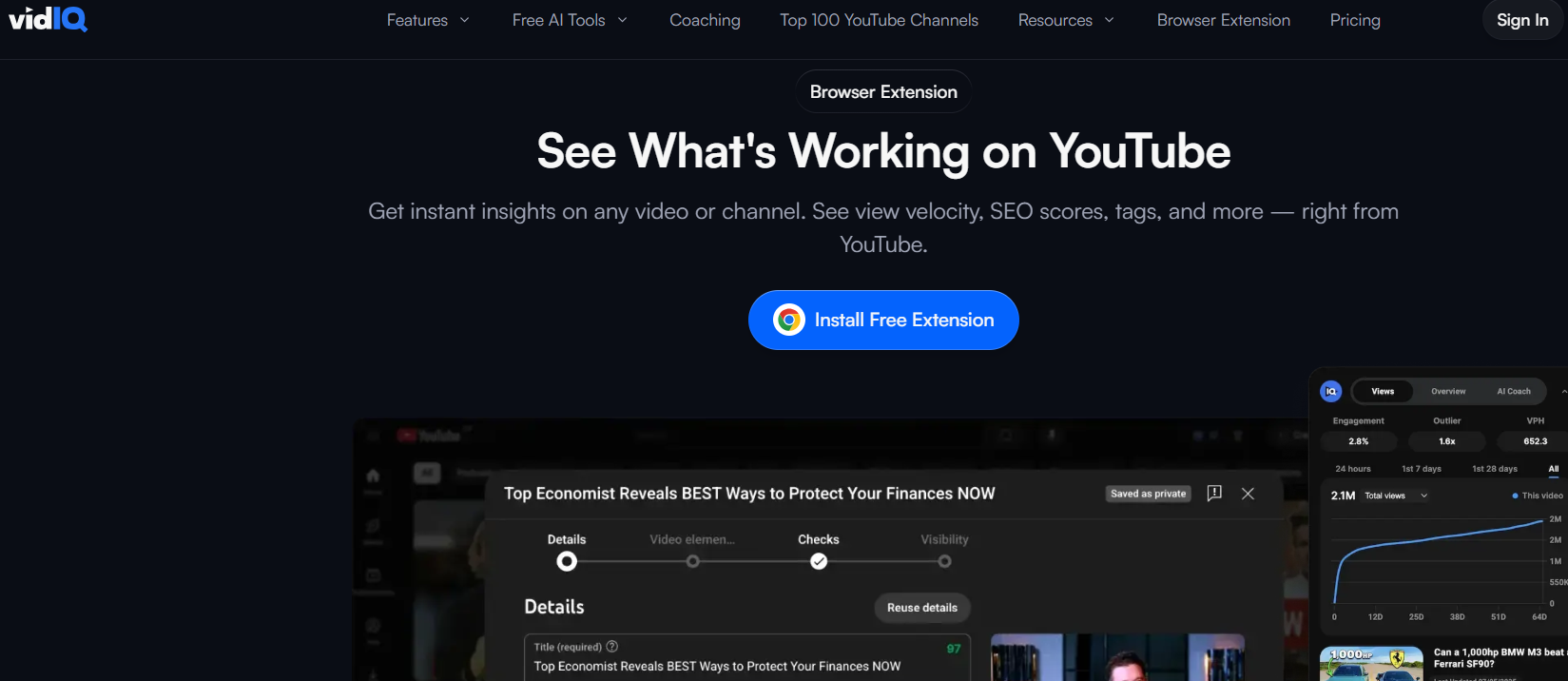
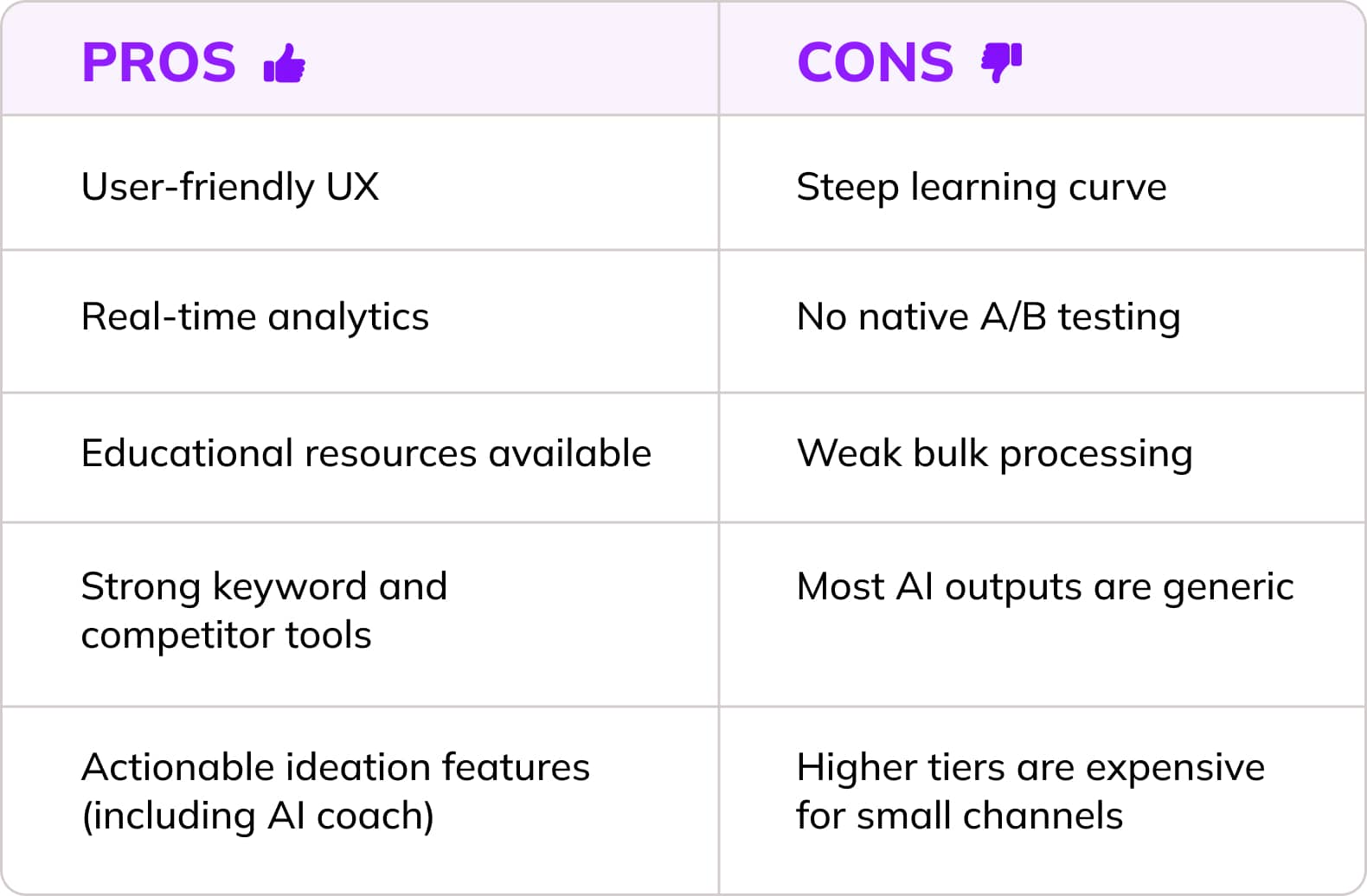
VidIQ is like a creative partner and a data analyst rolled into one. It allows you to pick winning topics, optimize your metadata, and publish with confidence.
vidIQ covers a YouTube keyword research tool built specifically for this social media platform, showing search volume, competition, and optimization scores so you can target high‑opportunity queries. VidIQ also lets you peek into any channel’s tags, view velocity, and growth patterns while surfacing rising trends and breakout keywords in your niche.
The real‑time browser overlay is a game‑changer: SEO scores, tags, and performance metrics appear right on YouTube as you browse, making decisions faster and smarter.
The tool also uses official API data and follows platform best practices, giving creators reliable insights.
What you can do with the free plan: vidIQ’s free plan gives you more to play with than TubeBuddy’s, but it’s still a lightweight version. It offers a video scorecard (SEO score, views per hour, engagement metrics) and basic video analytics. In terms of keyword research, vidIQ allows 3 results per category (matching keywords, related keywords, questions) per search and 3 AI‑generated video ideas per day. Plus, you can track up to 3 competitors and see their basic performance trends.
4. Ahrefs
Best for: SEO teams and agencies
Pricing: From $129/month (free trial available)
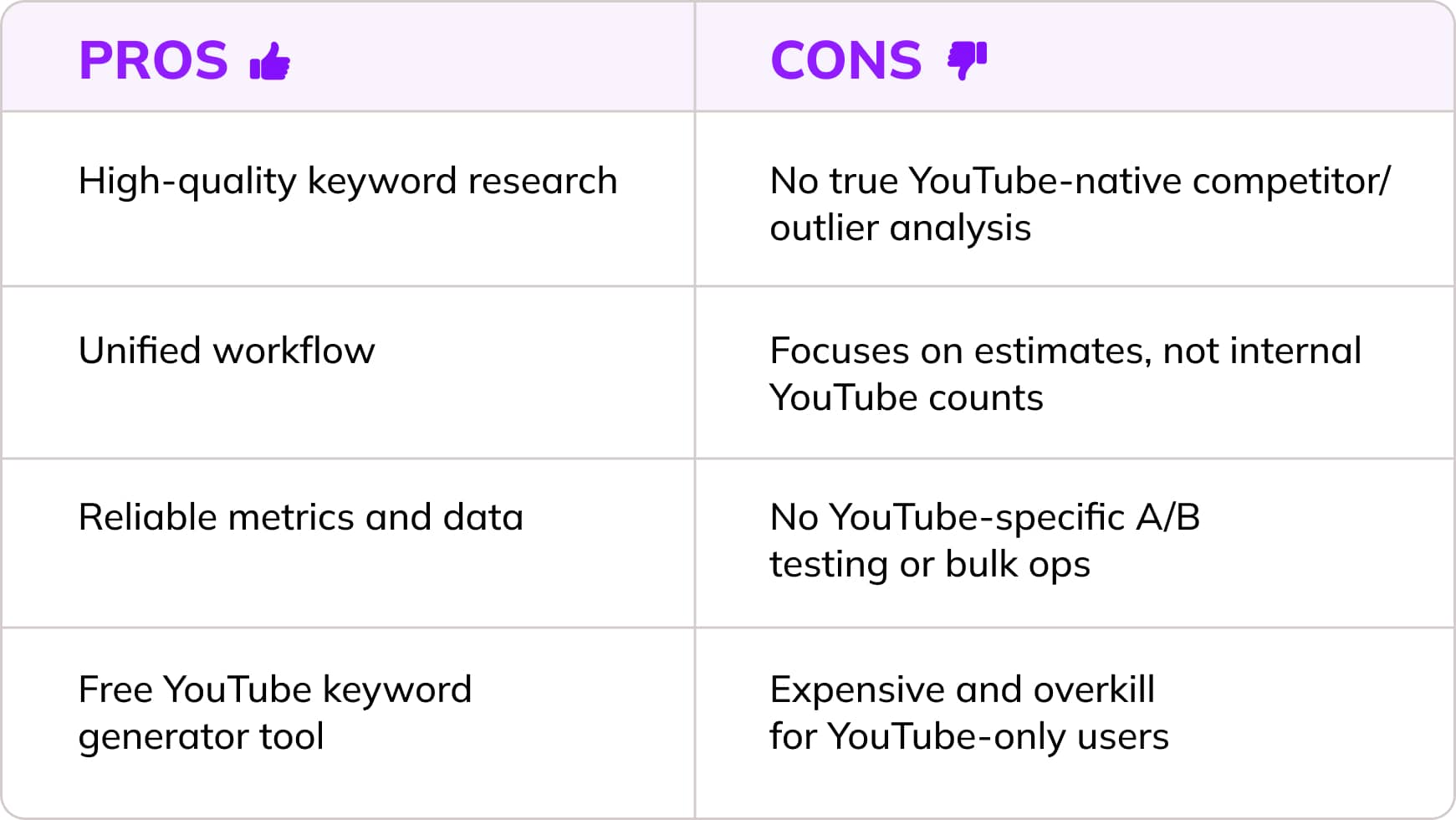
Ahrefs is a powerhouse for YouTube SEO, especially if you’re the type who likes your keyword data clean, credible, and backed by real search behavior. It’s not a YouTube‑only tool, but that’s exactly why it’s so useful: it helps you align your video topics with broader Google demand, making your content strategy way more intentional. And yes, it’s also perfect for those moments when you want to feel like a “serious SEO adult.”
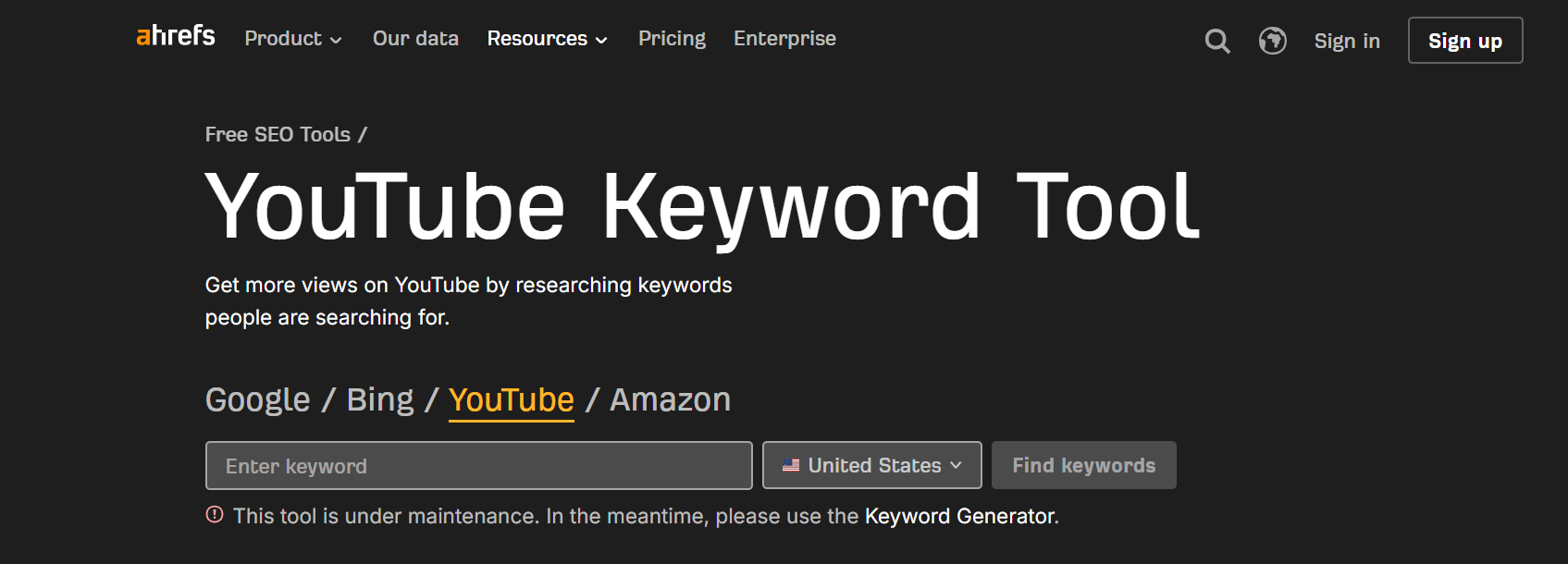
Its dedicated YouTube keyword research and ranking tool lets you switch the search engine to YouTube and instantly see related ideas with estimated monthly search volume by country.
You also get a cross‑engine perspective, comparing YouTube demand with Google, Bing, and even Amazon to prioritize topics that win everywhere. And if you already use Ahrefs for audits, backlinks, or content research, adding YouTube keyword work is srtaightforward.
In short, Ahrefs gives you reliable keyword intel, multiplatform clarity, and a workflow that keeps your YouTube strategy sharp (and maybe even a little smug).
5. SemRush
Best for: Agencies and marketing teams
Pricing: From $117,33/month
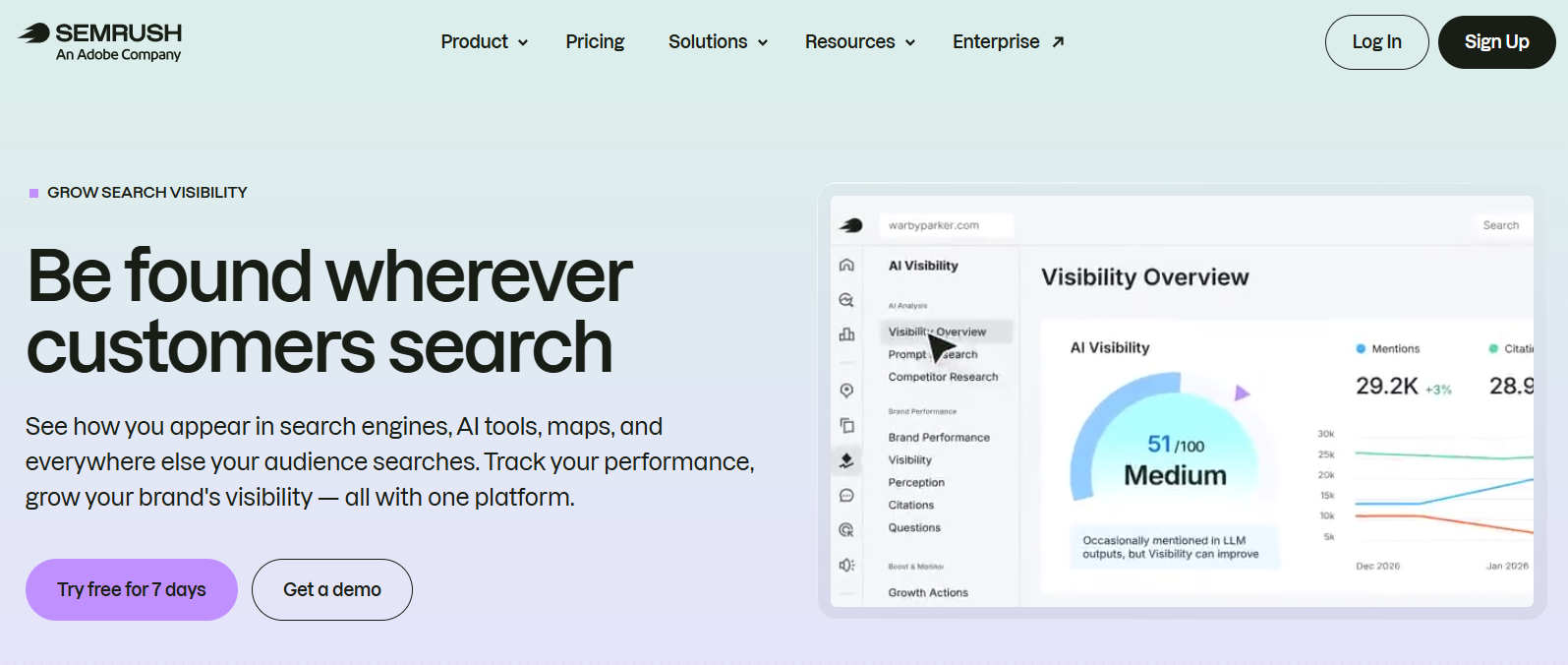
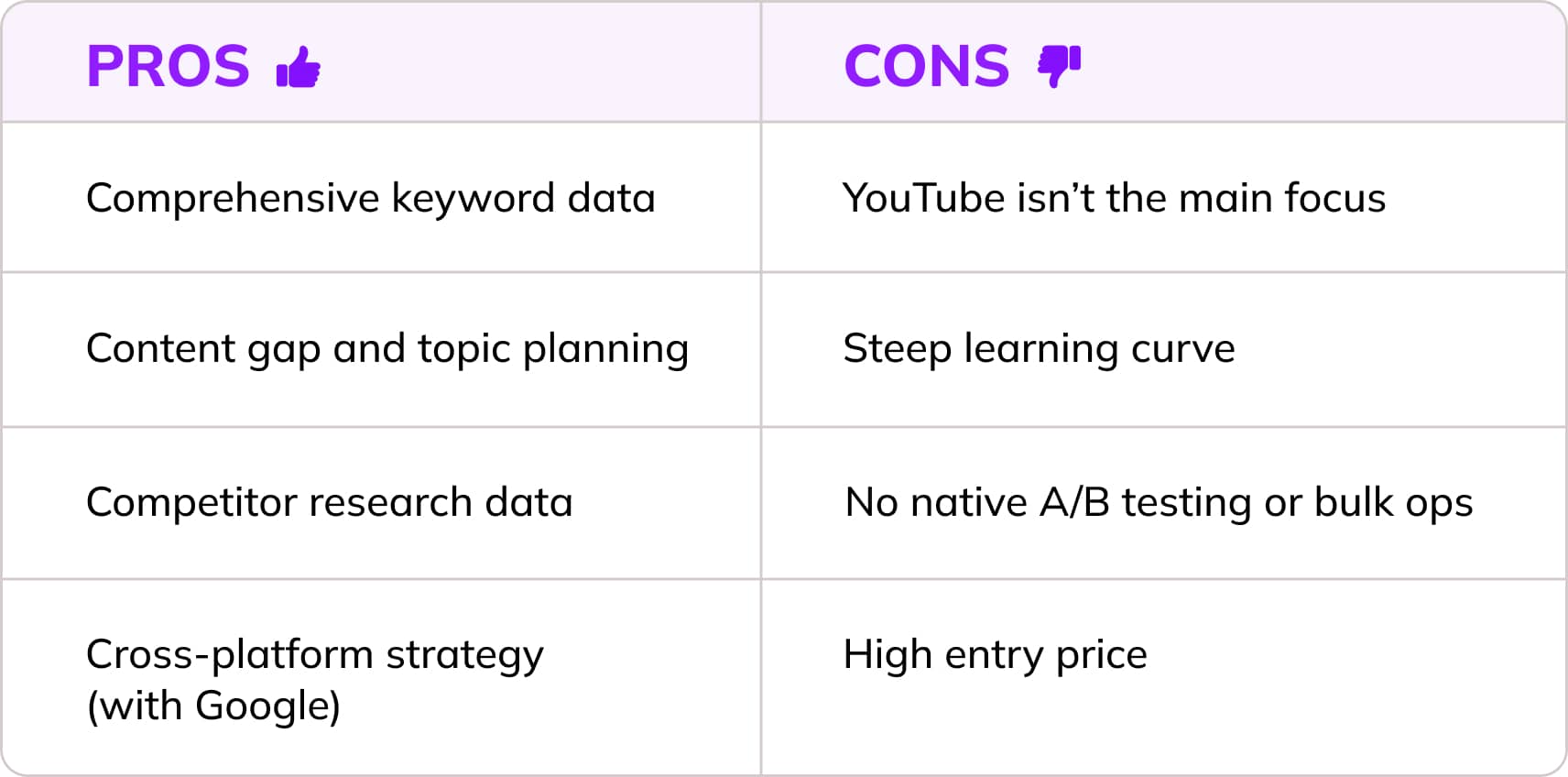
Semrush lets you plan video topics with the same precision you use for your broader search strategy. Similar to Ahrefs, Semrush gives you cross‑platform keyword data: Google + YouTube, so you can create videos that tap into real demand, not just hunches.
Its YouTube keyword research mode (via Keyword Magic Tool) shows exact search volumes, competition scores, and question‑based queries you can plug straight into titles and descriptions. Semrush also excels at competitor and content gap analysis, helping you see which videos and keywords drive the most views for top channels in your niche and where you have opportunities they’re missing.
Because Semrush unifies Google, YouTube, and AI search visibility, you can plan topics that perform across multiple surfaces, not just YouTube.
6. Morningfame
Best for: Small to mid-sized YouTube creators
Pricing: From $4.90/month
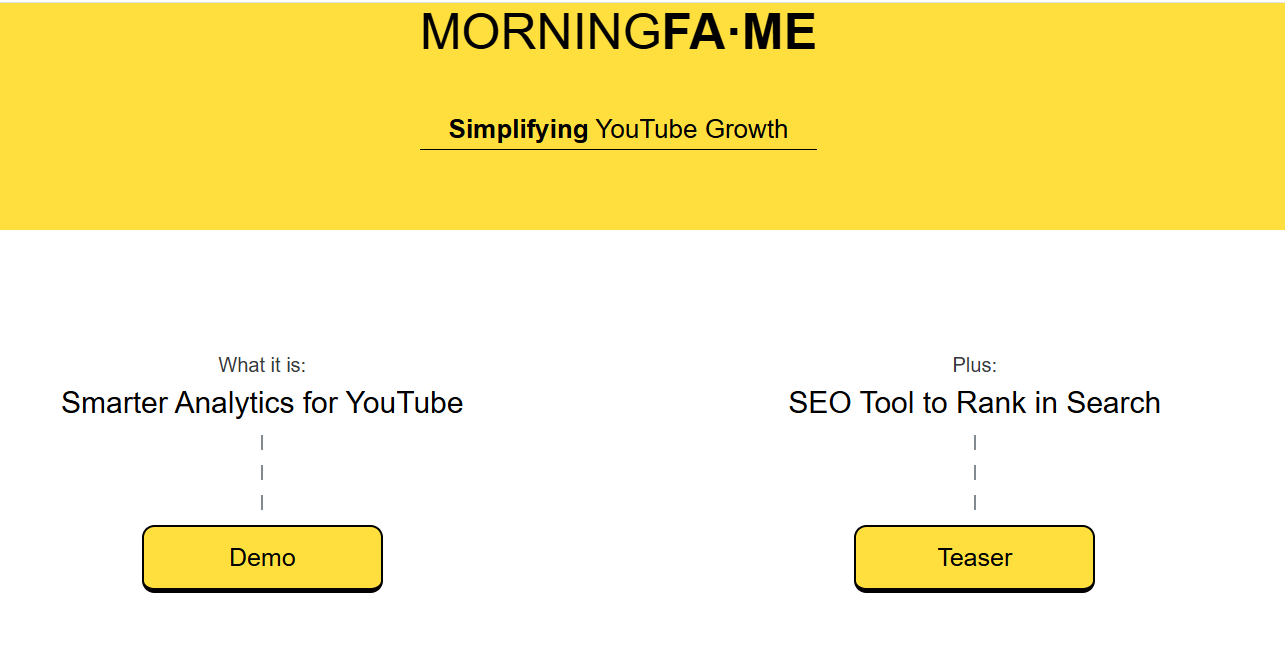
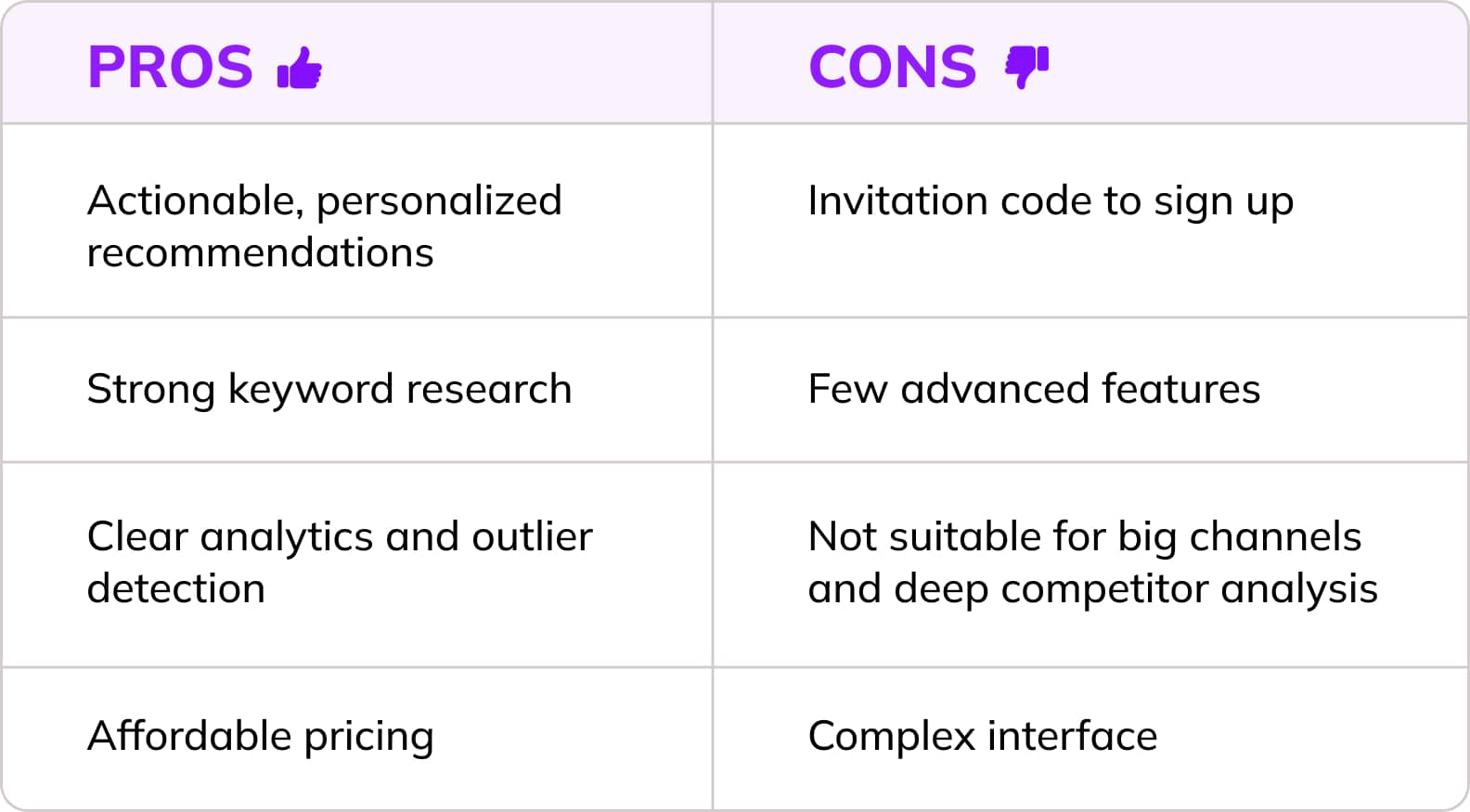
Morningfame is the YouTube SEO tool for creators who want things explained clearly, without all the confusing dashboards and data overload. It gives you straight, channel‑specific guidance that actually helps you grow.
Its channel‑aware keyword grading is the star feature, as it scores keywords based on your channel size and past performance, making topic selection far more realistic.
You also get outlier analytics, highlighting which videos performed way above your average so you can spot winning formats and repeat what works. And when you’re optimizing a new upload, Morningfame gives guided recommendations for titles, tags, and descriptions.
7. TubeRanker
Best for: Beginners and small YouTube creators
Pricing: From $9.90/month
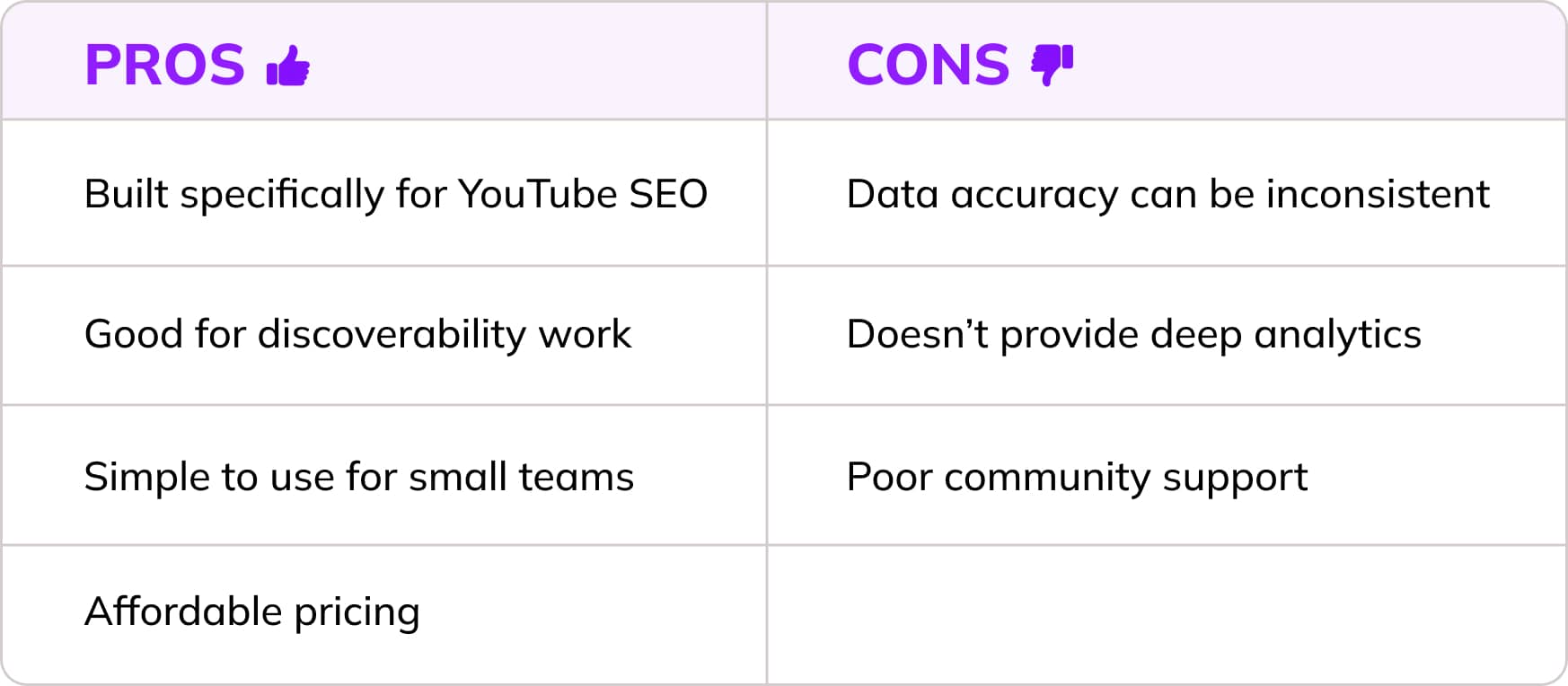
TubeRanker stands out because it focuses on what actually helps your videos get found. It basically bundles everything you need into one smooth workflow: keyword research, better titles, stronger descriptions, tag ideas, and quick channel checkups. No more jumping between ten different tools.
You can also track your rankings over time, so you instantly see whether your SEO tweaks are actually helping your videos climb or if you need to switch things up.
8. Social Blade
Best for: Growth-focused creators, brands, and marketers
Pricing: From $5.99/month
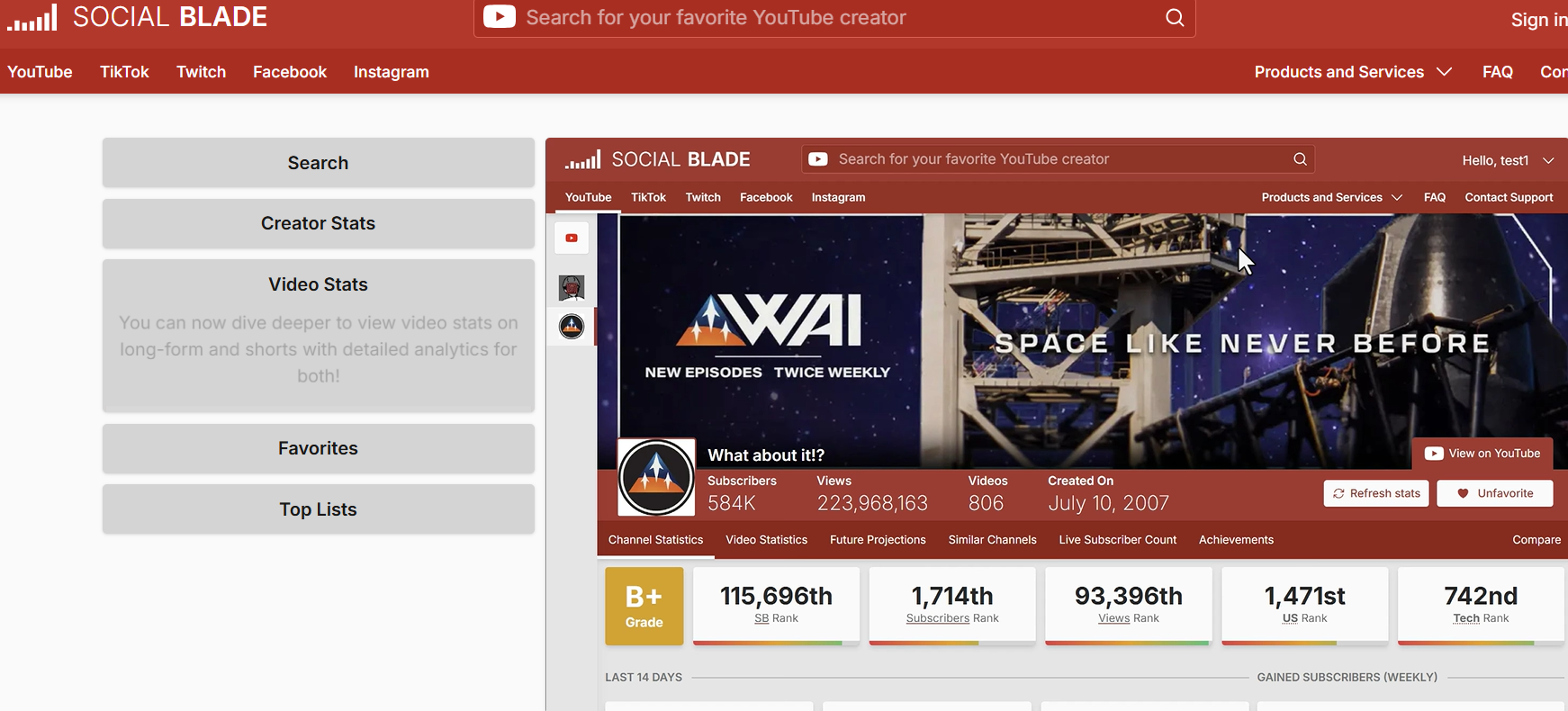
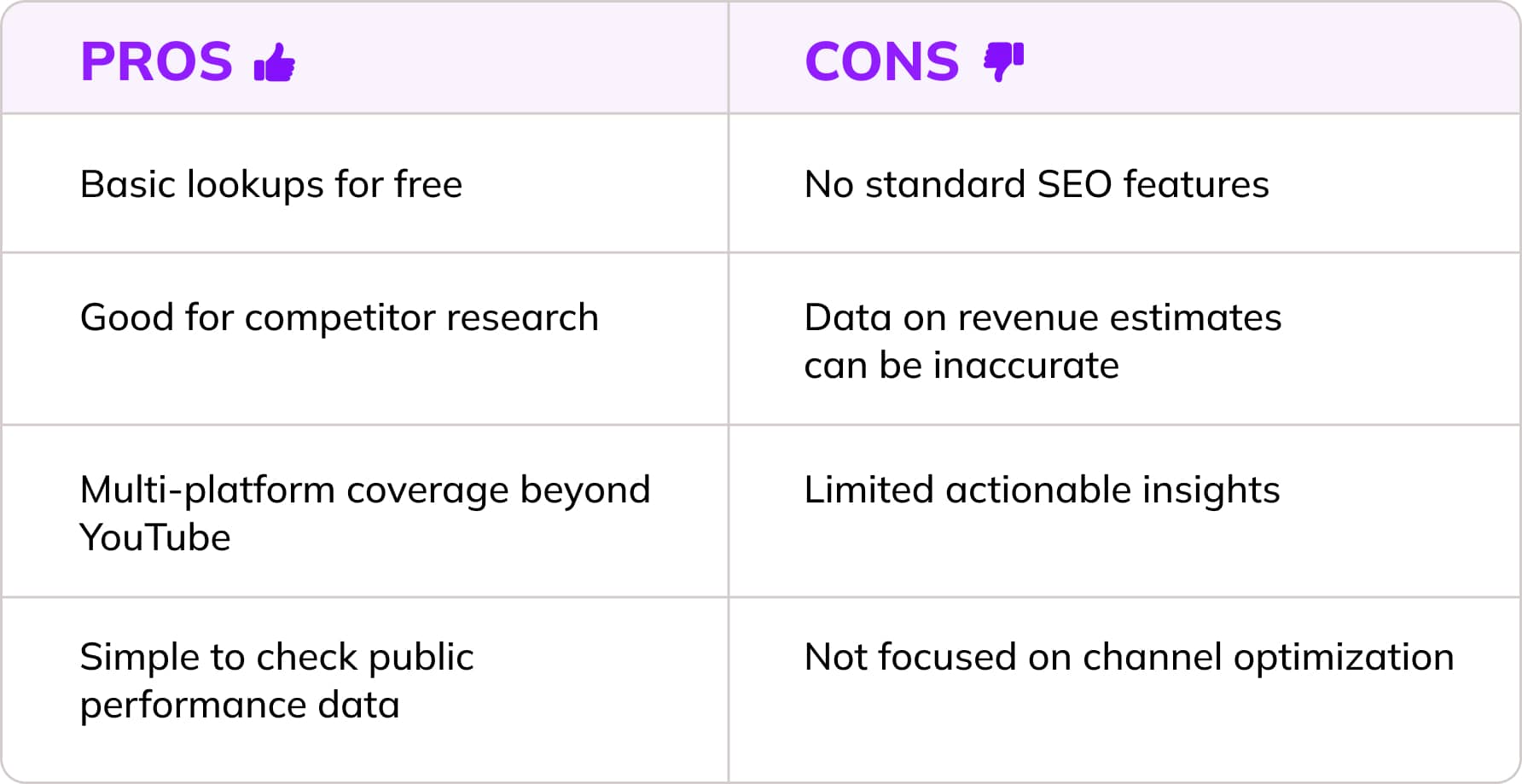
Social Blade isn’t a classic SEO tool, but its strength is raw, public analytics that help you understand how channels grow. You can track subscriber changes, daily views, and long‑term trends for your own channel or any competitor. Its rankings and projections make it easy to judge momentum and spot rising creators.
If you’re digging into a niche, the growth charts and history tools are super handy. They help you see whether a topic is actually growing or flatlining. And since Social Blade also tracks Twitch, Instagram, and TikTok, it’s great if you post on multiple platforms and want the full picture.
Overall, it’s an easy way to monitor your channel, compare yourself to others, and make smarter moves for your YouTube strategy.
9. Keywords Everywhere
Best for: Beginners and small creators
Pricing: From $7/month
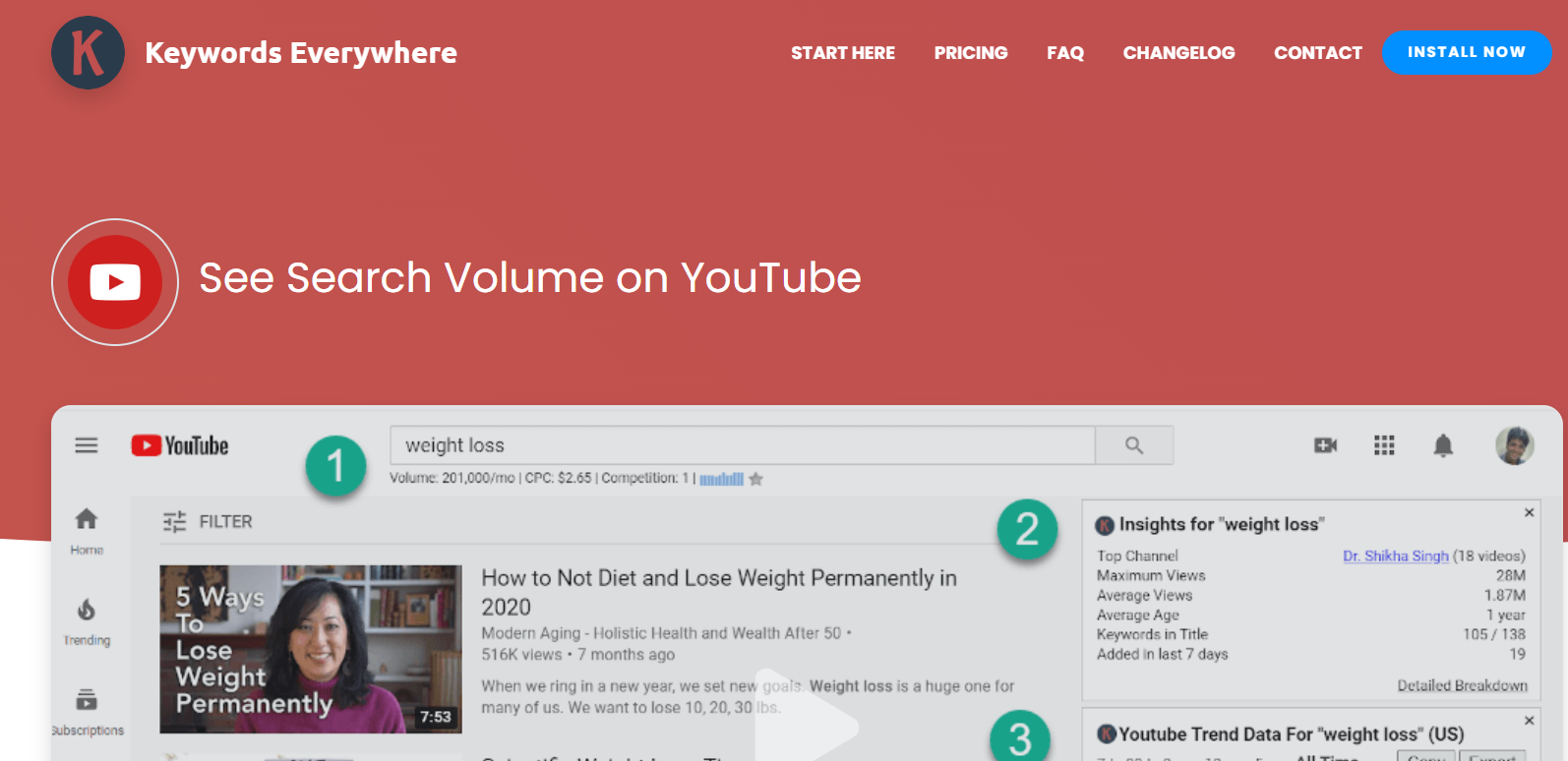
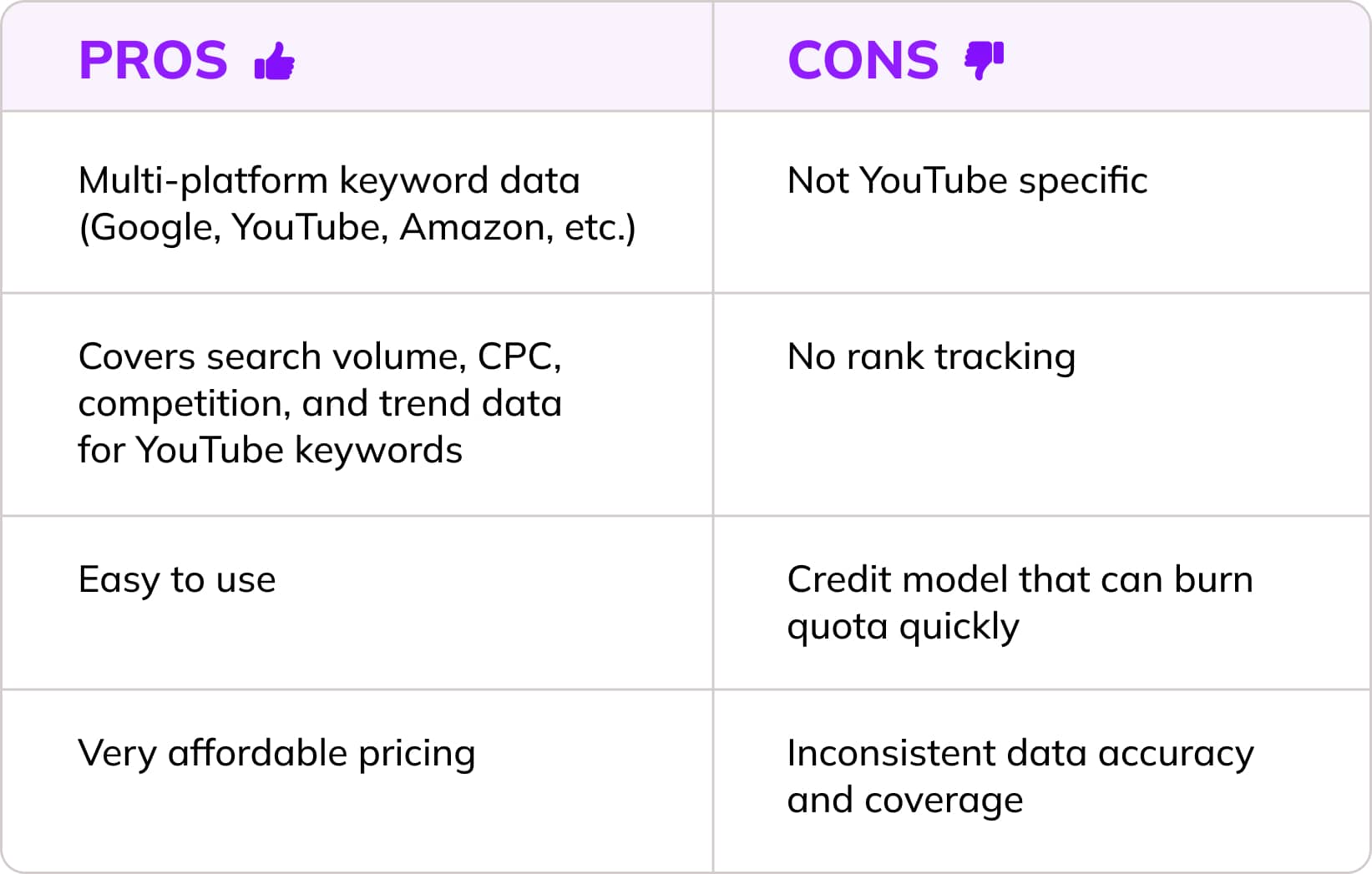
Keywords Everywhere is a solid budget pick for quick YouTube keyword research. While not a full YouTube SEO suite, but more like an extension, it delivers YouTube search data into your workflow. Keywords Everywhere shows volume, CPC, competition, and 12‑month trends directly in search results and on video pages.
You also get related keywords, tags, and trend charts without leaving YouTube. And because KE uses credit‑based pricing, it stays cheap for creators who only need light to moderate keyword checks.
YouTube SEO Tools Comparison Table
Best Free YouTube SEO Tools
There are solid free tools out there if you’re not ready to drop money on the premium stuff. They’re great for getting started and can help you find basic keywords or quick tag ideas.
Just keep in mind: free usually means limited. You’ll get surface‑level suggestions, but not the deep stuff like competitor breakdowns, long‑term trend data, or full SEO reports. Most free tools only handle one part of YouTube SEO (e.g., YouTube tags generators or YouTube keyword generator), instead of giving you the full picture across keywords, thumbnails, and overall channel optimization.
Free YouTube SEO tools are helpful, but they’re not the whole toolbox. Still, they're a solid starting point. You can use them to test the waters before committing budget to a paid platform.
YouTube Studio
As YouTube’s official backend dashboard, YouTube Studio gives you real data straight from your own audience. You can see the exact search terms people used to find your videos, check CTR and retention to spot packaging or content issues, and break down traffic sources to understand where growth is coming from.
Everything you need to optimize: titles, descriptions, tags, thumbnails, end screens, and cards, is built right into the workflow. Add audience insights, monetization data, and detailed performance analytics, and YouTube Studio is your punchy, reliable tool for improving visibility without spending a cent.
However, it DOESN’T provide: keyword discovery, competitor research, A/B testing options, and any external planning for topic validation.
YouTube Search Suggest
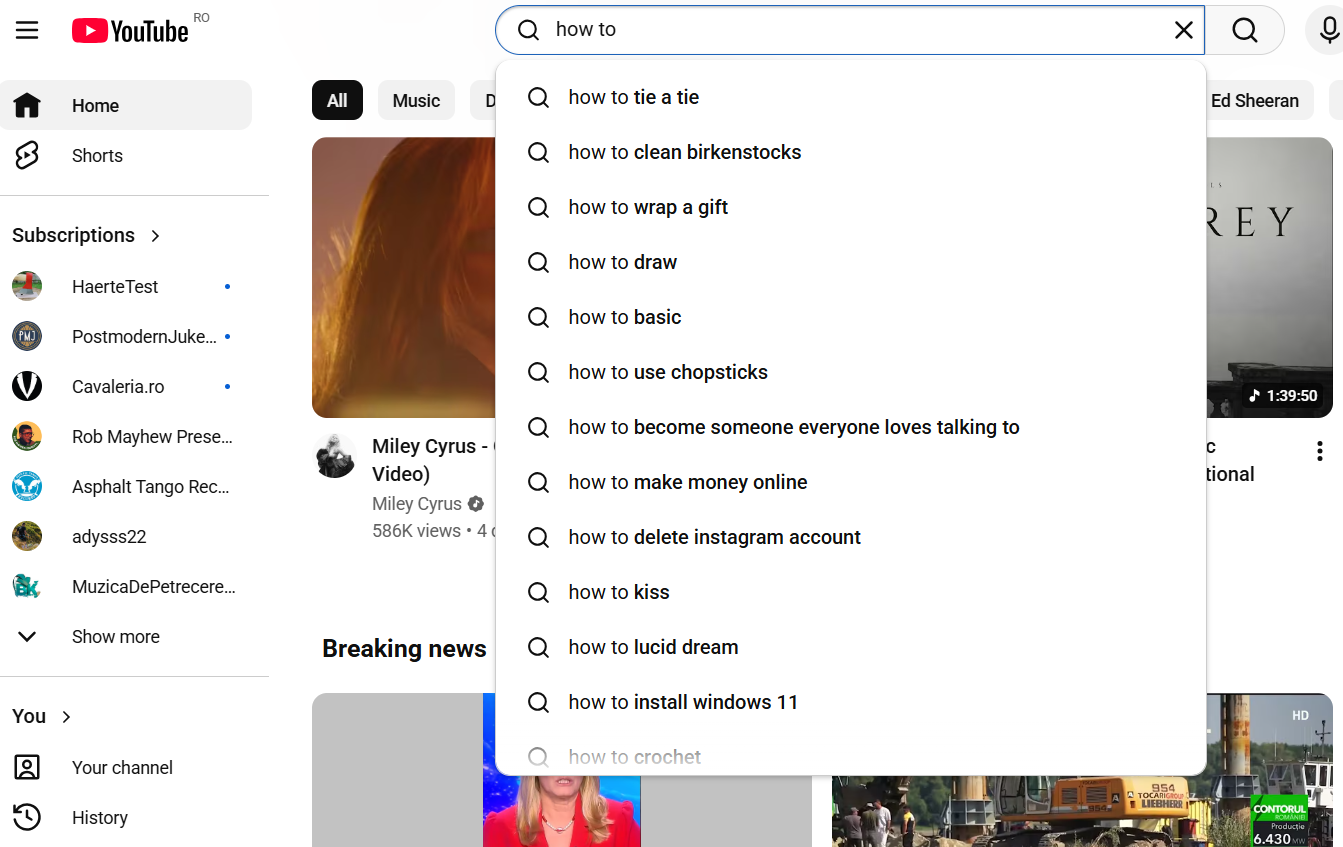
YouTube Search Suggest is a surprisingly powerful SEO helper because it shows the exact phrases people are typing into YouTube. Start typing a topic and the autocomplete list instantly reveals real search language, long‑tail ideas, and phrasing that matches viewer intent. It’s perfect for turning a broad seed term into a stack of video ideas, validating demand, and finding easier‑to‑rank variations.
Add a few letters or modifiers, and you unlock even more keyword angles. It’s fast, free, and always available… kind of like the YouTube version of shaking a magic 8‑ball, except this one actually gives useful answers.
Google Trends
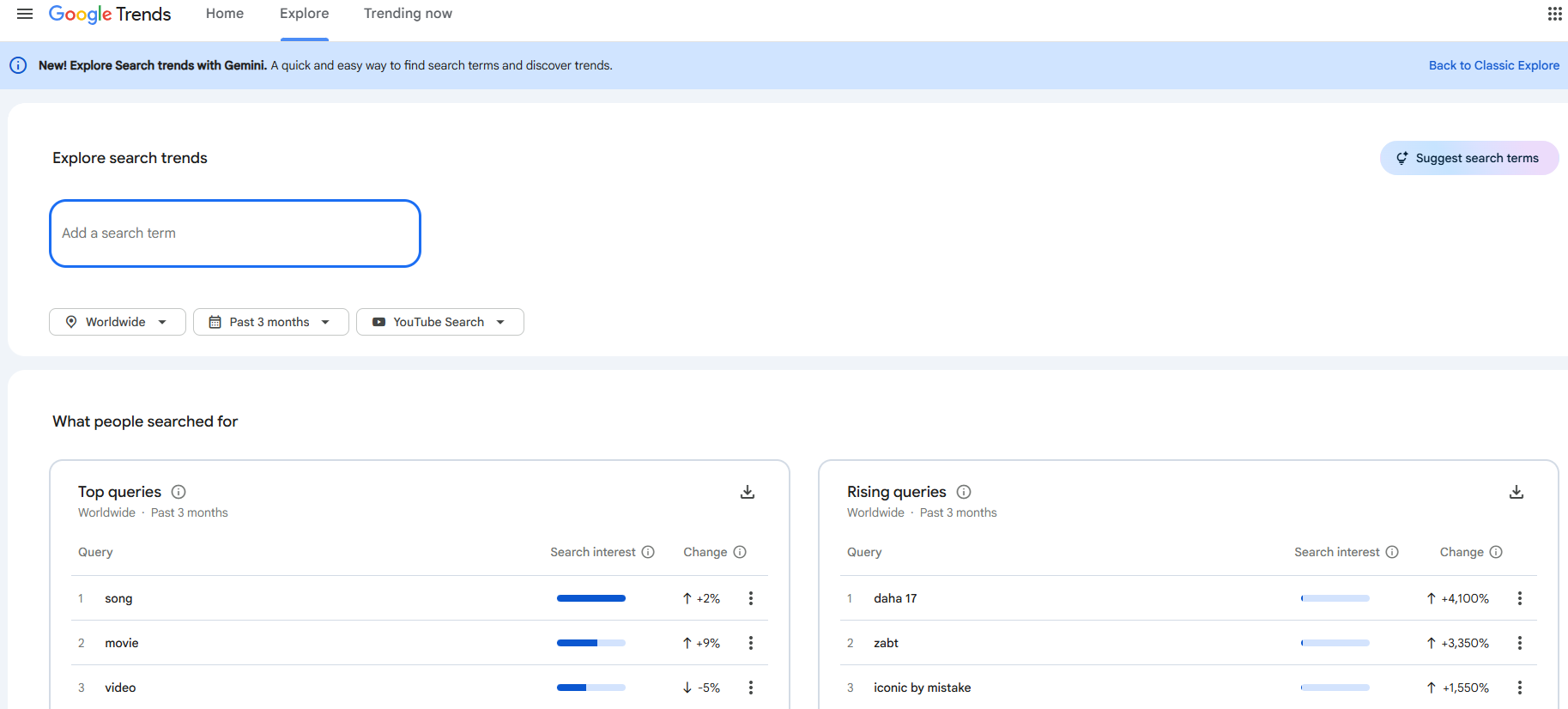
Google Trends is one of the simplest but sneaky‑powerful YouTube SEO tools you can use. It’s free, fast, and perfect for validating whether a video idea is actually gaining traction before you spend hours scripting and editing. You get real‑time interest signals straight from YouTube search behavior.
Its YouTube‑specific search filter lets you switch from “Web search” to “YouTube search,” so you’re looking at trends based on what people type inside YouTube, not just Google. You can track trend direction and seasonality, spotting rising topics, yearly spikes, or fading interest to time your uploads for maximum impact.
Google Trends also makes topic comparison easy: stack multiple ideas side‑by‑side and instantly see which one has stronger momentum in your target country.
Keyword Tool
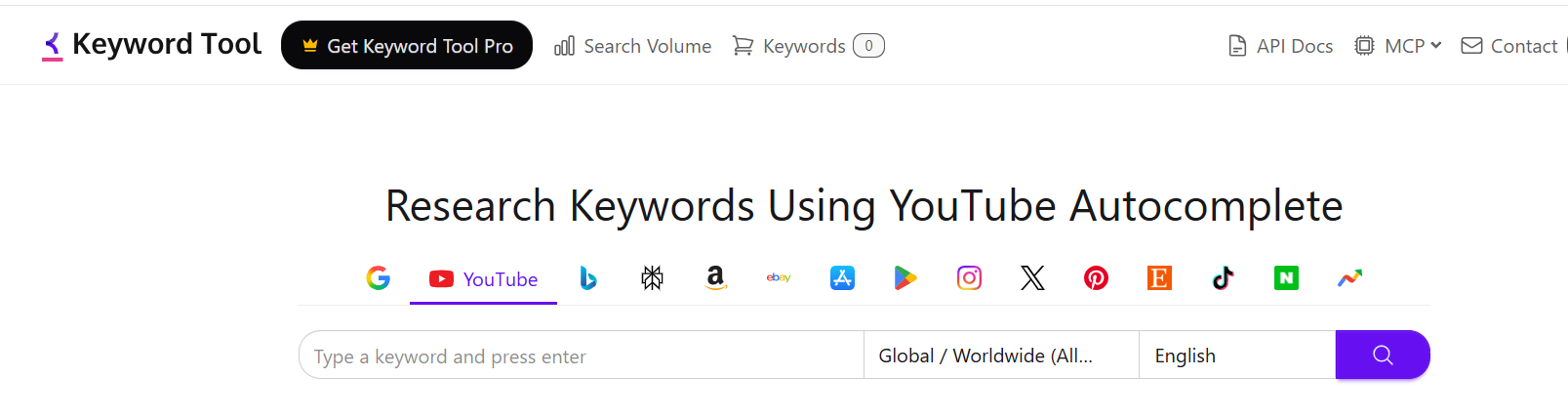
Keyword Tool is a solid free SEO helper because it quickly turns YouTube’s autocomplete data into a big list of long‑tail keywords you can actually use. Type in a seed term and it mines YouTube’s suggestions by adding letters, numbers, and modifiers, giving you real user phrasing.
The free version (because it also has a pro, paid option) can pump out hundreds of ideas at once, including tags, hashtags, questions, and long‑tail variants that make metadata writing way easier. You can also switch countries and languages to match your audience.
If you want fast keyword inspiration without paying for a full platform, this YouTube ranking tool delivers plenty of fuel for your channel’s content planning.
ChatGPT
Yes, we know ChatGPT isn’t a full YouTube SEO platform. But it can be a killer accelerator inside your optimization workflow. ChatGPT can spin up title variations, expand descriptions, build tag lists, suggest chapters, and generate promo copy in seconds.
It’s also great for ideation: brainstorming keywords, mapping search intent to video angles, and breaking down competitor patterns when you paste in their titles or transcripts. And if you’re producing numerous videos per month, reusable prompts or custom GPTs can automate big chunks of scripting and metadata. Used alongside real keyword tools and YouTube Studio analytics, ChatGPT helps you move faster, stay consistent, and ship better‑optimized videos with less effort.
You might be tempted to grab the flashiest option. But picking the right YouTube SEO tool really comes down to your budget, your skill level, and how you actually work. No one needs the “fancy pro setup” if you’re just starting out, and no advanced creator wants a tool that slows them down.
YouTube creators with a tight budget: YouTube Studio plus Google Trends and a free keyword tool already give you solid footing. What you need are simple interfaces and low learning curves.
Mid to high level creators: As your channel grows, tools like SubSub, TubeBuddy and vidIQ become way more useful. You can find better keywords, tighten up your titles and descriptions, and see what your competitors are ranking for. vidIQ is great for idea brainstorming and coaching-style tips, while TubeBuddy stands out among YouTube optimization tools for its bulk updates and structured testing capabilities. Plus, SubSub is the best in terms of competitor benchmarking and personalized strategies to grow your channel. At this stage, you’ll want stronger metadata workflows and clearer ranking insights.
Teams or advanced creators: Tools like Ahrefs or Semrush start making sense when you’re doing deep research across topics, markets, or clients. You’ll need automation, repeatable systems, and support for multiple users.
Other elements to check:
Integrations. If you use Chrome extensions, dashboards, or planning tools, pick something that plugs in cleanly. Native YouTube integration helps if you want to optimize right inside the upload screen, and solid reporting is useful if you share results with clients or your team.
Analytics. Look beyond basic view counts. The most useful tools break down watch time, click-through rate, and audience retention by video, so you can see exactly where people drop off and why. If you're managing multiple channels or reporting to clients, SubSub’s custom dashboards and exportable reports save you from stitching together spreadsheets manually.
AI features. More tools now bake AI into the workflow itself, generating title and thumbnail variations, drafting descriptions, suggesting tags based on trending topics, and even predicting how a video might perform before it goes live. These features won't replace your judgment, but they cut down the time spent staring at a blank title field.
If you're aiming beyond standard rankings and want your videos surfacing in AI Overviews, the SubSub Partner Program helps you build a channel strategy rooted in the same signals AI systems use to understand and cite content, aligning your topics, metadata, and publishing habits so your channel reads as authoritative.
So, start with free essentials, upgrade when your bottlenecks appear, and pick the tool that fits your workflow, not the one with the longest feature list.
Best Workflow Using Multiple Tools
A clean YouTube SEO workflow becomes far more powerful when you assign each tool a single job and let them work in sequence instead of overlapping. The steps are:
Validate demand. Use Google Trends to see whether your topic is rising or fading, then check YouTube Search Suggest for real viewer phrasing. If you have deeper tools like Ahrefs, vidIQ, or Semrush, cross‑check volume and competition to confirm the idea is worth pursuing. Also glance at the top-ranking videos for your target topic if they're all from massive, established channels; that's a signal to either sharpen your angle or pick a less saturated variant.
Pick your target keyword. Choose one primary term and a few long‑tail variants that match intent. Avoid topics dominated by massive channels unless you have a clear angle that lets you compete. You can rely on TubeBuddy, vidIQ, or SemRush for this.
Draft your metadata. Put your main keyword at the front of the title, write a description that explains the video in the first 125 characters, and prep your tags, hashtags, chapters, and captions before you upload. It makes your whole workflow smoother and your video packaging way cleaner. Tools like TubeRanker, UTubeKit, or CheckTheWorth can help you speed this up and keep everything consistent. If you're stuck on phrasing, AI-assisted title generators (built into tools like vidIQ or standalone options like TubeRanker) can spit out several keyword-rich variants to test or refine, rather than staring at a blank field.
Optimize the packaging. Use TubeBuddy, vidIQ, or Morningfame to sanity‑check your metadata and refine phrasing. Create your thumbnail in Canva or your preferred design tool, and test alternatives if your stack supports A/B experiments.
Check analytics. Once published, switch to YouTube Studio. After 24–48 hours, check impressions, CTR, retention, and traffic sources. The search query report shows what actually drove views, which becomes fuel for your next upload. For a broader view, SubSub Analytics layers in competitor tracking and global trend data across countries and categories, so you're benchmarking against the market, not just your own numbers.
Iterate. Update titles, thumbnails, and descriptions if performance is weak. Build related videos around winning topics to compound search and suggested traffic. Use your comments section like a gold mine: it’s packed with questions your audience still wants answered and fresh angles you can turn into new videos.
With the right tools assigned to the right steps, YouTube SEO becomes a smooth, predictable system instead of guesswork.
Common YouTube SEO Mistakes Creators Keep Making
Most YouTube SEO fails come from mismatched intent, weak retention, and obsessing over metadata. Creators often treat SEO like a magic spell: wave enough keywords around and poof, views appear. Spoiler: YouTube isn’t Hogwarts.
Many creators chase keywords no one searches or pick broad terms like “marketing” instead of something humans actually type, like “B2B SaaS SEO audit checklist.” Even worse, they write titles for robots: keyword‑stuffed Franken‑titles that scare off real people. And when 55% of videos have a perfect title‑to‑keyword match, it’s clear creators are over‑optimizing instead of communicating.
Descriptions get neglected too. Thin, generic text means YouTube has no clue what your video is about. Tags sometimes get way more credit than they deserve. YouTube still leans on them, but they’re more like the seasoning. If there's no meal underneath, it doesn't matter how well you season it.
But the real killer is ignoring retention. Slow intros, filler content, and zero engagement prompts tank watch time faster than you can say “skip.” Add weak thumbnails, missing chapters, and no internal promotion, and even great videos sink.
The pattern is simple: creators polish the tiny stuff while skipping the big levers: intent, retention, and packaging. Fix those, and SEO finally starts working with you, not against you.
Final Recommendations
For beginners: Start with YouTube Studio paired with Google Trends and YouTube Search Suggest. They're free, simple, and teach you how search behavior actually works before you invest in anything paid. Once you outgrow them, TubeRanker is an easy, affordable next step.
For professionals: SubSub, TubeBuddy, or vidIQ are the sweet spot. They all bring serious keyword research, optimization checklists, and competitor tracking, with TubeBuddy leaning into bulk editing and A/B testing, and vidIQ leaning into ideation and coaching-style guidance. SubSub offers deep competitor and niche analytics, plus the option to build a data‑driven content strategy based on competitor performance and niche trends.
For agencies: Ahrefs and Semrush start to make sense once you’re juggling multiple channels, clients, or whole markets. Their Google + YouTube keyword data and content gap tools are built for serious, repeatable research, the kind you need when you’re working at scale and can’t afford guesswork.
For creators on a budget: Lean on the free stack: YouTube Studio, Google Trends, and Keyword Tool. You'll get real search terms, trend validation, and long-tail keyword ideas without spending a cent. Morningfame is worth the small upgrade if you want channel-specific keyword grading.
For AI-first workflows: vidIQ and TubeRanker both offer AI-assisted title and description generation baked right into the platform. Use it along with ChatGPT to brainstorm video angles, draft scripts, or pump out a bunch of title ideas fast. Then take the best ones and run them through your SEO tool to make sure people actually search for them before you lock in your final choice.
FAQ
What’s the best YouTube SEO tool if I’m on a tight budget?
If you’re working with zero budget, start with YouTube Studio plus YouTube Search Suggest and Google Trends. They give you real search queries, performance data, and demand signals without paying for anything. Add a free keyword generator like Keyword Tool if you need long‑tail ideas. This combo covers the basics without overwhelming beginners.
Are YouTube SEO tools worth paying for?
Paid YouTube SEO tools make sense if they actually fix a real problem for you, like finding good keywords, tightening your metadata, or testing thumbnails faster. Free YouTube SEO tools are fine for the basics, but paid ones give you structure, speed, and way better competitor insights so you can scale without burning out.
If you upload often or your channel brings in money, the extra data and workflow support usually pays for itself because you spend less time guessing and more time growing.
Which tools help rank videos higher?
Tools don’t magically rank your videos; your content and your audience do. But the right tools help you influence the things YouTube actually cares about. Keyword tools show you what people are really searching for, YouTube optimization tools help you tighten up titles and thumbnails, and YouTube analytics tools like SubSub reveal whether viewers are sticking around.
When you use them together, you stop guessing. You target better keywords, boost your CTR, and improve retention, and that’s what pushes your videos higher over time.
How do I know if my YouTube SEO tool is actually improving performance?
Check YouTube Studio after each upload. Look at impressions, CTR, retention, and search queries. If your SEO tool helped refine metadata, you should see stronger search impressions and clearer query alignment. If CTR or retention stays weak, adjust thumbnails, titles, or content structure and test again. For a fuller picture beyond YouTube Studio's basics, SubSub Analytics adds competitor benchmarking and cross-channel trend data, giving you context Studio alone can't.
Which YouTube SEO tools help with competitive research?
SubSub, vidIQ, TubeBuddy, and Ahrefs all offer competitive insights, but at different levels. SubSub stands out as one of the best YouTube analytics tools as it combines market-wide competitor tracking with your own channel analytics in one place. vidIQ is great for creator-friendly benchmarking, TubeBuddy helps with structured comparisons, and Ahrefs gives deeper search intelligence across markets. Pick based on your channel size and how much competitive data you actually need.
What tools should I use if I manage multiple channels or clients?
If you’re running a more advanced workflow, you’ll want tools that can automate stuff, handle bulk edits, and give you deeper analytics. TubeBuddy is great for bulk metadata updates, vidIQ helps you scale your keyword research, and Ahrefs or Semrush are clutch when you need serious, organized research across topics and markets. Combine these with YouTube Studio for reliable post‑publish performance tracking.
Do YouTube tags still matter?
Tags matter far less than they used to, but they’re still helpful for clarifying ambiguous topics or alternate spellings. YouTube tags generator tools won’t magically boost rankings, yet they can reinforce relevance when your title or description covers multiple angles. In a way, tags are lightweight metadata: useful, but not a primary SEO lever compared to search intent, CTR, and retention.
Can AI replace YouTube SEO tools?
AI can speed up brainstorming, metadata drafting, and idea generation, but it can’t replace specialized SEO tools for YouTube. AI doesn’t access real search queries, competitive landscapes, or performance analytics. The best workflow pairs AI with data‑driven tools: AI for fast iteration and creativity, SEO tools for validation, optimization, and measurement. Together, they create a stronger, more reliable strategy.



.jpg)
.jpg)